
By hostmyai January 6, 2026
Hosting AI models looks simple on a whiteboard: pick a model, spin up a GPU, expose an endpoint, and call it a day. In real production, hosting AI models is a system design problem where performance, reliability, security, and cost all fight each other.
The most common failures happen when teams treat hosting AI models like “just another web service” instead of a latency-sensitive, GPU-constrained, data-governance-heavy workload.
This guide breaks down the most common mistakes when hosting AI models and how to avoid them—using practical, production-oriented guidance, current serving patterns, and realistic future predictions.
You’ll see why hosting AI models needs careful capacity planning, the right inference stack, strong observability, secure deployment practices, and a cost strategy that doesn’t collapse under real traffic.
1) Underestimating Workload Patterns and Capacity Planning
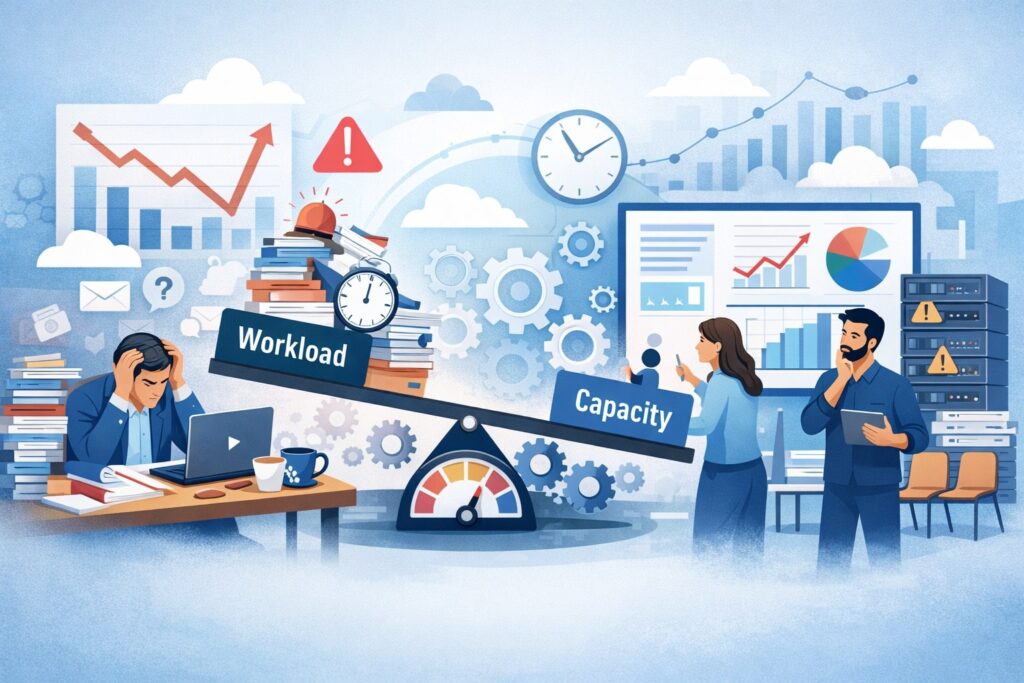
One of the most expensive mistakes when hosting AI models is building capacity plans based on averages instead of peaks and tail latency. AI inference traffic rarely behaves like classic API traffic.
A burst of long prompts, a spike of concurrent users, or a single customer running batch jobs through your endpoint can blow up GPU memory, increase queueing, and push response times past acceptable limits. When hosting AI models, “p95 latency” is not a reporting metric—it’s the user experience.
A frequent planning error is assuming tokens-per-second equals capacity. In reality, hosting AI models requires planning for context length distribution, output length distribution, concurrency, and service-level objectives (SLOs).
Long-context requests can dominate compute and memory. Even “small” changes (like a new feature that adds retrieved context) can double prompt length, which changes your GPU memory footprint and throughput profile overnight.
Another classic failure: treating GPU memory like RAM in a typical server. For hosting AI models, GPU memory is the hard ceiling. Overcommit it and you’ll see crashes, thrashing, or severe performance collapse.
Teams also forget the overhead of KV cache, batch composition, tokenizer costs, and framework overhead. Hosting AI models in production means you must plan for worst-case combinations, not best-case demos.
Finally, capacity planning often ignores the operational reality of maintenance, deployments, and failover. If you have “just enough GPUs” for steady state, then hosting AI models becomes fragile: any instance failure or rollout can push the system into an outage or a severe latency spiral.
Right-sizing GPUs, memory, and concurrency for hosting AI models
Right-sizing for hosting AI models starts with measuring the real workload, then sizing against peak and tail behavior.
What to do instead:
- Profile real prompts and outputs: capture histograms of prompt tokens, completion tokens, and concurrency. Hosting AI models without token distributions is guesswork.
- Plan for KV cache and context growth: KV cache scales with context length and batch behavior; it’s often the hidden limiter for hosting AI models at scale.
- Set admission control: define max prompt length, max output tokens, and concurrency per tenant. Hosting AI models needs guardrails, not polite suggestions.
- Use queuing intentionally: a small queue with timeouts is often better than unlimited queue growth that hides overload until everything fails.
- Reserve headroom: run at a safe utilization target so that one-node loss doesn’t break SLOs.
A modern pattern is to separate “interactive” and “batch” lanes. Hosting AI models for chat-like interactions requires strict latency targets, while batch jobs can tolerate queued throughput. Mixing them without policies leads to the interactive lane getting crushed by batch traffic.
2) Choosing the Wrong Serving Stack and Ignoring Inference Optimization

Another major mistake when hosting AI models is picking a serving approach because it was easy to start, not because it fits production constraints. Teams commonly launch with a simple Python web server (or a default model server) and only later discover that GPU utilization is low, latency is unstable, and scaling is unpredictable.
Hosting AI models efficiently usually requires a serving stack designed for LLM inference realities: continuous batching, KV cache management, fast token streaming, and robust routing.
In 2025–2026, the serving ecosystem has matured: you’ll see production deployments built around high-throughput LLM servers (for example, vLLM-compatible stacks) and optimized inference runtimes (such as Triton with TensorRT-LLM).
Triton’s ecosystem even includes dedicated LLM benchmarking tools and best-practice guidance aimed at throughput/latency measurement.
A common pitfall is “framework lock-in” without a migration path. Hosting AI models isn’t static: new quantization options, attention kernels, and scheduling improvements arrive quickly. If your architecture makes it hard to swap runtimes, you’ll pay a compounding tax.
Another pitfall is ignoring orchestration and autoscaling needs for hosting AI models. You need routing, rollout strategies, health checks, and graceful draining that understand GPU workloads—not just stateless pods.
Finally, many teams underinvest in benchmarking. Without a disciplined benchmark loop, hosting AI models becomes a cycle of production firefighting. If you can’t measure throughput, latency, and token-level performance under realistic loads, you can’t optimize.
vLLM, Triton + TensorRT-LLM, and managed microservices: pitfalls when hosting AI models
Today, a lot of hosting AI models decisions come down to three common directions:
1) High-throughput LLM servers (vLLM-compatible stacks)
These stacks focus on efficient batching and serving features that help with hosting AI models at scale. They are often paired with production serving layers that add routing and autoscaling. For example, Ray Serve documents compatibility approaches that let you use vLLM configurations while gaining production features like autoscaling and advanced routing.
Mistake: teams adopt the server but skip production hardening—no load testing, weak rollout discipline, and missing resource isolation.
2) Triton with TensorRT-LLM
This route can deliver strong performance when tuned correctly and is frequently used in GPU-heavy inference environments. NVIDIA’s Triton documentation highlights performance best practices and provides LLM-oriented benchmarking tooling (for example, GenAI-Perf) that helps quantify throughput/latency tradeoffs.
Mistake: teams expect “drop-in” performance without tuning (batching settings, engine building, model formats, runtime parameters).
3) Prebuilt inference microservices
NVIDIA NIM positions itself as prebuilt, optimized inference microservices for rapid deployment across NVIDIA-accelerated infrastructure.
Mistake: teams treat managed/packaged inference as “set and forget,” and still fail at workload governance (limits, tenant isolation, observability, and cost controls).
No matter which direction you choose, the core rule for hosting AI models is the same: you must benchmark, tune, and operationalize. The “best” serving stack is the one your team can run reliably under real production load.
3) Poor Data Governance, Privacy, and Compliance in Production Inference

When hosting AI models, teams often focus on latency and forget that prompts and outputs are data. In many businesses, prompts include customer identifiers, payment details, contracts, support transcripts, or internal intellectual property.
If you log everything by default, you can accidentally create a high-risk dataset—one that becomes expensive to secure, audit, and delete.
Another common mistake is mixing training/fine-tuning data pipelines with inference logging. Hosting AI models is not the same as collecting training data. Production inference logs should be minimal and purpose-driven.
You need clear retention policies, access controls, and redaction strategies. If you don’t, the system becomes a compliance and incident-response nightmare.
Teams also forget that third-party integrations can multiply risk. When hosting AI models behind multiple API gateways, observability tools, and vendor monitoring agents, sensitive prompt content can leak into places you didn’t intend.
Even “harmless” debug logs can capture entire conversations. Hosting AI models requires a deliberate logging and privacy design, not accidental data hoarding.
Finally, data governance failures can break product quality too. If the wrong data is cached, replayed, or shared across tenants, you can have severe trust issues. Multi-tenant hosting AI models setups must prevent cross-tenant leakage at every layer: cache, logs, tracing, analytics, and support tooling.
Logging prompts/responses safely when hosting AI models
Safe logging for hosting AI models is about intentionality and minimization.
Better practices:
- Default to metadata logging: log token counts, latency, model version, error types, and routing decisions. Avoid raw prompt/output unless you have a clear need.
- Redact and classify: if you must store text, redact sensitive fields and tag records by sensitivity class.
- Short retention + strict access: keep raw content for the minimum time possible, and restrict access with audited controls.
- Tenant isolation: ensure logs and analytics are partitioned by tenant, and test that isolation.
- Privacy-first debugging: build “debug modes” that require explicit enablement and expire automatically.
Hosting AI models also benefits from synthetic test inputs for debugging performance and correctness. If engineers rely on real customer prompts to troubleshoot, you’re setting yourself up for accidental disclosure. A strong operational culture assumes that anything stored can be exposed someday—and designs accordingly.
4) Reliability Gaps: No SLOs, Weak Observability, and Fragile Rollouts

A surprisingly common mistake when hosting AI models is shipping an endpoint without defining what “good” means. Teams say “it seems fast” or “it works in staging,” then discover users complain about timeouts, inconsistent responses, and downtime during deployments.
Hosting AI models requires explicit SLOs because GPU workloads degrade in ways that aren’t obvious until you’re already failing.
Observability failures are especially brutal. If you only monitor request latency and HTTP error rates, you miss the real issues: GPU memory pressure, KV cache saturation, batch composition shifts, token generation slowdown, and queue time growth. Hosting AI models needs token-aware telemetry, not just web-service telemetry.
Rollouts are another point of failure. Many teams deploy new models or new runtimes like a normal stateless app. But hosting AI models involves warm-up time, GPU memory allocation, compilation/engine building in some stacks, and caching behavior. If you don’t do canaries and staged rollouts, you can take down your entire service with a single misconfigured release.
Benchmarking should be continuous, not a one-time pre-launch event. Triton’s ecosystem explicitly points to LLM benchmarking tooling designed to measure throughput and latency for LLMs served in production-like settings. If you’re not benchmarking regularly, you’re flying blind while traffic patterns and models evolve.
Benchmarking and continuous performance testing for hosting AI models
To make hosting AI models reliable, you need a “performance CI” mindset.
Key elements:
- Define SLOs: p50/p95/p99 latency, timeout rate, error rate, and “degraded-mode” behavior.
- Track queue time separately: total latency hides overload; queue time reveals it.
- Token-level metrics: time-to-first-token, tokens/sec, and completion stability. Hosting AI models quality is often tied to streaming responsiveness.
- Load tests that match reality: vary prompt lengths and output lengths; simulate bursts; include worst-case prompts.
- Canary + rollback: always deploy new model versions gradually and with fast rollback paths.
A smart addition is “golden prompt suites”: stable test prompts that detect regressions in output format and latency. This helps hosting AI models remain predictable as you change quantization settings, upgrade kernels, or shift between serving runtimes.
5) Cost Traps: Wasteful Scaling, Inefficient Batching, and Surprise Bills
Cost failures are among the most painful mistakes when hosting AI models because they can look like success at first: traffic grows, GPUs scale up, responses remain fast—until the bill arrives. The biggest cost trap is low GPU utilization.
If your serving stack can’t batch effectively or your routing spreads traffic too thin across many replicas, you pay for idle accelerators.
Another trap is scaling purely on CPU metrics or request-per-second. Hosting AI models should scale on GPU-centric signals: GPU utilization, memory pressure, queue depth, tokens/sec, and tail latency. Scaling on the wrong signals causes thrash: you add nodes too late, remove them too early, and oscillate under variable traffic.
Teams also underestimate how much “free” traffic isn’t free: retries, timeouts, verbose system prompts, and unbounded output lengths. If you let users request huge outputs, your cost per request becomes unpredictable. Hosting AI models needs product-level constraints and pricing policies that align with compute reality.
Finally, “hidden” costs like network egress, logging volume, and storing large traces can become surprisingly large at scale. Hosting AI models produces more data than typical APIs if you’re not careful—especially if you store full prompts/responses and embeddings.
Memory-aware scheduling and dynamic batching in hosting AI models
Modern research and production practice increasingly recognize that static batching policies can fail under memory-constrained GPUs and variable workloads.
Work on memory-aware and SLA-aware inference highlights that fixed batch sizes can limit adaptability when system conditions change. This matches what many teams experience in production hosting AI models: the “best batch size” depends on prompt mix, concurrency, and latency targets.
Practical cost optimizations:
- Use continuous/dynamic batching where supported; tune batch windows carefully.
- Prefer fewer, hotter replicas over many cold replicas, if latency allows.
- Implement per-tenant quotas (tokens/minute, concurrency, max context).
- Control prompt growth: keep system prompts concise; compress retrieved context; enforce max tokens.
- Use caching strategically (prompt caching or embedding caching) but validate tenant isolation and correctness.
A cost-optimized hosting AI models platform is not only cheaper—it’s often more reliable, because it avoids overload spirals caused by poor batching and uncontrolled request sizes.
6) Security Mistakes: Supply Chain, Isolation, and Prompt Injection Controls
Security is where many hosting AI models deployments are most immature. Teams lock down the perimeter but ignore internal risks: insecure model artifacts, dependency vulnerabilities, weak container hardening, and insufficient isolation between tenants.
Hosting AI models is especially exposed because it often runs high-value data through complex stacks of libraries, runtimes, and GPU drivers.
Supply chain risk is real. Model weights, tokenizer files, custom kernels, and container images must be treated as production assets. If you pull artifacts from untrusted sources or allow ad-hoc hotfixes, you create a security and reproducibility nightmare.
Prompt injection and tool abuse are also common. Hosting AI models that connect to tools (databases, payment actions, internal APIs) must assume prompts can be malicious.
If the model can be tricked into calling privileged tools, your endpoint becomes an attack surface. This isn’t just theoretical—teams routinely see attempts to override system instructions, extract secrets, or trigger unintended actions.
Finally, many teams fail to secure the inference endpoint itself: weak authentication, missing rate limits, and no abuse detection. Hosting AI models without robust access controls invites scraping, denial-of-service, and cost attacks.
Securing model endpoints and runtime when hosting AI models
Security for hosting AI models should be layered and testable.
Core controls:
- Strong auth + tenant scoping: every request should be authenticated and mapped to a tenant policy.
- Rate limits and anomaly detection: detect token spikes, repeated failures, and suspicious patterns.
- Artifact integrity: sign container images and model artifacts; validate checksums in CI/CD.
- Runtime isolation: isolate tenants via routing policies, separate deployments for high-risk tenants, and hardened containers.
- Prompt/tool safety: treat tool calls as privileged operations; enforce allowlists, schemas, and human-in-the-loop for high-risk actions.
If you offer “agentic” workflows, adopt a security stance where the model is untrusted. Hosting AI models safely means the platform—not the model—enforces what actions can happen.
FAQs
Q1) What’s the fastest way to reduce latency when hosting AI models?
Answer: Start by measuring time-to-first-token and queue time separately. Many “latency” complaints are actually queueing under load. Then focus on batching strategy, GPU utilization, and right-sizing replicas. If your system can stream tokens, improving time-to-first-token often matters more than raw tokens/sec.
Also check prompt length growth—overly long system prompts and retrieved context are silent latency killers. Finally, benchmark under real traffic distributions, not single-prompt demos, because hosting AI models fails in the tails.
Q2) Should I use a packaged inference microservice approach or build my own stack?
Answer: If you need speed-to-production and run on NVIDIA infrastructure, packaged inference microservices can reduce integration time by providing optimized serving components. NVIDIA NIM is positioned specifically as prebuilt, optimized inference microservices for deploying AI models across NVIDIA-accelerated environments.
But even with packaged solutions, hosting AI models still requires governance (quotas, logging policy, tenant isolation, observability, rollout discipline). If you have unique routing needs, multi-model orchestration, or strict control requirements, a custom stack may fit better—just budget for operational complexity.
Q3) What limits should I enforce for public or customer-facing hosting AI models endpoints?
Answer: At minimum: max prompt tokens, max output tokens, max requests per minute, and max concurrent requests per tenant. Consider separate policies for interactive and batch use. Also set timeouts and fail-fast behaviors. Hosting AI models without these limits invites instability and cost blowups.
Q4) How do I prevent cost attacks against hosting AI models?
Answer: Use auth, rate limits, quotas, and anomaly detection. Enforce token-based quotas (not just request counts), and cap output length. Add pricing or metering aligned to tokens processed. Hosting AI models is uniquely vulnerable to “make it generate forever” attacks if you don’t cap output tokens.
Q5) What’s changing next in hosting AI models infrastructure?
Answer: Expect more specialization for long-context inference and more disaggregated architectures. For example, NVIDIA has discussed specialized inference accelerators aimed at the context phase of LLM inference, using different memory approaches to reduce cost and power, with broader ecosystem integration and orchestration layers.
Over the next couple of years, hosting AI models will likely look less like “one GPU does everything” and more like orchestrated pools optimized for different phases of inference.
Conclusion
The most common mistakes when hosting AI models come from treating inference like a standard web workload. In reality, hosting AI models is capacity planning under GPU constraints, reliability engineering under variable token loads, and security/data governance under sensitive inputs.
When teams fail, it’s usually not because the model is “bad,” but because the hosting AI models platform lacks guardrails: no workload governance, weak observability, fragile deployments, and uncontrolled costs.
The good news is that the path to maturity is clear. Measure real traffic, enforce token-based limits, benchmark continuously, and choose a serving stack built for LLM inference.
Use tooling and guidance that exists specifically for LLM serving and benchmarking (for example, Triton’s LLM-focused best practices and benchmarking tools). If you adopt modern serving layers that support production scaling and routing, you can reduce the operational burden while improving reliability.
Looking forward, hosting AI models will keep evolving toward specialization and orchestration: more optimized runtimes, smarter memory-aware scheduling, and infrastructure designed for long-context workloads. Teams that win won’t just “run a model”—they’ll build a hosting AI models platform that is measurable, governable, secure, and cost-aware from day one.