By hostmyai January 6, 2026
Choosing the right GPU for AI models is one of the highest-impact decisions you can make when building an AI workflow. The “right” GPU is not the one with the biggest marketing number. It’s the one that matches your model size, training style, inference latency target, memory needs, software stack, power limits, and upgrade plan—without wasting budget.
Modern AI workloads are dominated by three realities. First, memory (VRAM/HBM) often matters more than raw compute, because if your model or batch doesn’t fit, performance collapses.
Second, real-world speed depends on the entire system—CPU lanes, PCIe generation, storage, network, and cooling—not just the GPU. Third, the best GPU for AI models today might not be the best choice for your next model, so you need a roadmap mindset.
This guide explains how to choose the right GPU for AI models for training and inference, how to avoid expensive sizing mistakes, and how to plan for what’s coming next—while keeping it easy to read, practical, and aligned with what teams are actually buying and deploying in 2026-era AI stacks.
Understand Your AI Workload Before You Pick a GPU

Before comparing any GPU for AI models, define what you are actually doing. “AI” can mean fine-tuning a language model, running computer vision inference at the edge, training diffusion models, or serving embeddings for search. Each workload stresses a different part of the GPU.
Start with your model type and stage. Training and large-scale fine-tuning are typically memory-bandwidth and interconnect hungry. Inference can be latency sensitive (interactive chat) or throughput sensitive (batch jobs).
If your workload is mostly inference, you may want a GPU for AI models optimized for lower power and higher utilization rather than a top-tier training GPU.
Next, define your constraints. Do you have a single workstation, a rack server, or cloud instances? Are you limited by a 15A circuit, office noise, or data center cooling rules? These constraints can eliminate many options immediately, even if the GPU for AI models looks perfect on paper.
Finally, map your workload to measurable targets: maximum model parameters, context length, batch size, tokens/sec, images/sec, and acceptable latency. Without these numbers, choosing a GPU for AI models becomes guesswork, and “guesswork” in GPU budgeting is how teams end up with expensive hardware that doesn’t meet the real requirement.
Training vs Inference: Choose the Right GPU for AI Models by Job Type

A GPU for AI models that is excellent for training may be unnecessary—or even inefficient—for inference. Training needs high sustained throughput, strong mixed-precision performance, and fast multi-GPU scaling. That’s why data center accelerators emphasize high-bandwidth memory and fast GPU-to-GPU connectivity.
Inference is different. Many production inference stacks are bound by memory capacity, KV cache, batching strategy, and quantization.
For chat-style LLM serving, the best GPU for AI models is often the one that can hold the model weights plus KV cache with enough headroom to batch requests efficiently. If you constantly hit VRAM limits, you’ll lose utilization and your cost per token rises.
Also consider precision. Training commonly uses FP16/BF16, while inference may use FP16/BF16, INT8, or newer lower-precision formats. Some newer platforms highlight performance for generative AI with faster memory and support for optimized precision modes.
For example, NVIDIA positions the H200 as boosting generative AI and LLM workloads with HBM3E memory and large bandwidth.
The practical takeaway: pick a GPU for AI models based on what you do most. If you train weekly but serve 24/7, prioritize inference economics and reliability. If your competitive edge is training speed, prioritize multi-GPU scaling, memory bandwidth, and a strong software ecosystem.
The GPU Specs That Actually Matter for AI Models
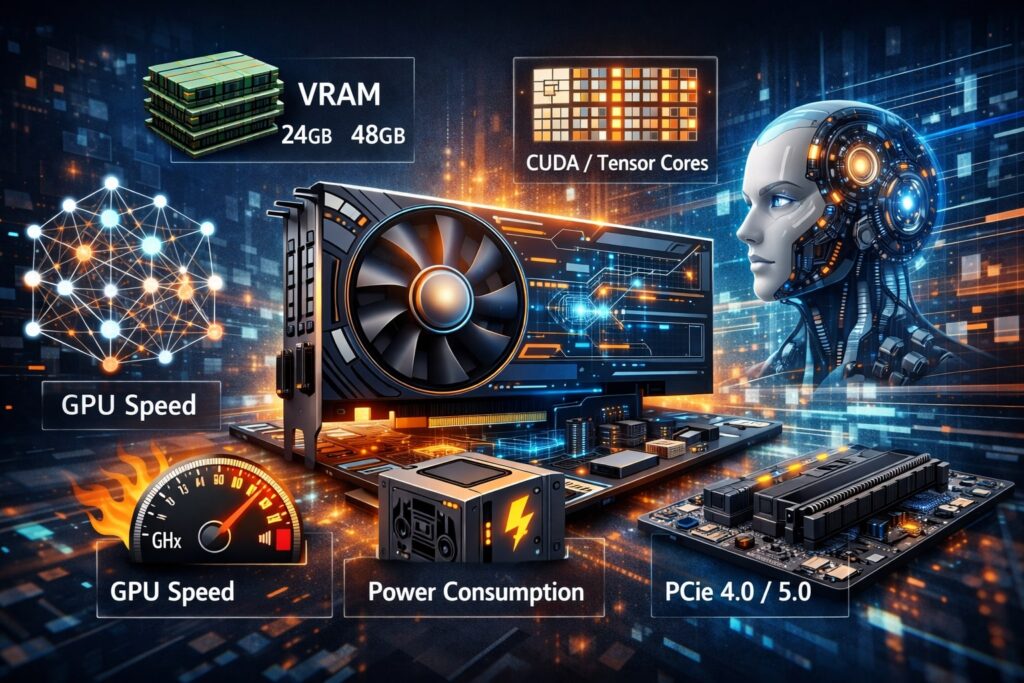
It’s easy to get distracted by FLOPS. For a GPU for AI models, several specs usually matter more than peak compute: memory capacity, memory bandwidth, tensor acceleration, interconnect, and software support. The best choice is almost always the best balance of these five—not the highest single number.
Also, “effective performance” is what your framework can reach. Kernel fusion, attention optimizations, flash attention variants, quantization kernels, and stable drivers can change outcomes dramatically. That’s why vendor software stacks are a core part of choosing a GPU for AI models, not an afterthought.
Below are the most important GPU selection factors, explained in detail.
VRAM / HBM Capacity: The #1 Bottleneck for a GPU for AI Models
Memory capacity is the most common reason teams replace a GPU for AI models sooner than planned. If your model weights plus activations plus KV cache don’t fit, you will either offload to CPU (slow), shrink batch size (low utilization), reduce context length (worse quality), or split across GPUs (complexity and interconnect dependence).
For modern LLMs and multimodal models, memory requirements rise quickly. Even if the base model fits, production inference often needs more headroom for concurrency. That is why data center accelerators emphasize large HBM pools. For example, AMD highlights MI300X with 192 GB HBM3 and very high bandwidth, explicitly targeting large-model enablement.
Consumer and workstation GPUs can still be excellent as a GPU for AI models, especially for development, fine-tuning smaller models, and many inference setups. But you must size VRAM realistically. If your roadmap includes longer context windows and higher concurrency, memory headroom becomes your safety margin.
A simple rule: if you are unsure, buy more memory than you think you need. Memory is the hardest GPU limitation to “optimize away,” and the most expensive mistake to fix after purchase.
Memory Bandwidth: Why “Fast Memory” Beats “More Compute” for Many AI Models
Bandwidth is the rate at which your GPU for AI models can move data between memory and compute. Many transformer operations are memory-bound, especially when you aren’t perfectly compute-saturated. This is why HBM-based accelerators dominate training at scale, and why newer generations emphasize faster memory.
For example, NVIDIA describes H200 as the first GPU with HBM3E and positions it as fueling generative AI and LLMs with larger, faster memory. Bandwidth matters because it improves throughput in attention, matrix operations, and large-batch workloads where data movement is constant.
Bandwidth also impacts quantized inference in surprising ways. Even if INT8 or lower-precision reduces compute cost, you may still be limited by how quickly weights and cache can be read. That means a “cheaper” GPU for AI models with slower memory can lose badly to a higher-bandwidth card when serving real traffic.
When comparing GPUs, don’t just read “TFLOPS.” Look at memory type (GDDR vs HBM), bus width, and bandwidth. If your AI models are large and you care about throughput, bandwidth is one of the strongest predictors of wins.
Tensor Cores, Precision Modes, and Real AI Throughput
A GPU for AI models lives or dies by how well it accelerates the precisions your models use. Most training relies on BF16/FP16. Inference increasingly uses FP16/BF16 with quantization options like INT8, and sometimes even lower-precision modes depending on hardware and kernel maturity.
Modern GPUs include matrix-multiply accelerators (often called Tensor Cores or equivalent) that greatly speed up deep learning operations. But the practical benefit depends on whether your framework and model kernels actually hit these fast paths. If your environment isn’t using the right kernels, the GPU for AI models will underperform its “paper” capability.
This is where software compatibility becomes a spec. You want stable support in your core stack: PyTorch, CUDA/ROCm, TensorRT or similar inference engines, and the libraries that your model uses. A GPU for AI models with “great theoretical performance” is not great if your production runtime can’t reliably use it.
When you evaluate candidates, validate with a pilot: run at least one representative training step and one inference scenario. Measure tokens/sec, memory use, and tail latency. Those numbers are what you buy—not the marketing chart.
Interconnect and Multi-GPU Scaling: PCIe, NVLink, and Cluster Networking
If you will use more than one GPU, interconnect decisions can dominate results. A GPU for AI models in a multi-GPU box must exchange gradients, activations, or shards efficiently. If communication is slow, you’ll add GPUs but not speed.
PCIe generation matters, but it isn’t the whole story. Some GPU platforms rely on specialized high-speed interconnects for multi-GPU scaling. NVIDIA’s HGX platforms are designed around high-speed interconnect integration for scaling generative AI performance.
For clusters, the story expands to networking: InfiniBand or fast Ethernet, topology, and collective communication efficiency. If you plan distributed training, don’t treat the GPU for AI models as a standalone purchase. Budget for the entire throughput chain, including network and storage.
If you only need a single GPU, you can deprioritize this. But if your roadmap includes multi-GPU training or high-availability inference replicas, interconnect and system architecture should be considered “core GPU specs,” not optional details.
Power, Cooling, and Noise: The Hidden Costs of a GPU for AI Models
Many teams choose a GPU for AI models and then discover they can’t power or cool it properly. This is especially common in office environments, small server rooms, and edge deployments.
Higher-end GPUs can draw substantial power, and the system needs the right power supplies, airflow design, and thermal monitoring. If cooling is inadequate, the GPU will throttle and your real throughput drops. That makes you pay more for less.
Noise also matters for workstation deployments. A GPU for AI models that sounds like a jet engine is not a good fit for a desk environment. In servers, airflow and chassis compatibility matter more: passive-cooled data center GPUs typically require strong front-to-back airflow designs.
Treat power and cooling as first-class selection criteria. It’s better to choose a slightly smaller GPU for AI models that runs at full performance consistently than a bigger GPU that throttles and fails under sustained load.
Choosing Between Consumer, Workstation, and Data Center GPUs for AI Models
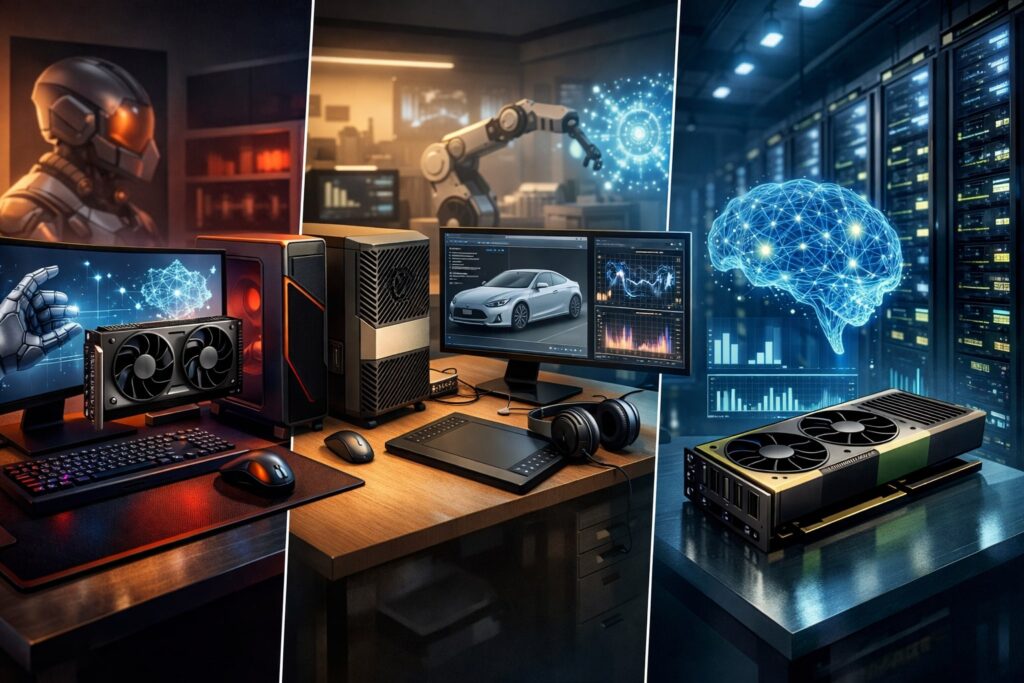
Not every team needs a flagship accelerator. The right GPU for AI models depends on whether your priority is cost, reliability, scale, or development flexibility.
Consumer GPUs can be excellent for prototyping, fine-tuning, and small-to-mid inference. They’re widely available, have strong community support, and often deliver high performance per dollar.
For example, NVIDIA markets the GeForce RTX 5090 as capable for advanced models and creator workloads, with 32 GB of memory in its product description. If your AI models fit and you can handle the power/cooling, a consumer GPU for AI models can be a strong value choice.
Workstation GPUs often add features that matter for professional environments: ECC memory options, certified drivers, and predictable behavior.
If you’re running AI models as part of a production workstation workflow—CAD + AI, video pipelines + AI, or regulated reliability needs—workstation-class GPUs can reduce operational risk.
Data center GPUs are built for sustained throughput, multi-GPU scaling, and enterprise deployment. These are the typical choice for training large AI models, heavy inference fleets, and multi-tenant systems.
NVIDIA’s L40S is positioned as a universal data center GPU for generative AI inference and training plus graphics and video acceleration. That “multi-workload” angle matters if your environment runs mixed jobs.
Choosing the right category is often more important than choosing the exact model. Pick the class that matches your deployment reality first, then optimize within that class.
Right-Sizing a GPU for AI Models: Practical Workload Matching
To right-size a GPU for AI models, you need to translate AI requirements into hardware needs. The most common sizing errors are (1) underestimating memory, (2) buying training hardware for inference-only workloads, and (3) ignoring total system bottlenecks.
Start with memory math. Estimate model weights, optimizer states (for training), activations, and KV cache (for inference). Then add headroom. In production, “fits exactly” usually means “fails under load.” If you plan to run multiple models or versions, add margin for that too.
Next, consider throughput targets. For inference, decide whether you care more about tokens/sec per GPU or latency per request. If you need low latency, you might prefer fewer concurrent batches and higher clock stability. If you need throughput, you’ll optimize batching and memory efficiency.
For training, think in steps per day. Your GPU for AI models should meet a timeline requirement, not a vanity metric. If training takes too long, iteration slows and you lose momentum. If you overbuy, you waste a budget that could have gone to data, evaluation, and product improvements.
Finally, match the GPU to the rest of the box. A powerful GPU for AI models paired with slow storage and limited CPU lanes can underperform badly. Ensure PCIe generation, CPU, RAM, and storage can feed the GPU.
A Simple Buying Checklist for a GPU for AI Models
If you need a fast, reliable decision process, use this checklist as a filter. It prevents most expensive mistakes and keeps your GPU for AI models aligned with real-world constraints.
- Model fit: Can your largest planned AI models fit in VRAM with headroom?
- Inference reality: Will you serve with batching, long context, or many concurrent sessions?
- Training needs: Do you need multi-GPU scaling and fast interconnect?
- Software stack: Is your stack CUDA-based, ROCm-based, or mixed? Are your key libraries stable?
- Power and cooling: Can your environment sustain full-load power draw continuously?
- Reliability: Do you need ECC, enterprise support, or certified drivers?
- Upgrade path: Can you add GPUs later, or will you replace the whole system?
- Cost per outcome: What is your cost per trained run, cost per million tokens, or cost per job?
This checklist forces you to define the success metric before buying. It turns to “which GPU is best?” into “which GPU for AI models best meets my goal?”
Software Ecosystem and Compatibility: Don’t Choose a GPU in Isolation
A GPU for AI models is only as strong as the software that uses it. Driver stability, kernel maturity, and framework support determine whether your deployment is smooth or painful.
If you rely heavily on CUDA-optimized tooling, the NVIDIA ecosystem is often the most straightforward path. If you use ROCm-supported pipelines and your target models are validated there, AMD accelerators can be compelling—especially when memory capacity is a priority, like MI300X’s 192 GB HBM3 emphasis.
For alternative accelerators, you must validate your exact model stack. Intel’s Gaudi 3 platform emphasizes integration with a software suite and performance/power positioning, which can be appealing when the environment is built around that ecosystem. But the key is always the same: test your real workload.
Also consider operational tooling: monitoring, profiling, container images, and security patch cadence. A GPU for AI models that is difficult to manage at scale can cost more in engineer time than it saves in hardware dollars.
The strongest strategy is to standardize. Pick a GPU platform that matches your main frameworks, then standardize your build and deployment patterns. The “best” GPU for AI models is the one your team can run reliably every day.
Cost, Availability, and Procurement Strategy for a GPU for AI Models
In the real world, “choose the right GPU for AI models” includes availability and pricing. Supply constraints and demand shifts can turn a good plan into a long wait or an overpriced purchase.
You should plan for at least two acceptable options. For example, if your primary plan is a data center GPU for AI models, define a fallback that still meets memory requirements. If your primary plan is a high-end consumer GPU for AI models, confirm that your power, cooling, and warranty plan can support it.
Also decide whether you’re buying for capex efficiency (best performance per dollar) or opex efficiency (best performance per watt, best utilization, lowest engineering overhead). Inference fleets often care more about utilization and reliability. Training teams often care about time-to-train.
Don’t forget the total cost of ownership. A cheaper GPU for AI models that requires more servers, more power, and more maintenance can lose to a higher-priced accelerator that does more per node.
A strong procurement strategy is to pilot with one unit, validate performance and stability, then scale the purchase. That reduces risk and ensures the GPU for AI models you buy behaves the way you expect in your exact environment.
Future-Proofing: What to Expect Next for GPUs for AI Models
Future-proofing doesn’t mean predicting the exact next GPU. It means choosing a GPU for AI models with the flexibility to handle where AI is going: longer context windows, more multimodal workloads, larger memory footprints, and stronger efficiency demands.
Memory will keep rising in importance. As models grow and context lengths expand, VRAM headroom will remain a dominant constraint. That’s why product positioning increasingly highlights large and faster memory, like NVIDIA’s H200 emphasis on HBM3E capacity and bandwidth for generative AI and LLMs.
Efficiency will also become a bigger deal. Power availability and cooling capacity are becoming limiting factors for many deployments. Expect more interest in performance-per-watt, better quantization support, and deployment patterns that maximize utilization rather than peak performance.
Interconnect and system-level design will matter more as well. As multi-GPU systems become common for both training and high-throughput inference, platforms that integrate fast GPU-to-GPU communication will stay in demand.
NVIDIA’s HGX B200 platform messaging focuses on scaling generative AI performance through integrated high-speed interconnect design.
A realistic future plan: choose a GPU for AI models that meets today’s needs, but build your infrastructure so you can add nodes, add GPUs, or switch to newer generations without rebuilding everything.
FAQs
Q.1: What is the most important spec when buying a GPU for AI models?
Answer: For most teams, the most important spec is memory capacity. If your AI models do not fit comfortably in VRAM with headroom, everything else becomes secondary. Performance tuning can help compute bottlenecks, but it cannot magically create memory.
Memory bandwidth is often the next most important. Many AI models are limited by how quickly the GPU can move data to and from memory. If two GPUs have similar compute, the one with faster memory often wins in real workloads—especially training and large-scale inference.
After that, prioritize software support. A GPU for AI models that runs your stack reliably is more valuable than a theoretically faster GPU that causes deployment friction.
Q.2: Is a consumer GPU a good GPU for AI models in production?
Answer: It can be, but it depends on reliability requirements and your model sizes. Consumer GPUs can offer strong performance per dollar and are widely used for development and smaller production inference.
If your workloads fit in VRAM and your environment can handle power and cooling, a consumer GPU for AI models may be practical.
However, production environments often value ECC memory, predictable drivers, and enterprise support. If downtime is expensive or you need certified stability, workstation or data center GPUs may be a better GPU for AI models choice even if the upfront cost is higher.
The safest approach is to pilot your exact workload and measure stability under sustained load before committing.
Q.3: How much VRAM do I need for a GPU for AI models?
Answer: VRAM needs depend on model size, precision, context length, and concurrency. A model that fits for single-user testing may fail in production because production adds KV cache, batching, and multiple sessions.
If you can, choose a GPU for AI models with extra headroom. It protects you from roadmap changes, longer context windows, and serving multiple model versions. If memory is tight, you’ll spend time optimizing around the hardware instead of improving the product.
When in doubt, treat VRAM as the primary sizing constraint and buy more than your minimum estimate.
Q.4: Should I buy one big GPU for AI models or multiple smaller GPUs?
Answer: One big GPU for AI models is simpler: fewer scaling issues, fewer communication bottlenecks, and easier software configuration. Multiple GPUs can be faster and more flexible, but only if your workload scales well and your system interconnect supports it.
For training, multiple GPUs are common, but scaling efficiency depends on communication speed. For inference, multiple GPUs can increase throughput and availability, but may add complexity in routing and memory management.
If you are early-stage, one strong GPU for AI models is often the fastest path. If you are scaling training or serving, multi-GPU designs become more attractive—provided you plan the whole system correctly.
Q.5: How do I choose between NVIDIA, AMD, and Intel platforms for a GPU for AI models?
Answer: Choose based on your software stack, model support, and operational comfort. If your environment is heavily CUDA-based and you rely on mature NVIDIA-optimized tooling, NVIDIA is often the most straightforward GPU for AI models.
If memory capacity and ROCm-supported pipelines align with your needs, AMD accelerators like MI300X can be compelling, especially with large HBM pools. If your stack aligns with Intel’s ecosystem and validated paths, Gaudi-class accelerators can be viable, but you should validate your exact models and frameworks.
In all cases, test your real workload. The “best” GPU for AI models is the one that achieves your throughput, latency, and stability goals with the fewest surprises.
Conclusion
To choose the right GPU for AI models, prioritize what actually determines success: memory capacity, memory bandwidth, software compatibility, and system constraints.
Start by defining your workload—training vs inference, latency vs throughput, single GPU vs multi-GPU—and then size memory with headroom. Validate with a pilot run that reflects real production conditions, not just a synthetic benchmark.
If your primary goal is large-model training and scaling, focus on HBM capacity, bandwidth, and multi-GPU interconnect platforms (like HGX-class designs).
If your primary goal is inference, optimize for model fit, concurrency, and stable utilization, and pick a GPU for AI models that meets your cost-per-token target without power or cooling surprises.
Finally, future-proof by building flexibility: leave room for bigger models, longer context, and more multimodal workloads. GPU generations will evolve quickly, but a solid decision process stays the same.
When you choose a GPU for AI models based on fit and measurable outcomes, you get hardware that accelerates your roadmap—rather than hardware that becomes your next bottleneck.