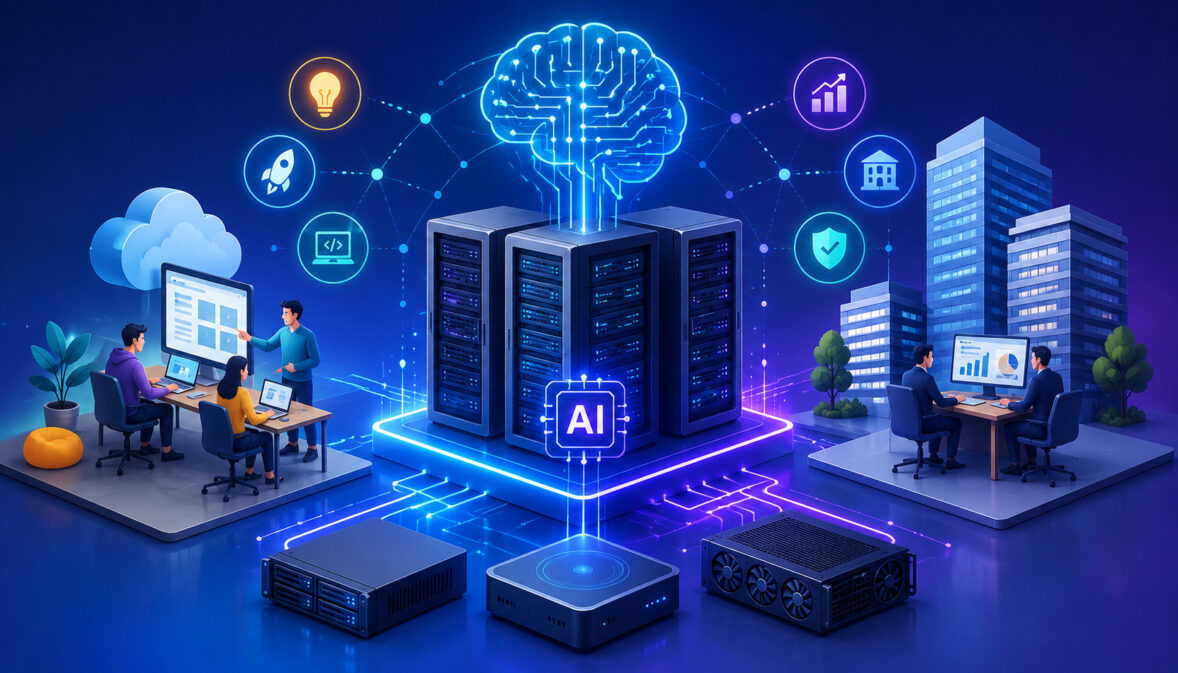
Artificial intelligence has moved from experimentation into everyday business operations. Teams now use AI for model training, inference, automation, predictive analytics, document processing, recommendation engines, chatbots, computer vision, fraud detection, and workflow optimization.
As these use cases grow, ordinary hosting environments often struggle to keep up with the compute, storage, networking, and security demands of modern AI systems.
That is why AI server solutions for startups and enterprises have become a critical part of digital infrastructure planning. A lightweight prototype may begin on a small cloud instance, but production AI workloads often require GPU acceleration, high-speed storage, secure APIs, scalable deployment pipelines, and reliable monitoring.
Startups need infrastructure that helps them move quickly without overspending. Enterprises need platforms that can handle larger data volumes, stricter security expectations, multiple teams, and long-term operational resilience. In both cases, the right AI server environment can improve speed, reduce bottlenecks, and make AI applications easier to scale.
Modern AI server infrastructure is not only about raw power. It is about matching the workload to the right deployment model, choosing the right mix of GPUs, CPUs, memory, storage, and networking, and managing that environment with strong governance.
Guidance such as the NIST AI Risk Management Framework can also help organizations think more clearly about risk, monitoring, and responsible AI operations.
What Are AI Server Solutions?
AI server solutions are specialized computing environments designed to run artificial intelligence and machine learning workloads efficiently. Unlike general-purpose web hosting, these environments are built for heavy data processing, parallel computation, model training, inference, and high-throughput application deployment.
At the core of many AI server environments are GPU servers for AI. GPUs are designed to process many operations at the same time, which makes them especially useful for deep learning, neural networks, image recognition, natural language processing, and generative AI workloads.
CPUs still matter, especially for orchestration, preprocessing, application logic, and general compute tasks, but GPUs often provide the acceleration needed for demanding AI tasks.
AI server infrastructure solutions may include cloud AI servers, dedicated AI servers, hybrid systems, edge AI nodes, and on-premise deployments. Some businesses rely on AI cloud server infrastructure for flexibility, while others use dedicated AI servers when they need predictable performance, stronger isolation, or more control over the hardware environment.
A complete AI computing infrastructure usually includes:
- GPU or accelerator resources
- High-performance CPUs
- Large memory capacity
- Fast SSD or NVMe storage
- High-bandwidth networking
- Secure access controls
- Container and orchestration support
- Monitoring, logging, and backup systems
For organizations comparing different hosting models, resources such as this guide on dedicated AI servers versus shared cloud hosting can help clarify the trade-offs between performance, scalability, cost, and control.
Why Startups and Enterprises Need AI Server Infrastructure
Startups and enterprises need AI server infrastructure because AI workloads are often more demanding than traditional applications. A standard application may serve pages, store records, and process transactions.
An AI application may need to train models on large datasets, run real-time inference, process video streams, manage embeddings, or support many API requests at once.
For startups, startup AI server solutions can reduce the friction of moving from prototype to production. A young team may not have the budget or staff to build a large internal data center environment, but it still needs enough computing power to test models, deploy APIs, and serve users reliably.
Scalable AI server hosting lets teams start smaller, add resources as demand grows, and avoid locking themselves into oversized infrastructure too early.
Enterprises face a different set of challenges. They may already have large datasets, strict security requirements, multiple internal teams, compliance concerns, and legacy systems that need to connect with new AI applications.
Enterprise AI server hosting helps these organizations centralize AI workload hosting, improve governance, manage access, and scale infrastructure across departments.
AI infrastructure is also important because AI workloads can be unpredictable. Model training may require intense compute for a short period. Inference traffic may spike after a product launch. Analytics pipelines may run overnight. Without flexible AI computing infrastructure, businesses risk slow performance, failed jobs, downtime, or unnecessary cost.
| AI Server Feature | Benefit for Startups | Benefit for Enterprises | Potential Challenge |
| GPU acceleration | Faster experimentation and model testing | Efficient model training and inference at scale | GPU availability and cost |
| Scalable hosting | Start small and expand as needed | Support multiple teams and applications | Requires active resource planning |
| Dedicated resources | More predictable performance | Stronger workload isolation and control | Higher fixed costs |
| Cloud deployment | Fast setup and remote access | Flexible global team collaboration | Ongoing usage monitoring needed |
| Hybrid infrastructure | Balance cost and control | Connect existing systems with cloud AI | More complex architecture |
| Monitoring tools | Identify bottlenecks early | Improve uptime and operational visibility | Requires process discipline |
| Secure access controls | Protect early-stage intellectual property | Support governance and compliance needs | Misconfiguration risk |
Scalability for Growing AI Workloads
Scalability is one of the biggest reasons businesses invest in AI server infrastructure solutions. AI projects often begin with small experiments, but successful models usually create more demand.
More users mean more inference requests. More data means longer training cycles. More features mean more pipelines, APIs, monitoring tasks, and storage requirements.
For startups, scalability helps avoid expensive overbuilding. A team can begin with limited AI cloud server infrastructure, then add GPU capacity, storage, or containerized services as demand increases.
This approach supports product testing, investor demos, private beta launches, and production growth without requiring a large upfront infrastructure investment.
For enterprises, scalability is more about consistency and governance. Multiple departments may run AI workloads at the same time. One team may be training models, another may be serving customer-facing APIs, and another may be running analytics. Scalable AI server hosting helps manage those workloads without forcing every team to build separate infrastructure.
Scalability also matters for resilience. When infrastructure can expand or shift workloads automatically, businesses are better prepared for spikes, batch jobs, and unexpected usage patterns.
GPU and High-Performance AI Computing
GPU servers for AI are valuable because many AI workloads depend on parallel processing. Instead of handling tasks one instruction at a time, GPUs can process many mathematical operations simultaneously.
This makes them well suited for neural networks, image recognition, language models, recommendation systems, and other compute-heavy AI workloads.
High-performance AI processing servers help reduce training time, improve inference speed, and support larger models.
For example, a model that takes too long to train on CPU-only infrastructure may become practical when moved to GPU-backed machine learning server infrastructure. Faster training allows teams to test more model versions, tune parameters, and improve results more quickly.
For inference, GPUs can help reduce response times when applications need to generate predictions, classify inputs, or return recommendations in near real time. However, not every workload needs the most powerful GPU available. Some inference workloads may run efficiently on smaller GPUs, optimized CPUs, or mixed infrastructure.
The key is workload matching. Large training jobs, deep learning models, and high-volume inference often benefit most from GPU acceleration. Smaller models, lightweight automation, and batch analytics may require a more balanced compute design.
Flexible Deployment Options
Flexible deployment is essential because different AI workloads have different infrastructure needs. Some businesses need fast cloud deployment. Others need dedicated AI servers for predictable performance. Some combine cloud, dedicated, and on-premise systems into a hybrid architecture.
Cloud AI servers are useful when teams need fast provisioning, remote access, and flexible scaling. Dedicated AI servers are useful when workloads require stronger isolation, consistent performance, or more direct control over hardware resources.
Hybrid infrastructure can support enterprises that want to keep sensitive data in controlled environments while using cloud resources for elastic compute.
Edge AI servers are another option for workloads that need low latency near the data source. This can be useful for computer vision, industrial monitoring, robotics, smart devices, and applications where sending every request to a central cloud environment would be too slow or expensive.
Flexible deployment also supports different development workflows. Teams can use containers, APIs, orchestration tools, and automated pipelines to deploy models across environments. This makes AI workload hosting easier to manage as applications mature.
Types of AI Server Solutions
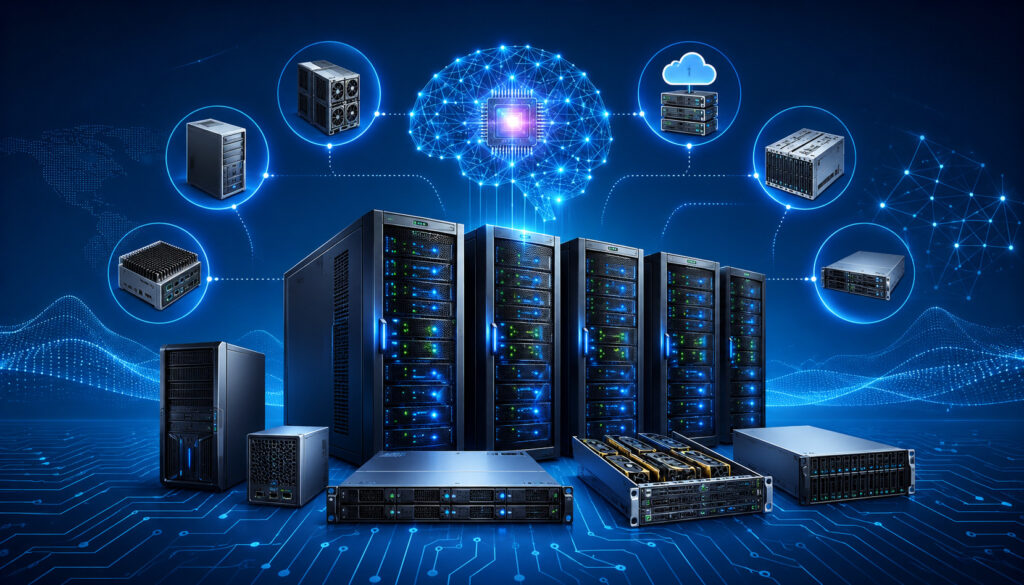
There are several types of AI server solutions, and each one fits a different business need. The right option depends on workload size, budget, security requirements, latency expectations, internal expertise, and long-term growth plans.
Cloud AI servers are often the most accessible option. They allow teams to provision compute resources quickly, scale up or down, and deploy AI applications without owning hardware. This is useful for startups, research teams, and businesses with variable workloads. Cloud environments can also support API deployment, containerized applications, and model hosting.
Dedicated AI servers provide exclusive access to hardware resources. These are often preferred for high-performance workloads, sensitive data processing, predictable usage, and applications that need consistent performance. Dedicated AI servers can also reduce the “noisy neighbor” problem that may occur in shared environments.
Hybrid AI infrastructure combines cloud and dedicated or on-premise systems. This model is common when businesses need both control and flexibility. For example, sensitive datasets may remain in a private environment while training or inference bursts run on cloud GPU capacity.
Edge AI servers process data closer to where it is generated. This helps reduce latency and bandwidth usage. Edge systems are useful for video analytics, manufacturing, logistics, healthcare devices, and other time-sensitive applications.
On-premise AI systems give organizations the most direct control over hardware, networking, and security. However, they require more internal expertise, maintenance, power planning, cooling, and upgrade management.
Businesses exploring broader hosting models can review AI hosting resources for additional context on production AI deployment challenges.
Key Components of AI Server Infrastructure
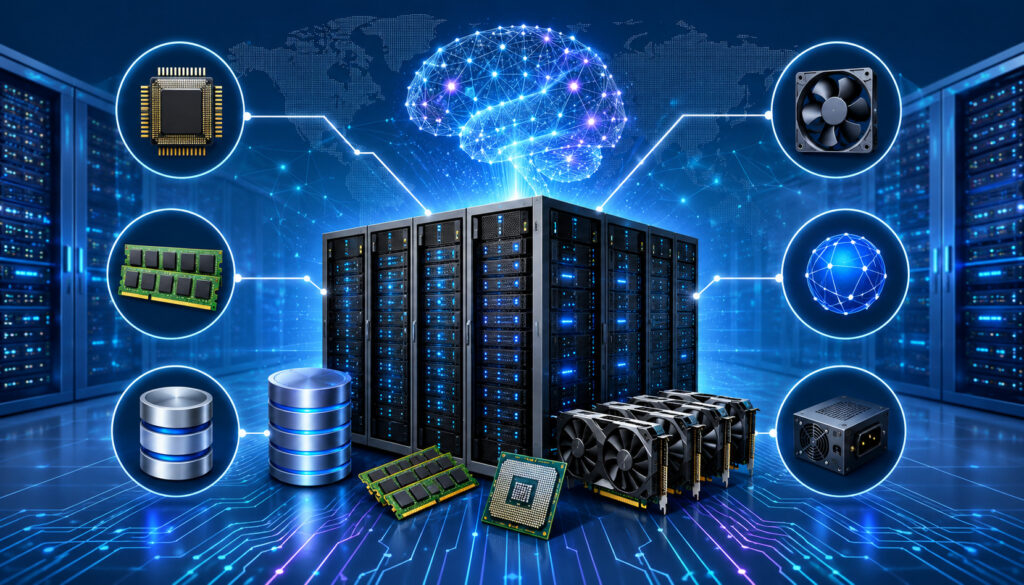
Strong AI server infrastructure is built from several connected components. GPUs receive the most attention, but they are only one part of the system. A well-designed AI environment balances compute, memory, storage, networking, software, security, and observability.
GPUs handle accelerated AI tasks such as model training and high-volume inference. CPUs support operating system tasks, data preprocessing, orchestration, application logic, and non-GPU workloads.
RAM is important because large datasets, model parameters, and preprocessing tasks can consume significant memory. When memory is insufficient, workloads slow down or fail.
Storage is another critical component. AI workloads often require fast read and write speeds, especially when training models on large datasets. NVMe storage, distributed storage systems, and object storage may all play a role depending on workload size and access patterns.
Networking matters because AI workloads often move large amounts of data between storage, compute nodes, APIs, and users. Low-latency, high-bandwidth networking can improve distributed training, inference response times, and data pipeline performance.
Virtualization and containerization help teams package applications and move them across environments. Containers make it easier to deploy models, manage dependencies, and support repeatable workflows. Orchestration platforms help automate scaling, recovery, scheduling, and service management.
Monitoring tools are essential for uptime and cost control. Teams should track GPU utilization, CPU usage, memory pressure, storage throughput, network latency, API response times, error rates, and job failures.
AI Cloud Server Infrastructure for Businesses

AI cloud server infrastructure gives businesses a flexible way to build, test, deploy, and scale AI applications. Instead of purchasing and maintaining physical servers, teams can access compute resources on demand. This is especially useful for projects with changing requirements, uncertain traffic, or periodic training workloads.
Cloud infrastructure supports fast experimentation. Developers can create environments, test models, deploy APIs, and shut down unused resources. This helps startups conserve cash while still accessing the compute needed for AI development. It also helps larger organizations support multiple teams without waiting for long hardware procurement cycles.
AI cloud environments often support auto-scaling, which allows resources to expand or contract based on workload demand. For inference APIs, auto-scaling can help maintain response times during traffic spikes. For batch processing, it can help complete jobs faster without keeping expensive resources active all the time.
Cloud AI infrastructure is also useful for containerized applications. Teams can package models, APIs, and dependencies into containers, then deploy them across staging, testing, and production environments. This improves consistency and reduces deployment errors.
For deeper context on cloud performance improvements, this resource on AI-optimized cloud servers explains how cloud infrastructure can support adaptive, high-performance AI workloads.
However, cloud infrastructure still requires discipline. Costs can rise quickly when GPU instances run longer than needed. Storage can become expensive if teams keep unnecessary datasets or model checkpoints. Security settings must be configured carefully, especially for APIs, credentials, and sensitive data.
Security Best Practices for AI Server Hosting
Security is a core requirement for AI server hosting because AI systems often process sensitive data, proprietary models, business logic, and user inputs. A weak security posture can expose training data, model weights, API credentials, customer information, or internal workflows.
Encryption should be used for data at rest and in transit. Storage volumes, backups, databases, object storage, and network communications should all be protected. Secure transport protocols help reduce the risk of interception when data moves between users, APIs, applications, and AI processing servers.
Identity and access management is equally important. Teams should apply least-privilege access, role-based permissions, multi-factor authentication, and separate credentials for users, services, and automation tools. No developer, service account, or application should have more access than it needs.
Secure APIs are essential for AI workload hosting. API endpoints should use authentication, rate limiting, input validation, logging, and abuse protection. This is especially important for public-facing inference services, where attackers may attempt prompt abuse, data extraction, denial-of-service attacks, or model probing.
Backup systems should protect datasets, model artifacts, configuration files, and deployment scripts. Backups should be tested regularly, not simply created. A backup that cannot be restored is not a reliable recovery strategy.
Network segmentation helps limit the blast radius of a compromise. Training environments, inference endpoints, databases, admin panels, and monitoring tools should not all sit in one flat network.
Monitoring and logging help detect unusual behavior. Teams should track failed login attempts, unexpected data transfers, abnormal API usage, privilege changes, and infrastructure configuration changes.
Compliance considerations depend on the type of data and industry requirements. Organizations should document controls, access policies, retention rules, audit procedures, and incident response plans.
Common Challenges in AI Server Deployment
AI server deployment can create challenges for both startups and enterprises. The first major challenge is cost. GPUs, high-speed storage, bandwidth, and managed infrastructure can become expensive, especially when resources are underused. Teams that do not monitor usage may pay for idle GPU capacity or oversized instances.
GPU availability is another challenge. Demand for AI computing infrastructure can make it difficult to access the right hardware at the right time. This can delay training jobs, increase costs, or force teams to redesign workloads around available resources.
Latency can also become a problem. AI applications that serve real-time predictions need fast response times. Poor network design, distant data centers, inefficient model serving, or overloaded APIs can create delays that hurt user experience.
Downtime risk is another concern. AI systems may depend on multiple components, including storage, APIs, model servers, databases, queues, and monitoring tools. If one component fails, the entire workflow may be affected. High availability planning is essential for production AI systems.
Resource allocation can be difficult when multiple teams share the same infrastructure. One training job may consume GPU capacity needed for inference. A batch pipeline may overload storage. Without scheduling, quotas, and monitoring, shared environments can become unpredictable.
Security concerns are also more complex in AI environments. Teams must protect data, models, credentials, APIs, and deployment pipelines. AI systems may also introduce risks such as prompt injection, data leakage, model theft, and adversarial inputs.
Vendor lock-in can become a long-term issue. Proprietary services may speed up early development, but they can make migration harder later. Infrastructure complexity is another challenge, especially when teams combine cloud, dedicated, edge, and on-premise systems.
Cost Optimization Strategies for AI Infrastructure
Cost optimization is one of the most important parts of managing AI infrastructure. AI workloads can become expensive quickly, but careful planning can reduce waste without sacrificing performance.
Auto-scaling is one of the most effective strategies. Instead of running maximum capacity all the time, businesses can scale resources based on demand. This works well for inference workloads with variable traffic and batch jobs that only run during specific windows.
Resource monitoring is essential. Teams should measure GPU utilization, CPU usage, memory consumption, storage growth, and network throughput. Low utilization may indicate oversized instances, inefficient scheduling, or workloads that could run on cheaper resources.
GPU optimization can also reduce cost. Techniques such as batching, mixed precision, model quantization, caching, and efficient data loading can improve throughput. Some workloads may not need top-tier GPUs, while others may benefit from fewer but more powerful accelerators.
Efficient storage management matters because AI projects generate datasets, checkpoints, logs, embeddings, and model versions. Teams should archive old data, remove duplicate files, compress where appropriate, and apply lifecycle policies.
Workload balancing helps prevent one system from becoming overloaded while others sit idle. Scheduling tools can assign jobs based on resource availability, priority, and workload type.
Container orchestration can improve cost control by packing workloads efficiently, restarting failed services, and scaling components independently. It also supports repeatable deployment across development, testing, and production.
Choosing the right deployment model is also a cost decision. Cloud may be best for variable usage. Dedicated AI servers may be better for steady, predictable workloads. Hybrid infrastructure can help balance sensitive data control with elastic compute.
Best Practices for Managing AI Servers
Managing AI servers requires ongoing operational discipline. Once an AI application reaches production, the infrastructure must be monitored, updated, secured, and adjusted as workloads change.
Monitoring should cover both infrastructure and application performance. Infrastructure metrics include GPU usage, CPU load, memory pressure, disk throughput, network latency, and temperature where relevant. Application metrics include inference latency, request volume, error rates, queue depth, failed jobs, and model response times.
Uptime management should include redundancy, health checks, failover planning, and incident response procedures. Production AI workloads should not depend on a single fragile component. If an API, storage system, or model server fails, teams need a defined recovery path.
Infrastructure auditing helps catch misconfigurations, unused resources, exposed services, excessive permissions, and outdated software. Audits should be scheduled regularly and documented.
Software updates are important for security and performance. Operating systems, drivers, container images, orchestration tools, machine learning frameworks, and libraries should be kept current through controlled update processes. Updates should be tested before production rollout.
AI workload balancing helps ensure that training, inference, analytics, and batch jobs do not interfere with one another. Teams can use queues, quotas, scheduling policies, and separate environments to improve reliability.
Disaster recovery planning should include backups, restore testing, infrastructure-as-code, model artifact recovery, and documented escalation paths. Capacity forecasting should review upcoming product launches, dataset growth, new model sizes, and expected user demand.
For teams deploying AI applications, GPU-powered cloud and AI app deployment services can provide useful context on model hosting, secure endpoints, and scalable deployment workflows.
What are AI server solutions?
AI server solutions are computing environments designed to support artificial intelligence workloads such as model training, inference, automation, analytics, and data processing. They often include GPUs, CPUs, high-speed storage, networking, security tools, and deployment platforms.
These solutions can be cloud-based, dedicated, hybrid, edge-based, or on-premise. The goal is to provide the performance, flexibility, and reliability needed to run AI applications efficiently.
Why do AI applications require GPU servers?
Many AI applications require GPU servers because GPUs can process many calculations at the same time. This makes them useful for deep learning, computer vision, natural language processing, recommendation systems, and large-scale inference.
Not every AI workload needs a powerful GPU, but GPU servers for AI are often important when training large models, processing large datasets, or serving high-volume predictions. The best choice depends on workload size, latency needs, and budget.
What is AI cloud server infrastructure?
AI cloud server infrastructure is a cloud-based environment designed to run AI workloads. It may include GPU instances, storage, APIs, containers, orchestration tools, monitoring, and security controls.
This model is useful because teams can provision resources quickly, scale when demand increases, and avoid maintaining physical hardware. It is especially valuable for startups and teams with changing workload requirements.
How do startups benefit from AI servers?
Startups benefit from AI servers by gaining access to scalable compute resources without building a large infrastructure footprint from the beginning. This helps teams test models, launch prototypes, deploy APIs, and support early customers more efficiently.
Startup AI server solutions also help control costs when paired with monitoring, auto-scaling, and careful resource planning. Startups can begin with smaller environments and expand as their products grow.
What security measures are important for AI hosting?
Important security measures include encryption, identity and access management, secure APIs, backups, network segmentation, monitoring, logging, and threat detection. Teams should also protect model files, datasets, credentials, and deployment pipelines.
Security planning should begin before production deployment. AI systems often handle valuable data and intellectual property, so reactive security is not enough.
What are the differences between cloud and dedicated AI servers?
Cloud AI servers are flexible and can be provisioned quickly. They are useful for variable workloads, rapid testing, and teams that want elastic scaling. Dedicated AI servers provide exclusive hardware resources, which can improve performance consistency, isolation, and control.
The best choice depends on workload predictability, security needs, budget, latency requirements, and internal expertise. Some businesses use both as part of a hybrid strategy.
How can businesses reduce AI infrastructure costs?
Businesses can reduce AI infrastructure costs through auto-scaling, utilization monitoring, GPU optimization, storage lifecycle policies, workload scheduling, container orchestration, and right-sized deployment models.
Cost optimization should be continuous. AI workloads change as models, datasets, and usage patterns evolve.
What are common AI server deployment challenges?
Common challenges include high infrastructure costs, GPU availability, latency, downtime risk, security concerns, resource allocation issues, vendor lock-in, and system complexity.
These challenges can be reduced through planning, monitoring, documentation, workload testing, security reviews, and choosing infrastructure that matches the actual use case.
Conclusion
AI server solutions for startups and enterprises help organizations build, deploy, and scale AI applications with better performance, flexibility, and control. Whether the need is model training, inference, automation, analytics, or production AI workload hosting, the right infrastructure can reduce bottlenecks and improve long-term reliability.
Startups often need flexible, cost-aware environments that support fast experimentation and growth. Enterprises often need secure, governed, scalable infrastructure that can support multiple teams and demanding workloads. Both benefit from thoughtful planning around GPUs, CPUs, storage, networking, monitoring, security, and deployment models.
The most effective approach is not simply choosing the most powerful server. It is choosing AI computing infrastructure that fits the workload, protects data, controls cost, and supports future growth. With the right mix of cloud, dedicated, hybrid, edge, or on-premise resources, businesses can build AI systems that are faster, safer, and easier to manage over time.