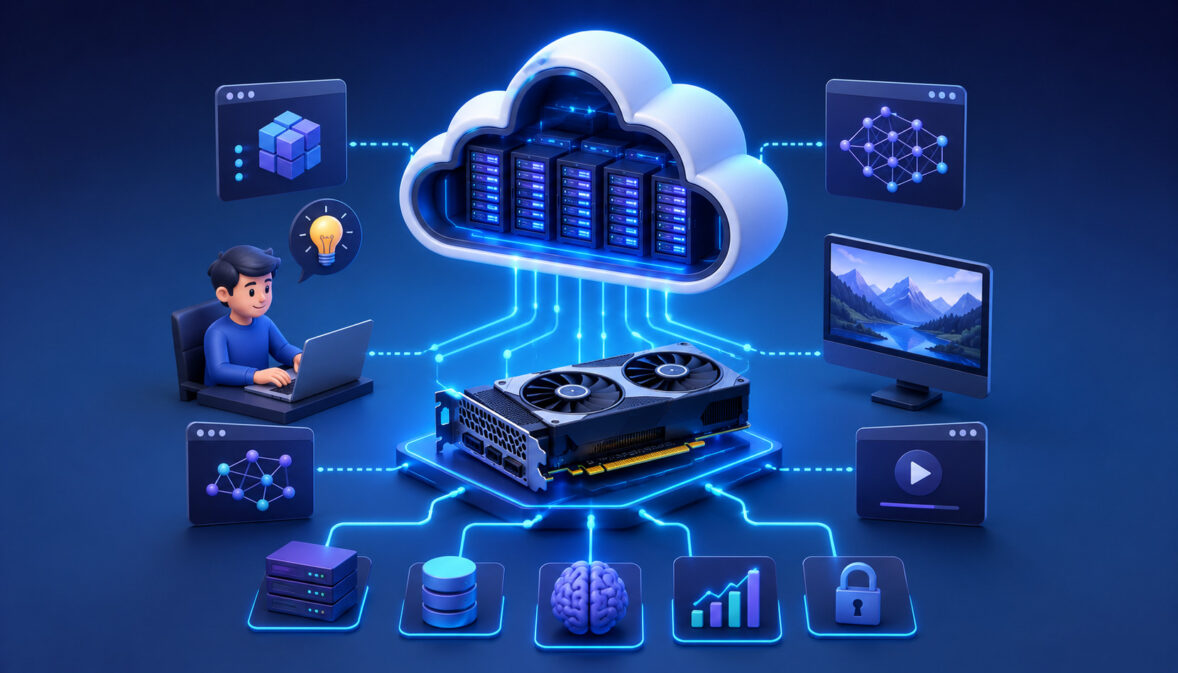
GPU cloud computing explained for beginners starts with one simple idea: instead of buying an expensive graphics processor and installing it in your own machine, you rent access to powerful remote GPU servers through the cloud.
Those servers can help with artificial intelligence, machine learning, data science, video rendering, simulations, image generation, and other workloads that need more processing power than a typical computer can provide.
For beginners, GPU cloud computing matters because modern AI and data workloads can quickly outgrow local hardware.
A laptop may be fine for learning Python, testing small datasets, or building a simple application, but it may struggle when training a deep learning model, processing thousands of images, rendering complex video, or running GPU-accelerated software.
GPU cloud hosting for beginners removes much of that hardware barrier. You can start with a smaller cloud GPU server, test your workload, scale up when needed, and stop using the resource when the job is done. This makes cloud GPU computing basics easier to learn without making a large upfront investment.
The main value is flexibility. GPU cloud computing gives beginners access to accelerated computing, scalable GPU hosting, remote collaboration, and AI cloud computing tools without requiring a dedicated local workstation. It also introduces important skills: choosing the right GPU, managing storage, securing access, monitoring usage, and understanding cost.
What Is GPU Cloud Computing?
GPU cloud computing is the use of remote cloud servers equipped with graphics processing units, or GPUs, to run workloads that benefit from GPU acceleration. Instead of relying only on your local computer, you connect to a cloud-based environment where the GPU, memory, storage, networking, and operating system are managed through cloud infrastructure.
A GPU is designed to process many operations at the same time. That makes it useful for tasks such as AI model training, deep learning, image processing, video rendering, simulations, and large mathematical calculations. When these GPUs are placed inside cloud data centers and made available as rentable resources, the result is GPU cloud computing.
For beginners, the most important point is that GPU cloud computing lets you rent compute power instead of buying hardware. You can launch a virtual machine with a GPU, install software frameworks, upload your data, run your workload, and shut the machine down when finished.
This is especially helpful for people learning AI cloud computing or machine learning cloud hosting because GPU hardware can be expensive, power-hungry, and difficult to maintain.
Cloud GPU servers typically include several components working together:
- A GPU for accelerated processing
- A CPU for general system tasks
- RAM for active workloads
- Storage for datasets, models, and outputs
- Networking for remote access and data transfer
- Drivers and software libraries for GPU workloads
GPU cloud infrastructure for beginners may sound complicated at first, but it follows the same basic idea as renting any cloud server. The difference is that the server includes GPU hardware and software support for workloads that need high-performance parallel processing.
For example, someone building an AI image classification project may use a GPU server to train the model faster. A video creator may use GPU acceleration to render footage more efficiently. A data science learner may use scalable GPU hosting to test larger experiments without upgrading local hardware.
A helpful starting point is learning what GPU-powered cloud instances are and how they support AI workloads through remote compute resources, storage, deployment tools, and monitoring features. Resources such as this guide to GPU-powered cloud instances for AI can help beginners understand the building blocks.
GPU vs CPU Cloud Computing: What’s the Difference?
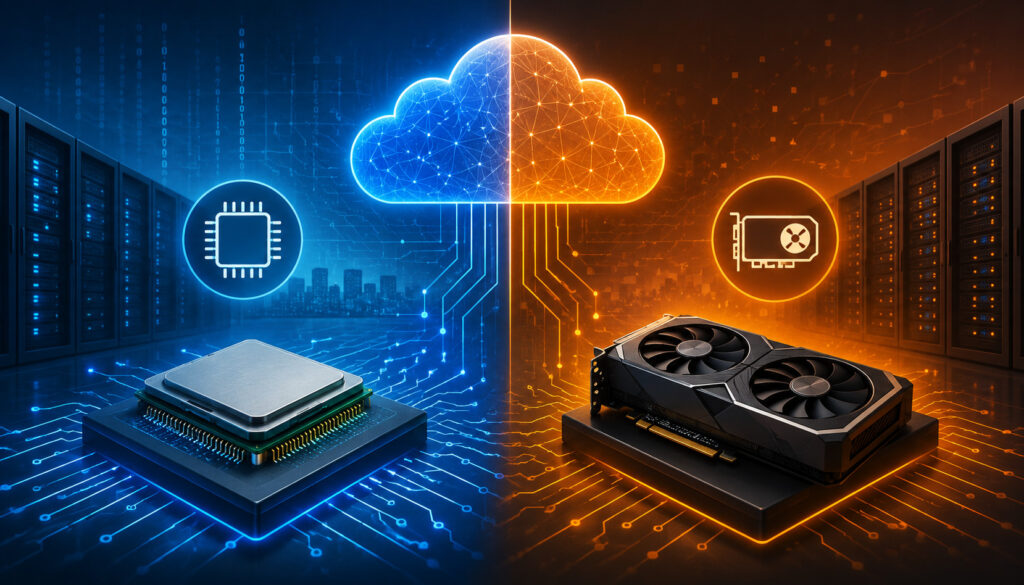
GPU vs CPU cloud computing is one of the first concepts beginners should understand. Both CPUs and GPUs are processors, but they are built for different types of work.
A CPU, or central processing unit, is the general-purpose processor that runs operating systems, business applications, databases, web servers, and many everyday computing tasks. A GPU, or graphics processing unit, is designed to handle many smaller calculations at the same time.
In cloud computing, CPU servers are useful for general workloads. They can host websites, run APIs, manage databases, process business logic, support dashboards, and perform many sequential tasks.
GPU cloud computing is different because it focuses on accelerated workloads. These include training AI models, running inference, processing images, rendering video, and performing large-scale calculations.
The difference matters because choosing the wrong resource can waste time and money. Some workloads do not need a GPU at all. For example, a basic web application, small database, or lightweight automation script may run perfectly well on a CPU cloud server.
On the other hand, a deep learning model with millions or billions of parameters may run much faster on a GPU server.
Here is a beginner-friendly comparison:
| Feature | CPU Cloud Computing | GPU Cloud Computing | Best Use Case |
| Processing style | Handles fewer complex tasks efficiently | Handles many parallel tasks at once | Match workload type to processor |
| Common workloads | Web hosting, databases, APIs, business apps | AI training, inference, rendering, simulations | Use CPU for general apps, GPU for acceleration |
| Cost profile | Usually lower for standard workloads | Usually higher due to specialized hardware | Use GPU only when it improves performance |
| Scalability | Easy to scale for web and app workloads | Scales for high-performance AI and data workloads | Choose scalable GPU hosting for demanding jobs |
| Beginner use | Good for coding, websites, backend services | Good for AI, ML, image, video, and scientific tasks | Start with CPU unless GPU acceleration is needed |
The key lesson is not that one is always better. CPUs and GPUs complement each other. Many cloud GPU servers include both because the CPU manages the system while the GPU accelerates specialized parts of the workload.
What CPUs Do Best
CPUs are best at general-purpose computing. They are designed to handle a wide variety of instructions, make decisions quickly, manage operating systems, and run everyday software.
In cloud environments, CPU-based servers are commonly used for websites, business applications, APIs, databases, file processing, monitoring tools, dashboards, and backend services.
A CPU is also strong at sequential processing. Sequential workloads involve steps that must happen one after another.
For example, a web server may receive a request, check authentication, query a database, apply business logic, and return a response. These tasks often depend on branching decisions and do not always benefit from massive parallel processing.
For beginners, CPU cloud computing is usually the starting point. It is often easier to configure, more affordable for basic workloads, and suitable for learning cloud fundamentals. If you are deploying a simple web app, running a small database, testing scripts, or learning server management, a CPU server may be the right choice.
CPUs also remain important in GPU cloud infrastructure. Even when using cloud GPU servers, the CPU still manages the operating system, coordinates data movement, handles networking, and prepares work for the GPU. A GPU does not replace the CPU; it accelerates specific tasks alongside it.
What GPUs Do Best
GPUs are best at parallel processing. This means they can perform many similar calculations at the same time. That design makes them especially useful for machine learning, deep learning, image processing, video rendering, scientific simulations, and other workloads where large amounts of data can be processed in parallel.
In AI cloud computing, GPUs are commonly used to train neural networks. Training involves repeated mathematical operations across large datasets. A GPU can accelerate these operations because it has many cores optimized for this kind of work. This is one reason GPU hosting for AI beginners has become so important for people learning modern machine learning.
GPUs also help with inference, which means running a trained model to generate predictions or outputs. For example, an image recognition model, chatbot, recommendation system, or speech model may use GPU acceleration to respond faster, especially when serving many users.
Beyond AI, GPUs are useful for rendering videos, generating images, simulating physics, processing satellite-style imagery, and accelerating data analytics. The common pattern is that the workload involves many repeated mathematical operations.
For beginners, the practical question is whether the software or framework supports GPU acceleration. Popular AI frameworks often do, but not every workload automatically becomes faster on a GPU. The program must be written or configured to use the GPU.
When Beginners Should Choose GPU Cloud Hosting
Beginners should choose GPU cloud hosting when the workload is too slow, too large, or too specialized for a normal CPU server. A good example is training a machine learning model on a large dataset. If the same training job takes many hours or days on a CPU, GPU cloud computing may reduce the time significantly.
GPU hosting also makes sense for running AI inference when speed matters. If an application needs fast responses from a language model, image model, recommendation engine, or computer vision system, cloud GPU servers can provide the acceleration needed for a smoother experience.
Another good reason is experimentation. Beginners learning machine learning cloud hosting may want to test multiple model versions, compare frameworks, tune parameters, or run batch jobs. Renting GPU resources makes this easier because you can scale up for experiments and scale down afterward.
GPU hosting is also useful when local hardware is limited. Many learners do not have a powerful workstation with enough GPU memory. Cloud GPU computing basics allow them to access stronger infrastructure remotely.
Choose GPU cloud hosting when:
- You are training deep learning models
- You are running GPU-accelerated AI inference
- You are processing large image, video, or scientific datasets
- Your application requires faster parallel computation
- Your local computer cannot handle the workload
- You need temporary access to powerful GPUs
How GPU Cloud Infrastructure Works
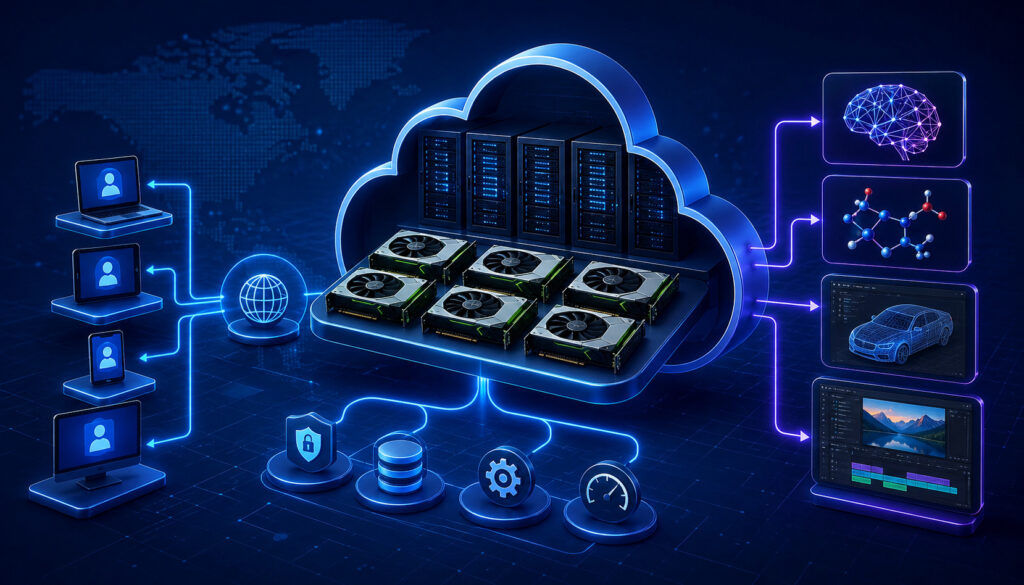
GPU cloud infrastructure combines physical hardware, virtualization, storage, networking, operating systems, drivers, and management tools into a usable remote computing environment.
For beginners, it helps to imagine a powerful server in a cloud data center. That server has CPUs, GPUs, memory, disks, network connections, and software. The cloud platform lets you access a portion of that machine as a virtual server or dedicated GPU instance.
A cloud GPU server usually begins with a virtual machine. This virtual machine behaves like a remote computer. You can connect to it, install software, upload files, run commands, deploy applications, and monitor performance. The GPU is attached to that server so your workloads can use GPU acceleration.
Storage is another important part of GPU cloud computing. Datasets, trained models, checkpoints, logs, application files, and outputs all need somewhere to live. Some storage is attached directly to the instance, while other storage may be separate and persistent. Beginners should pay close attention to whether storage remains after a server is shut down.
Networking allows you to access the server remotely, transfer data, expose APIs, and connect applications. For AI cloud computing, networking may also support model endpoints, dashboards, remote notebooks, and deployment pipelines. If latency matters, the location and network design of the GPU infrastructure can affect performance.
Software is just as important as hardware. A GPU server needs compatible drivers, compute libraries, operating system support, and frameworks. For AI workloads, beginners often install tools such as Python environments, machine learning libraries, notebook servers, container runtimes, and model-serving frameworks.
Containers are common in GPU cloud infrastructure because they package applications and dependencies in a repeatable way. Instead of manually installing everything every time, a container can include the framework, libraries, application code, and runtime configuration. This makes machine learning cloud hosting more consistent and easier to reproduce.
APIs are also common. An AI model may run on a GPU server and expose an API so another application can send requests and receive predictions. This is how many AI-powered apps connect user-facing features to backend GPU resources.
A deeper look at cloud hosting requirements for AI applications can help beginners understand why compute, memory, storage, network performance, security, and monitoring all matter together.
Common Uses of GPU Cloud Computing for Beginners
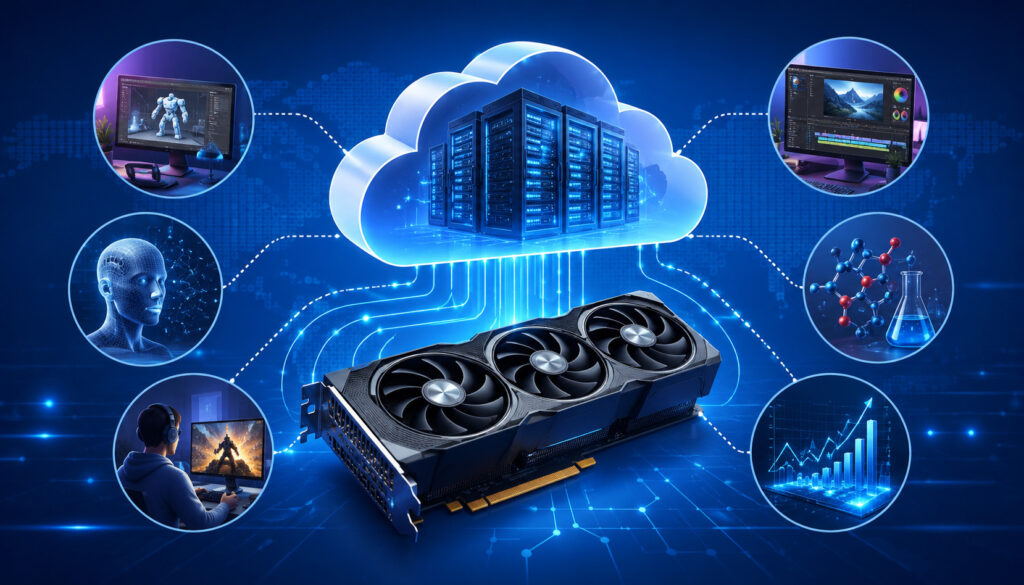
GPU cloud computing is used in many areas, but beginners usually encounter it through AI, machine learning, data science, image generation, video rendering, and high-performance computing.
The common thread is acceleration. When a workload involves many repeated calculations, cloud GPU servers can often complete the work faster than CPU-only environments.
One of the most common beginner use cases is AI model training. Training a model means teaching it patterns from data. That data could include images, text, audio, tabular records, or time-series information. GPUs help because training often involves large matrix operations that can be processed in parallel.
Machine learning experiments are another major use case. Beginners may test different model architectures, learning rates, batch sizes, or datasets. GPU cloud hosting for beginners allows these experiments to run on demand without requiring local hardware upgrades.
Image generation and computer vision are also popular. Generative models, image classifiers, object detection systems, and segmentation tools often rely on GPU acceleration. A beginner working on an image project may use a GPU server to process thousands of images, fine-tune a model, or serve predictions through an API.
Video rendering benefits from GPUs because rendering involves processing frames, effects, transitions, and visual transformations. GPU cloud computing can help creators, developers, and teams render faster, especially when local hardware is limited.
Data analytics can also benefit from GPUs when using GPU-accelerated libraries. Some large-scale analytics workloads involve filtering, transforming, and calculating across massive datasets. While not every analytics task needs a GPU, certain workloads can see major speed improvements.
Scientific workloads are another strong fit. Simulations in physics, chemistry, engineering, weather modeling, and research-style computing often use parallel calculations. GPU cloud infrastructure makes this power more accessible to learners and teams without specialized local clusters.
Application deployment is also important. Once a model is trained, it may need to run inside an application. GPU hosting for AI beginners can support model APIs, chat systems, recommendation engines, search tools, vision apps, and real-time prediction services.
Common beginner-friendly uses include:
- Training small and medium AI models
- Running machine learning experiments
- Fine-tuning existing models
- Generating images or media assets
- Processing videos and images
- Running simulations
- Deploying AI APIs
- Testing GPU-accelerated applications
Benefits of GPU Cloud Hosting for Beginners
The biggest benefit of GPU cloud hosting for beginners is lower upfront cost. Buying a powerful GPU workstation can require a significant investment, along with power, cooling, maintenance, and upgrade planning.
GPU cloud computing lets beginners rent access to cloud GPU servers instead. This makes it easier to explore AI cloud computing, rendering, simulations, or data science without committing to hardware ownership.
Scalability is another major advantage. With scalable GPU hosting, you can begin with a modest instance and move to a larger GPU when your workload grows. If you are training a model and need more memory or faster performance, you can switch resources. If you only need a GPU for a few hours, you can stop the instance afterward.
Faster experimentation is especially valuable for learning. Beginners often need to try different configurations, fix errors, install frameworks, test datasets, and compare results. GPU acceleration can reduce waiting time, which makes the learning process more productive.
Cloud GPU computing also gives access to powerful hardware that may not be practical to own locally. High-memory GPUs, multi-GPU setups, and specialized cloud infrastructure can support advanced workloads. For people learning cloud computing for AI workloads, this access helps bridge the gap between small tutorials and real-world projects.
Remote collaboration is another advantage. A cloud-based environment can be accessed from different devices and shared with team members when properly configured. This is useful for students, developers, researchers, and distributed teams working on the same AI or data project.
Deployment can also be easier. Many GPU cloud environments support containers, APIs, model hosting, monitoring, and scaling. Instead of moving a project from a local machine to a separate production server, beginners can build and deploy in a cloud-based workflow.
Flexible billing is useful when managed carefully. You can pay for resources only when needed, but this requires good habits. Turning off unused instances, tracking storage, monitoring usage, and choosing the right GPU size are essential.
For cost planning, beginners can review practical guidance on cost optimization for GPU cloud hosting to understand right-sizing, monitoring, autoscaling, and reducing waste.
Challenges and Costs to Understand
GPU cloud computing has many advantages, but beginners should understand the challenges before launching large workloads. The most obvious challenge is pricing.
GPU instances usually cost more than CPU instances because GPUs are specialized, high-demand resources. A powerful GPU server left running overnight, over a weekend, or after a completed job can create unnecessary expense.
Storage costs are another common surprise. Datasets, model checkpoints, logs, generated files, and backups can grow quickly. Some beginners focus only on GPU pricing and forget that storage may continue to cost money even after the GPU server is stopped. Persistent volumes, object storage, snapshots, and backups should all be reviewed.
Data transfer can also affect cost and performance. Uploading large datasets, moving results, or serving high-volume APIs may involve bandwidth considerations. For machine learning cloud hosting, it is often better to keep data close to the GPU environment instead of repeatedly transferring it.
Idle resources are one of the biggest beginner mistakes. A GPU server may remain active even when no job is running. Monitoring tools, budget alerts, and shutdown routines can help avoid waste.
Setup complexity is another challenge. Beginners may need to install drivers, configure CUDA-style libraries, set up Python environments, manage containers, open secure network access, and troubleshoot compatibility issues. Prebuilt images can help, but understanding the stack is still valuable.
Security also matters. A GPU server can contain datasets, models, credentials, API keys, and application code. Weak passwords, exposed ports, public notebooks, or leaked access keys can create serious risk. Good security habits should begin early.
Latency may matter for real-time workloads. If an application needs quick responses from an AI model, the location of the server, network quality, model size, and API design can all affect user experience.
Usage monitoring is essential. Beginners should track GPU utilization, memory usage, storage growth, request volume, and application logs. Without monitoring, it is hard to know whether the GPU is being used efficiently.
Security Best Practices for GPU Cloud Computing
Security best practices for GPU cloud computing begin with account protection. A cloud account may control servers, storage, billing, APIs, and access credentials. Beginners should use strong authentication, avoid sharing passwords, and enable multi-factor authentication wherever possible.
Access control is equally important. Not every user or application needs full administrative permissions. Use the least privilege approach: give each person, service, or API only the access required to do its job. This reduces risk if credentials are lost or misused.
Encryption helps protect data. Data should be protected when stored and when moving across networks. Many cloud environments provide encryption options for disks, object storage, databases, and network connections. Beginners should use these defaults and understand where sensitive files are stored.
Secure APIs are important when deploying AI models. If a model endpoint is public, it should require authentication, rate limiting, input validation, and monitoring. Open AI endpoints can be abused, overused, or attacked if left unprotected.
Backups are part of security and reliability. Training data, model checkpoints, configuration files, and deployment scripts should be backed up or version-controlled. A GPU server can be recreated, but losing a trained model or dataset can be costly.
Software updates are also critical. Operating systems, drivers, machine learning frameworks, container images, and dependencies should be patched regularly. Old packages may contain vulnerabilities or compatibility problems.
Key management deserves special attention. API keys, SSH keys, tokens, and database passwords should not be stored in public repositories, notebooks, or shared documents. Use secret management tools when available, and rotate credentials when needed.
Monitoring helps detect problems early. Watch for unusual login attempts, unexpected GPU usage, strange network traffic, failed authentication attempts, or sudden cost spikes. In GPU hosting environments, suspicious activity can become expensive quickly if attackers run unauthorized workloads.
The Cybersecurity and Infrastructure Security Agency offers useful general guidance on secure cloud practices through its cloud security resources, which can help beginners think about access control, monitoring, and shared responsibility.
How to Get Started With GPU Cloud Hosting
Getting started with GPU cloud hosting is easier when you follow a structured process. The goal is not to choose the most powerful GPU immediately. The goal is to understand your workload, choose the right resources, configure the environment safely, and monitor results.
First, define the workload. Are you training an AI model, running inference, rendering video, processing images, analyzing data, or testing a GPU-accelerated application? The workload determines the GPU memory, CPU needs, storage size, networking, and software stack.
Second, choose GPU resources. Beginners should start with a modest GPU when possible. Look at GPU memory, compute performance, availability, and pricing. If your model or dataset does not fit into GPU memory, you may need a larger GPU or a different training strategy.
Third, select storage. Decide where your datasets, models, logs, and outputs will live. Use persistent storage for anything important. Temporary instance storage may be faster or cheaper, but it may disappear when the instance is deleted.
Fourth, set up the environment. Choose an operating system or prebuilt image that supports the frameworks you need. Many beginners use notebook environments, Python virtual environments, or containers to keep dependencies organized.
Fifth, install frameworks. Common AI and data workloads may require machine learning libraries, GPU drivers, model-serving tools, data processing packages, and development utilities. Confirm that the framework can detect and use the GPU before starting a large job.
Sixth, monitor usage. Track GPU utilization, GPU memory, CPU load, storage, logs, and cost. Monitoring tells you whether the GPU is actually helping. Low GPU utilization may mean the workload is bottlenecked by data loading, CPU processing, or software configuration.
Seventh, scale when needed. Once a small test works, increase dataset size, model size, batch size, or server capacity. Scaling should be gradual. This avoids expensive mistakes and helps you learn how each change affects performance.
A beginner workflow might look like this:
- Define the project goal
- Start with a small dataset
- Launch a smaller GPU server
- Install the required tools
- Run a short test job
- Monitor performance and cost
- Save outputs and checkpoints
- Scale only after the setup works
For AI-focused projects, this guide on when to use GPU hosting for AI workloads can help beginners decide when GPU resources are appropriate.
Common Mistakes Beginners Should Avoid
One common mistake is choosing too much GPU power too soon. Beginners may assume the most powerful instance is always the best choice, but that can waste money. A smaller GPU may be enough for tutorials, testing, debugging, and early experiments. Start small and upgrade only when the workload proves it needs more power.
Another mistake is leaving instances running. GPU servers can continue billing even when no job is active. Always stop or delete unused servers, and check whether storage, snapshots, or public IP addresses continue to generate charges.
Ignoring storage costs is also risky. Datasets, logs, checkpoints, and generated outputs can grow quietly. Beginners should clean up old files, compress where appropriate, archive important results, and remove duplicate data.
Skipping backups can create painful losses. A training job may take hours, and a model checkpoint may be difficult to reproduce. Save important files outside the temporary server environment. Use version control for code and persistent storage for key outputs.
Weak passwords and poor access controls are serious mistakes. Public notebooks, exposed SSH ports, shared credentials, and unrestricted API endpoints can lead to data exposure or unexpected resource usage. Use secure authentication and limit access.
Another mistake is not testing smaller workloads first. Running a full dataset before validating the pipeline can waste GPU time. A small test can reveal missing dependencies, memory errors, file path issues, bad data formatting, or model bugs.
Beginners may also forget to monitor GPU utilization. If the GPU is mostly idle, the workload may be waiting on the CPU, storage, or data loading process. Better batching, caching, preprocessing, or code optimization may improve performance without buying a larger GPU.
Finally, beginners sometimes confuse training and inference needs. Training may need more GPU memory and longer runtime. Inference may need low latency, high availability, and stable deployment. The best infrastructure depends on the stage of the project.
What is GPU cloud computing?
GPU cloud computing is the use of remote cloud servers equipped with GPUs to run workloads that benefit from accelerated processing. Instead of buying local GPU hardware, users rent access to cloud GPU servers and run tasks such as AI training, inference, rendering, simulations, and data processing.
For beginners, it is useful because it provides access to powerful compute resources without requiring hardware ownership. You can launch a GPU server, install tools, run your workload, save the results, and stop the server when finished.
Is GPU cloud computing only for AI?
No. GPU cloud computing is widely used for AI, but it is not limited to AI. GPUs are also useful for video rendering, image processing, data analytics, scientific simulations, 3D workloads, and other tasks that involve many parallel calculations.
AI cloud computing is one of the most popular uses because machine learning and deep learning models often benefit from GPU acceleration. However, any software designed to use GPU processing may benefit from cloud GPU infrastructure.
What is the difference between GPU and CPU cloud computing?
CPU cloud computing uses general-purpose processors that are strong at sequential tasks, operating systems, business applications, databases, APIs, and web servers. GPU cloud computing uses graphics processors that are strong at parallel processing.
The practical difference is workload fit. Use CPU servers for general cloud applications. Use GPU cloud servers when the software can benefit from many calculations running at the same time, such as machine learning, rendering, image processing, or simulations.
Do beginners need a GPU server?
Beginners do not always need a GPU server. If you are learning basic programming, cloud hosting, small datasets, or simple web applications, a CPU server may be enough. A GPU server becomes useful when the workload is slow on a CPU or requires GPU-specific software.
For GPU hosting for AI beginners, the best approach is to start with small experiments. If the model, dataset, or framework needs acceleration, then a cloud GPU server can make learning and testing much more efficient.
Is GPU cloud hosting expensive?
GPU cloud hosting can be expensive if resources are oversized, left running, or poorly monitored. However, it can also be cost-effective compared with buying and maintaining local hardware, especially for temporary projects or experiments.
Beginners can reduce costs by starting with smaller instances, shutting down idle servers, using persistent storage carefully, testing on small datasets, monitoring usage, and scaling only when necessary.
Can GPU cloud computing be used for machine learning?
Yes. Machine learning cloud hosting is one of the most common uses of GPU cloud computing. GPUs can accelerate deep learning training, model fine-tuning, inference, feature extraction, computer vision, natural language processing, and other ML tasks.
Not every machine learning project needs a GPU. Smaller models, classical ML algorithms, and early data preparation may run well on CPUs. GPUs become more valuable when models and datasets grow larger or when training time becomes a bottleneck.
What security steps are important?
Important security steps include using strong authentication, enabling multi-factor authentication, limiting access permissions, securing SSH keys, encrypting data, protecting APIs, keeping software updated, backing up important files, and monitoring unusual activity.
Beginners should also avoid placing secrets in notebooks, code repositories, or shared files. API keys, tokens, and passwords should be stored securely and rotated when needed.
How can beginners reduce GPU cloud costs?
Beginners can reduce GPU cloud costs by choosing the smallest suitable GPU, testing with small datasets, stopping idle instances, monitoring utilization, deleting unused storage, using checkpoints, and avoiding repeated failed runs.
It also helps to separate development from production. Use lower-cost resources for coding and debugging, then move to GPU resources only when the workload is ready for acceleration.
Conclusion
GPU cloud computing explained for beginners means understanding how remote GPU servers support AI, data science, rendering, simulations, and high-performance workloads without requiring expensive local hardware. Instead of buying a powerful GPU workstation, beginners can rent cloud GPU servers, run accelerated workloads, and scale resources as needed.
The most important lesson is workload fit. CPUs are excellent for general-purpose cloud computing, while GPUs are designed for parallel processing and acceleration. GPU vs CPU cloud computing is not about choosing one forever; it is about matching the resource to the job.
GPU cloud infrastructure for beginners includes more than hardware. It also involves storage, networking, operating systems, drivers, containers, APIs, security, monitoring, and cost control. Learning these basics helps beginners move from experiments to reliable deployments.
GPU hosting for AI beginners is especially useful for training models, running inference, processing large datasets, and deploying AI applications. But the same principles apply to video rendering, simulations, image processing, and other accelerated workloads.
Start small, test carefully, monitor usage, secure access, and scale only when the workload requires it. With the right approach, GPU cloud computing becomes a practical path into AI cloud computing, machine learning cloud hosting, and scalable GPU hosting without the burden of owning specialized hardware.