
Artificial intelligence has moved from experimental projects to everyday business systems. Teams are building AI chatbots, recommendation engines, document automation tools, fraud detection systems, analytics platforms, voice assistants, image recognition apps, and workflow automation products that need reliable infrastructure from the first user request to full production scale.
That is why hosting AI applications in the cloud has become a practical infrastructure choice for developers, startups, software teams, and growing businesses. Instead of buying and maintaining expensive servers, teams can use cloud resources for compute power, storage, networking, security, monitoring, and deployment automation.
AI applications often need more than standard web hosting. They may require GPU acceleration, fast storage, model-serving endpoints, scalable APIs, high-memory servers, vector databases, background workers, and observability tools. Cloud environments make it easier to combine these resources into a flexible system that can grow as model usage increases.
Cloud hosting also supports faster development. Remote teams can test, deploy, monitor, and update AI applications without depending on a single physical server location. Developers can launch prototypes, run inference workloads, fine-tune models, scale APIs, and manage production systems from a centralized cloud environment.
What Does Hosting AI Applications in the Cloud Mean?
Hosting AI applications in the cloud means running AI-powered software on cloud-based infrastructure instead of relying only on local machines or privately maintained physical servers.
This infrastructure may include virtual machines, containers, GPU instances, storage systems, networking tools, managed databases, API gateways, monitoring dashboards, and deployment pipelines.
In practical terms, cloud hosting for AI applications allows developers to upload code, connect models, manage data, expose APIs, and serve predictions to users through the internet.
A customer support chatbot, for example, may use a cloud server to receive a user message, send that message to an AI model, retrieve relevant information from a database, and return a response within seconds.
AI workloads are different from many traditional web workloads because they can be compute-heavy and memory-intensive. A standard website may mostly serve pages and database queries.
An AI application may process text, images, audio, embeddings, recommendations, or real-time predictions. This creates demand for specialized cloud infrastructure for AI apps.
AI application cloud deployment often involves several moving parts:
- Application code
- Trained AI or machine learning models
- APIs for inference requests
- Databases and object storage
- GPU or CPU compute resources
- Monitoring and logging systems
- Security controls
- Scaling rules
- Backup and recovery processes
Cloud computing is broadly associated with on-demand access to shared computing resources, including storage, networking, and processing capacity. This makes it well suited for AI systems that need flexible infrastructure as usage changes. Cloud computing is commonly described as a model for scalable and elastic access to computing resources.
For teams planning AI model deployment, cloud hosting provides a production environment where models can be tested, versioned, scaled, monitored, and improved. Instead of keeping a model inside a notebook or local development environment, cloud deployment turns it into a reliable service that other applications and users can access.
Why Cloud Hosting Is Important for AI Applications
Cloud hosting is important for AI applications because AI workloads can change quickly. A model may have low traffic during testing, then suddenly need to support thousands of requests after launch. Cloud platforms allow teams to add resources when demand rises and reduce resources when demand drops.
This flexibility is one of the biggest reasons businesses choose AI cloud computing solutions. AI systems may need powerful GPUs during training, high-memory machines for data processing, and optimized CPU or GPU instances for inference. Buying all of this hardware upfront can be expensive and inefficient. Cloud hosting allows teams to match infrastructure to workload needs.
Cloud hosting also supports faster deployment. Developers can create environments, push updates, roll back changes, and test new model versions without waiting for physical hardware provisioning. This makes AI application cloud deployment more practical for teams that need frequent iteration.
Another major advantage is remote accessibility. Developers, data scientists, product managers, and operations teams can collaborate from different locations while working on the same cloud-hosted environment. This is especially useful for AI products that require continuous testing, tuning, and monitoring.
| Hosting Feature | Benefit for AI Applications | Potential Challenge | Best Practice |
| GPU compute | Speeds up training and large-model inference | Can become costly if always active | Use GPUs only for workloads that need acceleration |
| Auto-scaling | Handles traffic spikes without manual provisioning | Poor rules may over-scale or under-scale | Set scaling policies based on request volume, latency, and queue depth |
| Object storage | Stores datasets, logs, model files, and artifacts | Storage costs can grow unnoticed | Use lifecycle rules and archive older data |
| Containers | Makes deployment consistent across environments | Requires container management knowledge | Use standardized images and security scanning |
| API gateways | Controls access to model endpoints | Misconfiguration can expose services | Add authentication, throttling, and monitoring |
| Monitoring | Tracks uptime, latency, errors, and resource use | Too many alerts can cause alert fatigue | Monitor only meaningful business and system signals |
Scalability for AI Workloads
Scalable AI hosting allows teams to expand or reduce resources based on real demand. This matters because AI workloads are rarely uniform. A document-processing app may receive large batches at the end of a business day. A chatbot may experience sudden traffic after a product launch. A recommendation engine may need more resources during peak shopping periods.
Cloud environments support scalability through load balancers, auto-scaling groups, container orchestration, distributed queues, and managed databases. These tools help AI applications stay responsive when request volume increases.
For inference workloads, scalability often means running multiple model-serving instances behind an API endpoint. When more requests arrive, the cloud platform can start additional containers or virtual machines. When demand drops, extra capacity can be removed to control costs.
For training workloads, scalability may involve using larger GPU instances, distributed training jobs, or temporary high-performance clusters. These resources can be created for a specific job and shut down afterward.
The key is to design AI application scalability from the beginning. Applications should separate web requests, background processing, model inference, storage, and monitoring so each layer can scale independently.
GPU and High-Performance Computing Support
GPU cloud hosting for AI is especially important for workloads that involve deep learning, large language models, computer vision, speech processing, and high-volume inference. GPUs are designed to perform many calculations in parallel, which makes them useful for training and running certain AI models.
Not every AI application needs a GPU all the time. Some smaller models, rules-based systems, traditional machine learning models, and low-volume inference workloads may run efficiently on CPUs. However, large neural networks, transformer models, image generation systems, and real-time AI services may need GPU acceleration to perform well.
Cloud hosting gives teams access to GPU resources without purchasing specialized hardware. This is helpful for experimentation, fine-tuning, batch processing, and production inference. It also allows teams to choose different instance types based on memory, compute performance, and workload size.
High-performance AI workload hosting may also require fast networking, high-throughput storage, optimized drivers, and model-serving frameworks. GPU performance depends on the full system, not just the accelerator itself.
Flexibility and Remote Deployment
Cloud platforms for AI development help teams build, test, deploy, and monitor applications from shared environments. This flexibility is useful when developers, data scientists, and operations teams need to work together across multiple stages of the AI lifecycle.
A typical AI workflow may begin with experimentation, move into model training, continue into API deployment, and then require monitoring after launch. Cloud infrastructure can support each stage with separate development, staging, and production environments.
Remote deployment also improves update management. Teams can use automated pipelines to test code, package containers, deploy new versions, and roll back if something fails. This is important for AI systems because model updates can affect accuracy, speed, cost, and user experience.
Cloud-based deployment also supports global access. Users can interact with AI applications through web apps, mobile apps, internal dashboards, or APIs. Infrastructure can be placed closer to users or integrated with edge hosting when latency matters.
Flexibility is not just about convenience. It directly affects reliability, team productivity, and the ability to improve AI products over time.
Types of Cloud Hosting for AI Applications
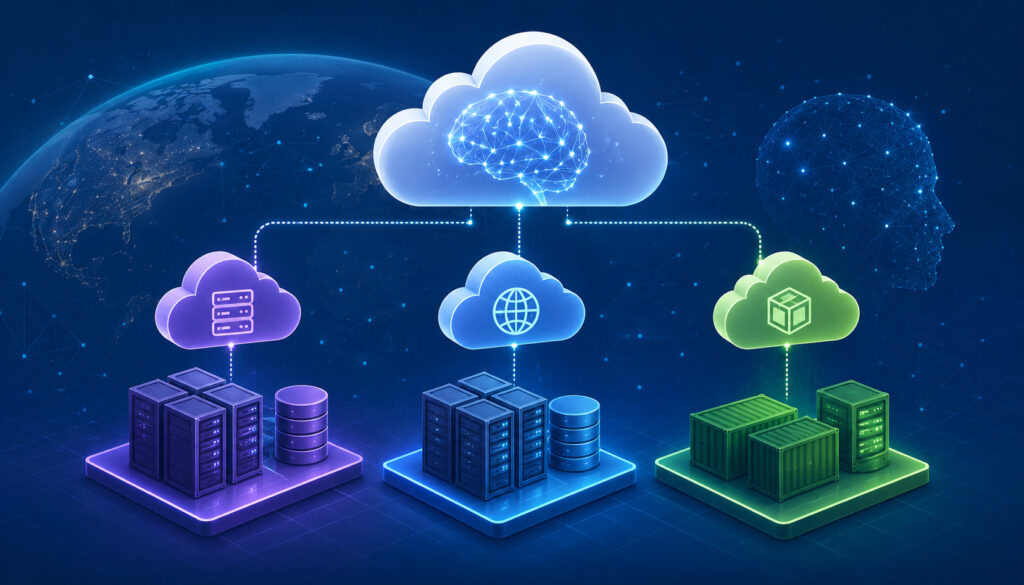
There are several hosting models for AI applications, and each one fits a different set of technical, security, performance, and budget requirements. Choosing the right model depends on how sensitive the data is, how much control the team needs, how unpredictable the workload is, and how much infrastructure management the organization can handle.
Public cloud hosting is one of the most common options. It provides access to shared cloud infrastructure operated by a cloud provider. Teams can provision compute instances, storage, databases, GPU machines, and networking resources as needed. This model works well for startups, SaaS products, research teams, and production applications that need flexible scaling.
Private cloud hosting gives an organization more dedicated control over infrastructure. It may be used when workloads require stricter governance, custom security controls, or dedicated resources. Private cloud can be more complex to manage, but it may be valuable for sensitive AI workloads.
Hybrid cloud combines private and public environments. For example, sensitive data may remain in a private environment while compute-heavy training jobs burst into public cloud resources. This approach can balance control and scalability.
Multi-cloud environments use more than one cloud provider. Teams may choose this approach to reduce vendor dependency, improve resilience, access specialized GPU capacity, or meet application-specific performance needs. However, multi-cloud setups can increase operational complexity.
Edge AI hosting places compute closer to where data is generated or consumed. This can reduce latency for real-time use cases such as sensors, video analytics, industrial systems, or interactive applications.
For teams comparing cloud architectures, resources on choosing cloud hosting for AI projects can help frame infrastructure decisions around workload type, performance, and scalability needs.
Key Infrastructure Requirements for AI Cloud Hosting

AI applications need a strong infrastructure foundation because they often combine software engineering, data management, machine learning operations, and security requirements. A weak hosting setup may work during testing but fail under real usage.
Compute resources are the first major requirement. AI applications may need CPUs for general processing, GPUs for accelerated training or inference, and high-memory instances for large datasets or model operations. The right compute mix depends on whether the application is training models, serving predictions, processing files, or running background tasks.
Storage is another important layer. AI applications may need object storage for datasets, model files, logs, training artifacts, documents, images, or audio files. They may also need databases for user records, application data, embeddings, metadata, and analytics. Storage should be reliable, secure, and organized with lifecycle policies.
Networking affects performance and security. AI workloads may move large files between storage, compute, databases, and APIs. Poor network design can increase latency and slow down processing. Secure networking also helps protect internal services from public exposure.
Containers and orchestration tools are often used for AI model deployment. Containers package code, dependencies, and runtime settings so applications behave consistently across environments. Kubernetes or similar orchestration tools can manage scaling, rolling updates, service discovery, and workload placement.
Monitoring systems are essential. AI hosting security, performance, cost, and reliability all depend on visibility. Teams should track CPU use, GPU use, memory, latency, error rates, queue depth, storage growth, API usage, and model behavior.
For a deeper infrastructure checklist, see this guide on cloud hosting requirements for AI applications.
AI Application Deployment Strategies
AI application deployment is the process of moving an AI system from development into an environment where users, applications, or business systems can access it reliably. A deployment strategy should consider model size, traffic volume, latency requirements, update frequency, cost, and security.
One common approach is API-based deployment. The AI model runs behind an API endpoint, and applications send requests to that endpoint. This works well for chatbots, classification systems, recommendation tools, and document-processing apps. API deployment makes the model reusable across multiple products.
Containerized deployment is another popular strategy. The model, application code, dependencies, and runtime environment are packaged into a container. This improves consistency across development, staging, and production. Containers also make it easier to scale multiple instances of the same AI service.
Serverless deployment may work for lightweight AI tasks or event-based workloads. For example, an uploaded file could trigger a function that extracts text, classifies content, or sends data to another service. Serverless can reduce infrastructure management, but it may not fit long-running or GPU-heavy workloads.
Kubernetes is often used for scalable AI hosting because it can manage containers, distribute workloads, restart failed services, and support rolling updates. It is powerful, but it adds complexity. Teams should use it when orchestration benefits outweigh management overhead.
A strong AI model deployment workflow usually includes:
- Model packaging
- Version control
- Automated testing
- Security scanning
- Staging deployment
- Production release
- Monitoring
- Rollback planning
- Performance review
Model-serving systems should also support batching, caching, request limits, and timeout controls. These features help manage cost and protect user experience during traffic spikes.
The AI app deployment and hosting process can include managed deployment pipelines, model hosting, secure endpoints, and scaling support depending on application needs.
Security Best Practices for Hosting AI Applications

Security is one of the most important parts of hosting AI applications in the cloud. AI systems often process sensitive business data, customer inputs, documents, prompts, embeddings, logs, and model outputs. A secure architecture protects data, infrastructure, APIs, and users.
Encryption should be used for data at rest and in transit. Storage buckets, databases, backups, and model artifacts should be encrypted. API traffic should use secure protocols to reduce the risk of interception.
Identity and access controls are equally important. Team members should only have access to the systems they need. Administrative access should be limited, monitored, and protected with multi-factor authentication. Service accounts should use the least privilege required for each task.
API security matters because many AI applications expose model endpoints. These endpoints should use authentication, authorization, rate limiting, input validation, and abuse detection. Without these controls, attackers may overload systems, extract data, or manipulate application behavior.
Secure authentication should apply to dashboards, admin panels, developer tools, and internal services. Public endpoints should be separated from private infrastructure wherever possible.
Backup systems help protect against accidental deletion, corruption, outages, and failed deployments. Backups should be tested regularly because an untested backup is not a reliable recovery plan.
Monitoring and logging help detect suspicious activity, performance problems, failed login attempts, unusual API usage, and infrastructure errors. Logs should be protected because they may contain sensitive data.
Compliance considerations depend on the type of data being processed. Teams should understand their obligations around retention, access control, audit trails, privacy, and incident response.
Network segmentation can reduce risk by separating public-facing services from databases, internal APIs, model storage, and management tools. This limits the potential damage if one layer is compromised.
Common Challenges in AI Cloud Hosting
AI cloud hosting offers major advantages, but it also introduces challenges that teams should plan for early. Many issues are manageable when infrastructure is designed carefully, but they can become expensive or disruptive if ignored.
High compute costs are one of the most common challenges. GPUs, high-memory instances, large storage volumes, and data transfer can become costly. AI workload hosting should include cost monitoring, resource limits, and shutdown policies for unused environments.
Resource scaling can also be difficult. Scaling too slowly may hurt user experience, while scaling too aggressively may waste money. AI applications may need separate scaling rules for APIs, inference workers, queues, databases, and GPU nodes.
Latency is another concern. Large models may take longer to respond, especially when requests require retrieval, pre-processing, model inference, and post-processing. Hosting architecture should minimize unnecessary network hops and support caching where appropriate.
Model drift can affect long-term performance. A model that worked well during testing may become less accurate as user behavior, input data, or business conditions change. Monitoring should include not only infrastructure metrics but also model quality indicators.
Downtime risks must be addressed through redundancy, backups, health checks, and recovery planning. AI applications may become part of critical workflows, so availability should be treated as a core requirement.
Security concerns are especially important for AI systems that handle uploaded files, user prompts, confidential records, or proprietary data. Input validation, access control, encryption, and monitoring are essential.
Vendor lock-in can occur when an application depends heavily on proprietary services. This is not always bad, but teams should understand the tradeoff between convenience and portability.
Infrastructure complexity is another challenge. AI systems may require developers, data engineers, security specialists, and operations teams to coordinate closely. Clear documentation and deployment automation reduce confusion.
Cost Optimization Strategies for AI Cloud Hosting
Cost optimization is a major part of managing AI cloud computing solutions. AI workloads can consume expensive compute resources, especially when GPUs, large storage systems, and high-volume APIs are involved. The goal is not simply to reduce spending but to align spending with real value.
Auto-scaling is one of the most effective strategies. Instead of running maximum capacity all the time, teams can scale resources based on traffic, queue depth, CPU usage, GPU utilization, or latency. This helps maintain performance while reducing idle infrastructure.
Resource monitoring should be continuous. Teams should review usage patterns, idle instances, oversized machines, storage growth, network transfer, and underused GPUs. Many cost problems come from forgotten development environments or resources that were created for testing and never removed.
GPU optimization is especially important. GPUs should be reserved for workloads that actually benefit from acceleration. Some preprocessing, API logic, and smaller models may run more efficiently on CPUs. For GPU-heavy workloads, batching, quantization, model optimization, and right-sized instances can reduce cost.
Container management can also improve efficiency. Containers make it easier to allocate resources, restart services, scale workloads, and separate application components. Well-managed containers reduce waste and improve deployment consistency.
Efficient storage usage helps control long-term costs. Teams should compress files where appropriate, remove duplicate data, archive old datasets, and define retention policies for logs and model artifacts.
Load balancing improves performance by distributing traffic across available resources. It also supports redundancy and smoother scaling.
Choosing the right cloud architecture is the foundation of cost control. A small AI application may not need complex orchestration. A high-volume inference platform may need distributed workers, caching, and autoscaling. A training-heavy project may need temporary GPU clusters rather than always-on machines.
Resources on cloud hosting for AI startups offer useful guidance on matching compute types to workloads and avoiding unnecessary infrastructure spend.
Best Practices for Managing AI Applications in the Cloud
Managing AI applications in the cloud requires ongoing discipline. Deployment is only the beginning. After launch, teams must monitor performance, control costs, secure data, manage model updates, and prepare for failures.
Monitoring tools should track both infrastructure and AI-specific behavior. Infrastructure metrics include uptime, latency, CPU, GPU, memory, disk, network, and error rates. AI metrics may include prediction quality, confidence scores, response consistency, hallucination indicators, data drift, and feedback trends.
Uptime management should include health checks, redundancy, load balancing, and incident response processes. Teams should know what happens when a model server fails, a database becomes unavailable, or an API gateway rejects traffic.
Model versioning is essential. AI applications can change behavior when models are updated, even if the application code remains the same. Version control should track model files, training data references, parameters, evaluation results, and deployment history.
Deployment automation reduces human error. Continuous integration and deployment pipelines can test code, scan containers, validate configuration, deploy to staging, and promote approved releases to production.
Disaster recovery planning protects business continuity. Teams should define recovery time goals, backup frequency, restore procedures, and communication processes. Recovery plans should be tested periodically.
API management is also important. AI applications often expose endpoints to internal tools, customers, or partner systems. API gateways, authentication, rate limits, documentation, and usage analytics help keep these services reliable.
Infrastructure auditing should be routine. Teams should review access permissions, exposed services, unused resources, dependency versions, security patches, and compliance requirements.
A good management process also includes documentation. Architecture diagrams, deployment steps, incident procedures, cost policies, and security controls should be easy for the team to find and update.
What is cloud hosting for AI applications?
Cloud hosting for AI applications is the practice of running AI-powered software on cloud infrastructure. This can include cloud servers, containers, GPUs, databases, object storage, API gateways, monitoring systems, and deployment tools.
The goal is to provide a reliable environment where AI models and applications can process requests, serve predictions, manage data, and scale as demand changes. It supports development, testing, production deployment, and long-term management.
Why do AI applications require cloud infrastructure?
AI applications often need flexible compute power, scalable storage, fast networking, and reliable deployment systems. Cloud infrastructure for AI apps provides these resources without requiring teams to purchase and maintain all hardware themselves.
Cloud platforms also make it easier to support changing workloads. Teams can increase resources during high demand, reduce capacity when usage falls, and deploy updates faster.
What are GPUs used for in AI hosting?
GPUs are used to accelerate workloads that involve large numbers of parallel calculations. In AI hosting, they are commonly used for training deep learning models, fine-tuning large models, processing images, running speech models, and serving high-volume inference.
Not every workload needs a GPU. The best choice depends on model size, latency requirements, traffic volume, and cost targets.
How do businesses scale AI applications in the cloud?
Businesses scale AI applications by adding more compute resources, increasing model-serving instances, using load balancers, introducing queues, scaling databases, optimizing storage, and applying auto-scaling rules.
A well-designed AI application separates components so each part can scale independently. For example, API servers, inference workers, and background processing jobs may each need different scaling strategies.
What security measures are important for AI hosting?
Important AI hosting security measures include encryption, identity and access controls, secure authentication, API protection, input validation, monitoring, logging, backups, network segmentation, and regular audits.
Teams should also protect model files, prompts, datasets, embeddings, and logs. These assets may contain sensitive or proprietary information.
What is hybrid cloud hosting for AI?
Hybrid cloud hosting for AI combines private infrastructure with public cloud resources. A team may keep sensitive data in a private environment while using public cloud resources for scalable training, testing, or inference.
This model can balance control, flexibility, and performance. However, it requires careful networking, security, and data management.
How can businesses reduce AI hosting costs?
Businesses can reduce AI hosting costs by using auto-scaling, shutting down idle resources, right-sizing instances, optimizing GPU use, managing storage lifecycle policies, batching requests, monitoring cost per workload, and choosing the right architecture.
Cost optimization should be continuous because AI workloads often change as models, users, and features evolve.
What are common AI cloud hosting challenges?
Common challenges include high compute costs, latency, scaling complexity, model drift, downtime risks, security concerns, vendor lock-in, and infrastructure management overhead.
These challenges can be reduced with strong planning, monitoring, automation, documentation, and regular architecture reviews.
Conclusion
Hosting AI applications in the cloud gives teams the infrastructure flexibility needed to build, deploy, scale, and manage modern AI systems. It supports faster development, remote collaboration, GPU-powered workloads, scalable inference, secure APIs, and more efficient infrastructure management.
The best approach depends on the application’s workload, model size, data sensitivity, latency needs, budget, and growth plans. A lightweight AI API may need a simple containerized setup, while a high-volume platform may require GPU nodes, orchestration, distributed queues, model monitoring, and advanced security controls.
Successful hosting is not just about launching an AI model. It is about creating a reliable operating environment where compute, storage, networking, security, deployment, monitoring, and cost management work together.
When planned carefully, hosting AI applications in the cloud helps businesses improve AI performance, control infrastructure complexity, support long-term scalability, and deliver dependable user experiences.