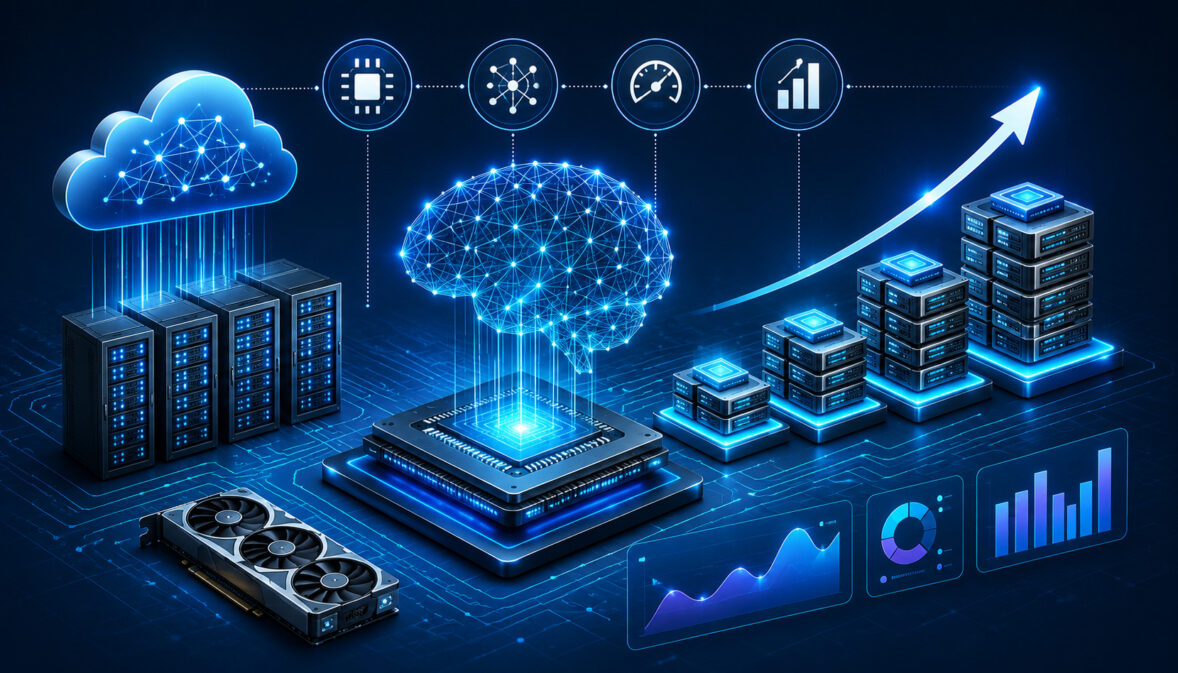
Understanding AI compute resources and scaling is essential for any team building modern AI applications. Machine learning models, real-time inference systems, automation tools, analytics pipelines, and large dataset workflows all depend on reliable compute power.
AI systems often start small, but workloads can grow quickly. A model that runs well during testing may struggle when more users, larger files, higher request volumes, or more complex models enter production.
Scalable AI computing solutions help organizations increase capacity without rebuilding their entire environment. The goal is to support performance, reliability, security, and cost control as AI demand grows.
AI infrastructure is not only about raw processing power. It also includes memory, storage, networking, orchestration, monitoring, security, and deployment design. A strong foundation helps AI workloads run consistently from development through production.
For teams planning AI hosting, it is useful to understand the practical requirements behind cloud hosting for AI applications. AI inference is often latency-sensitive, while model training and fine-tuning require sustained throughput and high-performance infrastructure.
What Are AI Compute Resources?
AI compute resources are the hardware and software capabilities used to train, deploy, run, and scale artificial intelligence systems. These resources process data, run models, store outputs, move information across environments, and support real-time user interactions.
The most common AI compute resources include CPUs, GPUs, specialized accelerators, memory, storage, networking, cloud infrastructure, and distributed computing environments. Each resource plays a different role in machine learning compute infrastructure.
CPUs are general-purpose processors. They are useful for data preparation, application logic, orchestration, analytics, and lightweight inference. GPUs are designed for parallel processing, which makes them valuable for deep learning, computer vision, natural language processing, and large-scale model training.
Memory is also critical. AI workloads often move large datasets, embeddings, model weights, and intermediate calculations through memory. If memory is limited, workloads may slow down or fail.
Storage matters because AI systems depend on datasets, checkpoints, logs, model artifacts, vector databases, and backups. Fast storage improves training efficiency and inference responsiveness.
Networking connects distributed AI computing systems. Low-latency, high-bandwidth networking is especially important when multiple GPUs, servers, or cloud regions work together.
AI cloud compute infrastructure adds flexibility by allowing teams to provision resources on demand. Instead of buying every server upfront, teams can use cloud computing for AI workloads when they need training clusters, inference endpoints, storage services, or managed orchestration.
Why AI Scaling Matters
AI scaling matters because workloads rarely stay predictable. A model may begin with a few users or small datasets, then expand into real-time inference, automation, analytics, recommendation systems, or multi-user applications.
AI workload scaling helps ensure systems can handle increased demand without slow responses, downtime, or uncontrolled costs. It also allows teams to support experimentation, training, deployment, and production traffic at the same time.
Scalability affects user experience. If an inference API becomes slow during peak usage, users may abandon the application. If a training pipeline lacks enough compute, model iteration slows down. If storage or networking cannot keep up, even powerful GPUs may sit idle.
AI infrastructure scaling strategies also support cost management. Scaling does not mean always running the largest servers. It means adding capacity when needed, removing idle resources, and matching each workload to the right infrastructure.
For example, batch processing may run on scheduled compute. Real-time inference may need always-available endpoints. Training may require GPU clusters for limited periods. Analytics may rely more on CPU, memory, and storage throughput.
The right approach improves AI deployment scalability. It helps teams move from prototype to production while maintaining performance, security, and operational control.
| Compute Resource | Primary Function | Best AI Use Case | Scaling Consideration |
| CPU | General-purpose processing | Data preparation, APIs, orchestration, analytics | Scale horizontally for web services and batch jobs |
| GPU | Parallel processing | Deep learning, inference, computer vision, NLP | Requires careful memory, utilization, and cluster planning |
| Memory | Fast temporary data access | Large datasets, embeddings, model execution | Insufficient memory causes slowdowns and failures |
| Storage | Persistent data and model files | Datasets, checkpoints, logs, vector indexes | Needs speed, durability, and lifecycle policies |
| Networking | Data transfer between systems | Distributed training, multi-node inference | Low latency and high bandwidth are critical |
| Cloud Infrastructure | On-demand compute and services | Elastic training and deployment | Use auto-scaling and cost controls |
| Edge Infrastructure | Local processing near users/devices | Low-latency inference | Balance local speed with central management |
CPU vs GPU for AI Workloads
CPUs and GPUs serve different roles in AI server infrastructure. CPUs are flexible processors that handle many general computing tasks well. They are useful for running application servers, managing data pipelines, preprocessing data, coordinating jobs, and handling lightweight inference.
GPUs are built for parallel computation. AI models often require many mathematical operations to run at the same time, especially during deep learning training and high-volume inference. This is why GPU scaling for AI is such an important part of modern infrastructure planning.
A CPU may be enough for smaller machine learning models, rule-based automation, basic analytics, or low-volume prediction tasks. A GPU becomes more valuable when workloads involve large neural networks, image processing, audio processing, language models, or high-throughput inference.
The best infrastructure often uses both. CPUs manage orchestration and application logic, while GPUs handle the most compute-intensive model operations.
Cloud-Based AI Scaling Strategies
Cloud-based AI infrastructure scaling strategies help teams expand capacity without waiting for new hardware. AI cloud compute infrastructure can support training, fine-tuning, inference, testing, storage, monitoring, and disaster recovery.
Auto-scaling is one of the most useful strategies. It allows systems to add or remove compute capacity based on demand. For AI inference, this can help maintain responsiveness during traffic spikes while reducing idle spend during quiet periods.
Distributed computing is another important strategy. Large workloads can be split across multiple machines, GPUs, or containers. This approach supports large-scale training, batch processing, and high-throughput inference.
Load balancing distributes requests across multiple servers or model replicas. This prevents one system from becoming overloaded and improves reliability.
Container orchestration platforms help package, deploy, restart, and scale AI services. They are especially useful when teams need consistent deployment across development, staging, and production environments.
For teams comparing deployment models, resources about cloud hosting versus on-prem AI infrastructure can help frame decisions around cost, control, latency, and GPU capacity.
Storage and Networking Requirements
AI systems depend heavily on storage and networking. Even powerful compute resources can underperform if data cannot move quickly enough.
Training workloads may read large datasets repeatedly. Fine-tuning jobs may write checkpoints. Inference systems may access model weights, embeddings, logs, and cached responses. Analytics pipelines may process structured and unstructured data from many sources.
High-speed storage reduces delays when loading data or saving model artifacts. Object storage is often useful for large datasets and backups. Local SSD storage may help with temporary high-speed workloads. Network-attached storage can support shared access across multiple systems.
Networking becomes even more important in distributed AI computing. Multi-node training, GPU clusters, and large inference deployments require fast communication between machines. Low latency helps reduce waiting time, while high bandwidth supports large data transfers.
Caching systems can reduce repeated computation and improve response times. For example, cached embeddings, frequent prompts, or static data can reduce pressure on compute resources.
Types of AI Compute Infrastructure
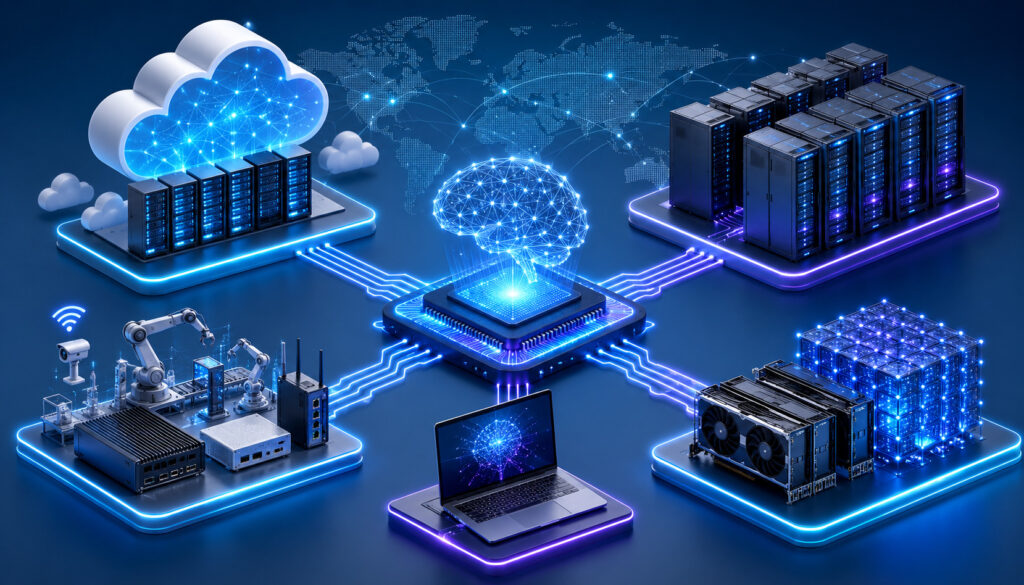
AI compute infrastructure can be designed in several ways. The right choice depends on workload size, latency requirements, data sensitivity, budget, operational skill, and growth expectations.
Cloud AI infrastructure offers flexible access to compute, storage, networking, and managed services. It is useful for teams that want to scale quickly, test different configurations, or avoid managing physical hardware.
Dedicated AI servers provide more control over hardware, performance, and configuration. They can be valuable for predictable workloads, specialized GPU requirements, or environments that need consistent performance.
Hybrid AI environments combine cloud and dedicated infrastructure. A team might keep sensitive data or steady workloads on dedicated systems while using cloud resources for burst training or temporary scaling.
Edge AI infrastructure runs models closer to devices, users, or data sources. This can reduce latency and bandwidth usage. Edge AI is useful for real-time monitoring, vision systems, automation, and local decision-making.
Distributed computing systems connect multiple machines so workloads can run across a larger resource pool. This is common for large-scale training, multi-GPU inference, data processing, and high-performance analytics.
AI server clusters are a common way to scale beyond a single instance. They combine multiple machines into a coordinated platform for training, inference, orchestration, reliability, and cost control. For deeper infrastructure planning, see this guide on AI server clusters.
AI Workload Scaling Strategies
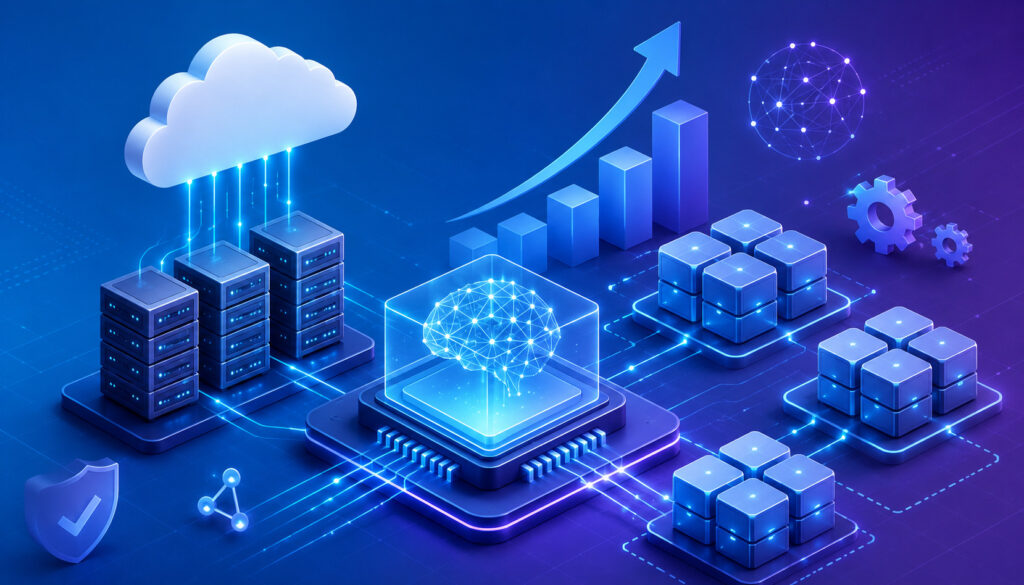
AI workload scaling is the process of increasing or decreasing infrastructure capacity based on application demand. It includes horizontal scaling, vertical scaling, workload distribution, resource allocation, GPU clustering, and infrastructure optimization.
Horizontal scaling means adding more machines, containers, or service replicas. This is useful for inference APIs, batch workers, distributed processing, and high-availability systems.
Vertical scaling means increasing the power of a single machine. This could include more CPU cores, more memory, larger GPUs, or faster storage. Vertical scaling can be simpler, but it has hardware limits and may become expensive.
Workload distribution spreads tasks across available resources. A queue-based system, for example, can send jobs to different workers based on priority, resource needs, or availability.
Resource allocation ensures that workloads receive enough compute without starving other services. This is especially important when multiple teams or applications share GPU clusters.
GPU clustering connects multiple GPUs or GPU servers to work together. This supports larger models, higher throughput, and faster training. However, it also requires careful networking, scheduling, and monitoring.
AI resource optimization focuses on using infrastructure efficiently. Techniques include batching inference requests, using smaller models where appropriate, caching results, right-sizing instances, and shutting down idle resources.
For workloads involving model hosting, GPU selection, and deployment flexibility, GPU-powered cloud instances can be relevant when scalable AI computing solutions require accelerated processing.
Common Challenges in AI Compute Scaling

AI compute scaling can become complex quickly. The most common challenge is cost. GPUs, high-memory systems, fast storage, and low-latency networking can be expensive if they are always running.
GPU availability can also be difficult. High-demand accelerators may not always be available when teams need them. This can affect training schedules, deployment plans, and capacity planning.
Resource bottlenecks are another issue. A workload may appear to need more GPUs, but the real problem may be slow data loading, limited memory, inefficient code, or network congestion.
Latency issues affect real-time AI applications. Inference workloads must respond quickly, especially when they support chat interfaces, automation systems, recommendation engines, or monitoring tools.
Downtime risks increase as infrastructure grows. More services, nodes, containers, and dependencies create more possible points of failure. Strong monitoring and recovery processes become essential.
Vendor lock-in can also limit flexibility. Managed services are convenient, but teams should understand portability, data export options, and migration paths.
Infrastructure complexity is a major operational challenge. Distributed AI computing requires orchestration, observability, security policies, deployment pipelines, and incident response planning.
Security concerns also grow with scale. More data movement, more APIs, more users, and more integrations increase the attack surface.
Security Best Practices for AI Infrastructure

Security should be built into AI infrastructure from the beginning. AI systems often process sensitive data, expose APIs, store model artifacts, and connect to multiple internal and external services.
Access controls are one of the most important protections. Users and services should only have the permissions they need. Role-based access, service accounts, and least-privilege policies reduce unnecessary exposure.
Encryption protects data at rest and in transit. Storage systems, databases, backups, and network traffic should use strong encryption wherever practical.
API security is critical for AI deployment scalability. Public or internal inference endpoints should use authentication, rate limits, input validation, logging, and abuse protection.
Backup systems protect datasets, models, configurations, and logs. Backups should be tested regularly, not just created.
Monitoring and logging help detect unusual activity, failed access attempts, performance issues, and infrastructure changes. Logs should be protected from tampering and reviewed through alerting systems.
Identity management connects users, services, and permissions. Centralized identity controls make it easier to manage access as teams and workloads grow.
Network segmentation limits movement between systems. Training environments, production inference services, databases, and administrative systems should not all share unrestricted access.
Infrastructure auditing helps confirm that configurations match security policies. Regular audits can identify exposed storage, unused credentials, outdated software, or unnecessary permissions.
Cost Optimization Strategies for AI Compute Resources
AI compute resources can become costly without active management. Cost optimization starts with visibility. Teams need to know which workloads are running, how much they cost, and whether the resources are being used efficiently.
Auto-scaling helps reduce waste by matching capacity to demand. Inference endpoints can scale up during busy periods and scale down when traffic drops.
GPU optimization is especially important. GPUs should be monitored for utilization, memory usage, queue times, and idle periods. Underused GPUs may indicate poor batching, inefficient scheduling, or oversized instances.
Monitoring resource usage helps teams identify waste. Dashboards and alerts can reveal idle servers, overprovisioned storage, unused volumes, abandoned experiments, or inefficient jobs.
Efficient storage management can reduce unnecessary spend. Lifecycle policies can move old data to lower-cost storage, delete temporary files, and archive outdated checkpoints.
Container orchestration can improve utilization by placing workloads efficiently across shared infrastructure. It can also restart failed services and help enforce resource limits.
Reducing idle resources is one of the fastest ways to control costs. Development environments, test clusters, and training machines should not run continuously unless needed.
Choosing the right deployment model also matters. Cloud works well for elastic workloads. Dedicated infrastructure may fit predictable high-volume workloads. Hybrid models can balance flexibility and control.
Best Practices for Managing AI Infrastructure
Managing AI infrastructure requires ongoing monitoring, testing, maintenance, and governance. Scalable systems need more than powerful hardware; they need operational discipline.
Monitoring tools should track CPU, GPU, memory, storage, networking, queue depth, latency, error rates, and cost. AI-specific metrics may include model response time, throughput, token usage, batch size, and inference failures.
Uptime management requires redundancy. Critical AI services should avoid single points of failure. Load balancers, replicas, backups, and failover plans help maintain availability.
Performance testing should happen before major releases. Teams should test how systems behave under peak load, large files, concurrent users, and failure conditions.
Workload balancing keeps infrastructure stable. Training jobs, batch pipelines, and inference services should not compete uncontrollably for the same resources.
Disaster recovery planning is essential. Teams should document how to restore systems, recover data, redeploy models, and communicate during incidents.
Infrastructure auditing helps maintain quality over time. As environments grow, unused resources, outdated dependencies, and inconsistent configurations can create risk.
Software updates should be planned carefully. Drivers, container images, machine learning frameworks, orchestration tools, and security patches all affect AI workloads.
For broader AI adoption and automation context, this trusted external guide on AI and automation for business growth discusses how AI can support efficiency, cost reduction, and operational scale.
What are AI compute resources?
AI compute resources are the processing, memory, storage, networking, and infrastructure components used to build and run AI systems. They include CPUs, GPUs, accelerators, RAM, storage platforms, cloud services, servers, orchestration tools, and distributed computing environments.
These resources support model training, inference, automation, analytics, data processing, and deployment. Understanding AI compute resources and scaling helps teams choose infrastructure that matches performance, reliability, and budget needs.
Why do AI applications need GPUs?
AI applications often need GPUs because many model operations can run in parallel. GPUs are designed to process many calculations at the same time, making them valuable for deep learning, image recognition, language models, recommendation systems, and high-volume inference.
Not every AI workload needs a GPU. CPUs may be better for data preparation, APIs, scheduling, and lighter models. The best setup often combines CPUs and GPUs based on workload type.
What is AI scaling?
AI scaling is the process of increasing or decreasing infrastructure capacity so AI systems can handle changing demand. This may involve adding servers, increasing GPU capacity, expanding storage, improving networking, or distributing workloads across multiple machines.
AI scaling also includes optimization. Efficient batching, caching, model compression, monitoring, and workload scheduling can improve performance without always adding more hardware.
What is the difference between horizontal and vertical scaling?
Horizontal scaling means adding more machines, containers, or service replicas. It is useful for inference APIs, distributed processing, and high-availability systems.
Vertical scaling means increasing the power of a single machine, such as adding more memory, CPU capacity, or GPU power. It can be simpler, but it has limits and may become expensive for large AI workloads.
How can infrastructure costs be reduced?
Costs can be reduced by using auto-scaling, shutting down idle resources, monitoring GPU utilization, choosing the right instance sizes, optimizing storage, caching frequent requests, and matching workloads to the right deployment model.
Teams should also review abandoned experiments, unused storage, oversized servers, and inefficient training jobs. Cost optimization works best when usage is measured continuously.
What security features matter most for AI infrastructure?
Important security features include access controls, encryption, API authentication, logging, identity management, backup systems, network segmentation, and regular infrastructure audits.
AI systems should also protect model files, datasets, credentials, and deployment pipelines. Security should be part of infrastructure design, not an afterthought.
What are common AI scaling challenges?
Common challenges include high infrastructure costs, GPU shortages, resource bottlenecks, latency, downtime risks, vendor lock-in, operational complexity, and security concerns.
Many scaling problems come from hidden bottlenecks. Teams should investigate memory, storage, networking, and application design before assuming more GPUs will solve the issue.
How does cloud infrastructure support AI scaling?
Cloud infrastructure supports AI scaling by providing on-demand compute, storage, networking, managed services, auto-scaling, and global deployment options. It helps teams expand capacity quickly for training, inference, testing, and production workloads.
Cloud computing for AI workloads is especially useful when demand changes frequently. It also supports experimentation because teams can test different compute configurations without long hardware procurement cycles.
Conclusion
Understanding AI compute resources and scaling helps teams build AI systems that are fast, reliable, secure, and cost-aware. AI workloads depend on more than GPUs alone; they require balanced compute, memory, storage, networking, orchestration, and monitoring.
The best AI infrastructure scaling strategies match resources to workload needs. Training, inference, analytics, automation, and distributed AI computing each place different demands on infrastructure.
Scalable AI computing solutions allow systems to grow without sacrificing performance or reliability. With thoughtful planning, teams can improve AI deployment scalability, reduce waste, strengthen security, and support growing workloads with confidence.
A practical AI infrastructure plan should answer four questions: what resources are needed, how workloads will scale, how costs will be controlled, and how systems will stay secure. When those answers are clear, AI infrastructure becomes a dependable foundation for long-term growth.