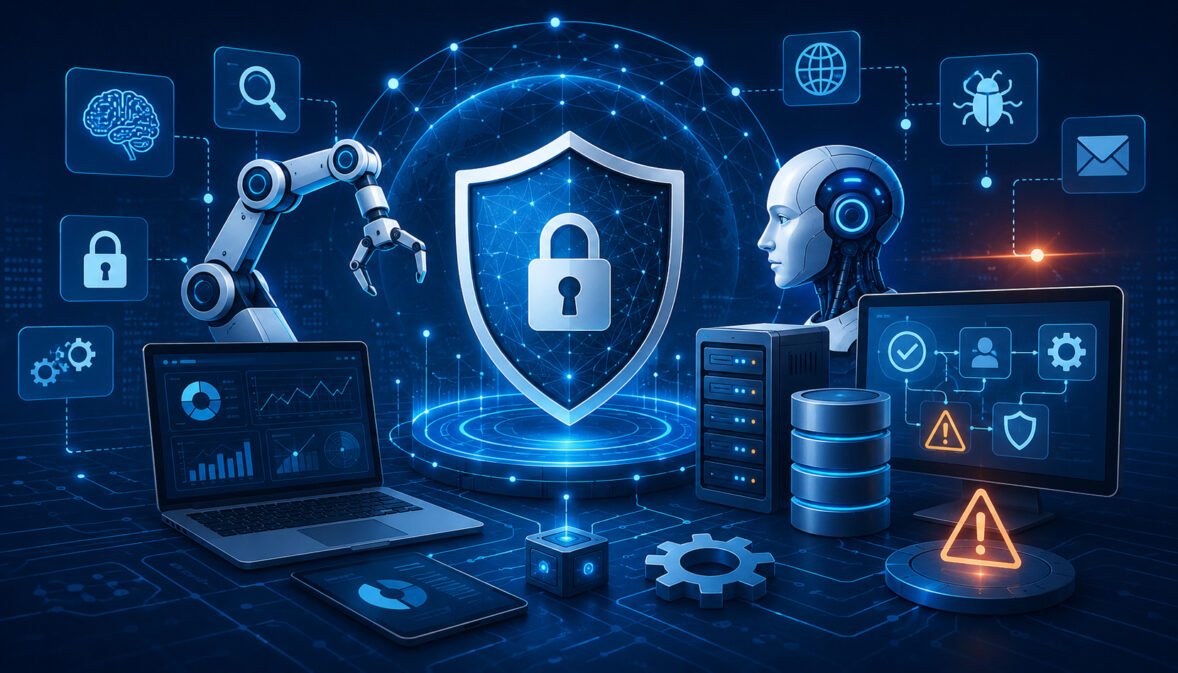
AI applications are no longer limited to small experiments. Many organizations now run chatbots, machine learning models, AI APIs, automation systems, data pipelines, GPU workloads, and cloud-based AI infrastructure as part of daily operations.
As these systems grow, security teams need faster ways to detect risks, control access, monitor activity, respond to incidents, and document security decisions.
That is where AI security automation tools become important. These tools help organizations apply automated security controls across AI applications, model endpoints, cloud servers, databases, containers, APIs, logs, and user activity.
Instead of relying only on manual reviews, teams can use automation to identify unusual behavior, scan for weaknesses, detect exposed data, alert responsible teams, and support compliance readiness.
AI environments create security challenges that traditional applications may not have. User prompts may contain sensitive information. Model outputs may reveal data that should not be exposed.
APIs may be abused at scale. GPU workloads may run inside containers that need continuous monitoring. Training data, inference logs, access tokens, cloud storage, and model endpoints all require protection.
Security automation does not remove the need for human judgment. It helps teams work faster, reduce blind spots, and maintain stronger visibility. The best approach combines automated AI security, clear policies, human oversight, secure architecture, and regular review.
What Are AI Security Automation Tools?
AI security automation tools are software systems that help detect, prevent, monitor, and respond to security risks in AI environments. They can watch cloud infrastructure, AI applications, model endpoints, APIs, user activity, access permissions, containers, databases, storage systems, logs, and security alerts.
In practical terms, these tools help security and engineering teams answer important questions:
- Who accessed the AI system?
- Which model endpoint received unusual traffic?
- Are any API keys exposed?
- Are containers running vulnerable packages?
- Is sensitive data appearing in prompts, logs, or outputs?
- Are cloud permissions too broad?
- Are security controls working as expected?
- Which alerts need immediate attention?
AI security automation can include AI threat detection tools, vulnerability scanning, cloud posture monitoring, identity monitoring, API security, endpoint protection, log analysis, SIEM workflows, SOAR playbooks, compliance reporting, and AI model security tools.
For organizations building on AI cloud hosting, automation becomes especially useful because AI applications may depend on several connected layers. A single AI product may include cloud servers, GPUs, containers, object storage, databases, authentication systems, API gateways, monitoring dashboards, and external integrations.
Security automation helps bring these moving parts into one more manageable security process. It does not guarantee perfect protection, but it helps teams detect problems earlier and respond more consistently.
How AI Security Automation Differs From Traditional Security
Traditional security often focuses on networks, devices, endpoints, servers, applications, identities, and data stores. Those areas still matter in AI systems, but AI introduces additional concerns that require broader monitoring.
AI security automation must also consider model behavior, prompts, inference endpoints, training data, model outputs, user abuse patterns, retrieval systems, vector databases, and potential data leakage.
A traditional web application may process forms and database queries. An AI application may process open-ended user inputs, uploaded documents, embeddings, generated responses, and tool-based actions.
This creates new questions. Is the model being prompted in a way that attempts to bypass controls? Are users submitting sensitive data that should not be stored? Are outputs being monitored for confidential information? Are model endpoints being called at abnormal rates? Are AI agents accessing tools or files beyond their intended scope?
Traditional security automation may detect malware, suspicious logins, exposed ports, and vulnerable software. AI security automation adds visibility into AI-specific risks while still using many familiar cybersecurity automation methods.
Security teams should not treat AI security as a completely separate discipline. Many foundational practices still apply, including identity management, encryption, audit logs, vulnerability scanning, incident response, and secure deployment. The difference is that AI systems add more data flows, more unpredictable inputs, and more ways for misuse to occur.
Why AI Systems Need Automated Security Controls
AI systems often run continuously and interact with users, APIs, databases, documents, plugins, internal tools, and cloud infrastructure. They may process large volumes of requests and generate logs at a speed that security teams cannot review manually.
Automated security controls help teams monitor these systems without depending on slow, manual checks. They can detect unusual traffic, suspicious API usage, exposed credentials, vulnerable dependencies, excessive access permissions, and abnormal model behavior.
Automation is especially useful when AI applications scale quickly. A prototype may begin with a small model endpoint and a limited user group. Over time, it may add more users, more integrations, more data sources, and more cloud services. Without automated monitoring, security visibility can fall behind development speed.
Automated controls also support consistency. A manual checklist may be skipped during a rushed deployment. A properly configured automated security gate can scan code, dependencies, containers, and infrastructure settings before release.
However, automation should be designed carefully. Security teams need to review alerts, tune detection rules, document workflows, and decide which actions can be automated safely.
Why AI Security Automation Matters for Modern AI Workloads
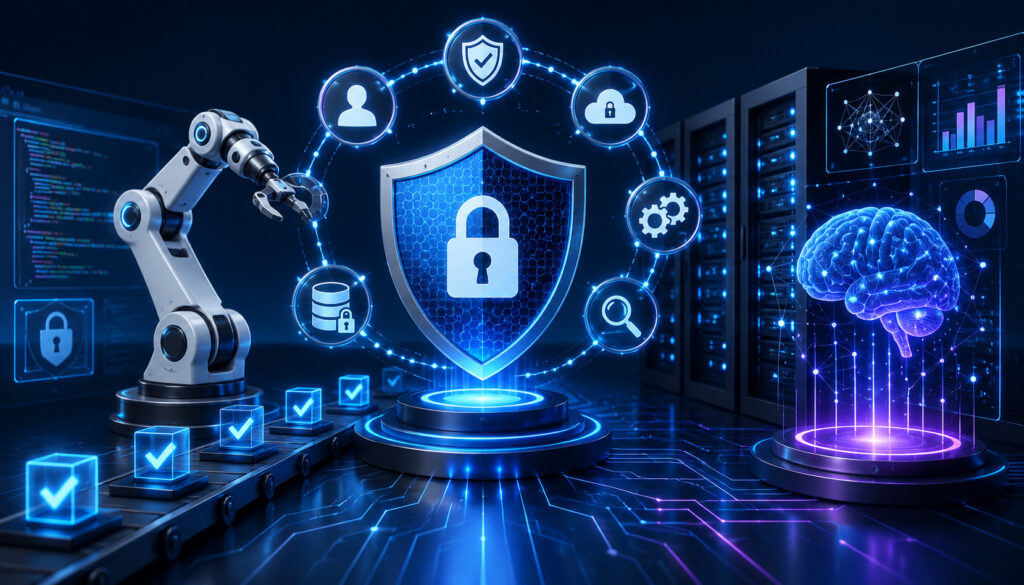
Modern AI workloads are often fast-moving, data-heavy, and deeply connected to cloud infrastructure. Manual security checks are not enough when applications are continuously deployed, models are updated, containers are rebuilt, APIs are exposed, and user traffic changes throughout the day.
AI workloads may include:
- Model training and fine-tuning
- Real-time inference endpoints
- AI-powered chat interfaces
- Retrieval-augmented generation systems
- Vector databases
- Cloud storage buckets
- GPU workloads
- Containerized services
- API gateways
- CI/CD pipelines
- Monitoring and logging systems
- User authentication and access control
Each layer can introduce security risk. A misconfigured storage system may expose sensitive data. An insecure API may allow abuse. A vulnerable dependency may create an entry point. Weak identity controls may give users more access than they need. Logs may store prompts or outputs that contain confidential information.
AI security automation matters because it helps organizations maintain visibility across these layers. It also helps teams move from reactive security to continuous security monitoring.
For example, AI cloud security automation can check whether encryption is enabled, whether ports are open, whether access policies are too broad, and whether cloud resources follow approved security rules.
Automated vulnerability detection can scan packages, containers, and operating system components. AI incident response automation can route alerts, create tickets, trigger playbooks, and preserve evidence.
The NIST AI Risk Management Framework emphasizes managing AI risks across design, development, deployment, and use. That approach aligns well with security automation because risks need to be identified, measured, managed, and monitored throughout the AI lifecycle.
Reducing Security Blind Spots in AI Environments
A security blind spot is any area where risk exists but the team does not have enough visibility. AI environments can create blind spots quickly because they often combine application code, models, data pipelines, APIs, cloud services, and user-generated inputs.
Automated tools can reduce these blind spots by monitoring:
- Authentication failures
- Unusual user activity
- Suspicious API behavior
- Exposed credentials
- Risky cloud permissions
- Misconfigured storage
- Vulnerable dependencies
- Abnormal model usage
- Unexpected traffic spikes
- Sensitive data in logs
- Unusual data movement
- Container runtime behavior
For example, an AI application may receive a sudden increase in requests from a small group of accounts. An AI threat detection tool may flag this as abnormal behavior. An API security tool may detect that requests are targeting specific endpoints repeatedly. A log analysis tool may show that the activity began after a credential was created.
Without automation, these details may remain scattered across several dashboards. With automation, security teams can correlate events and respond faster.
Blind spots are also common in development environments. Test systems may contain sample data, temporary API keys, or relaxed permissions. Automated scanning can help detect risky configurations before they become production problems.
Improving Incident Detection and Response
AI security automation helps teams identify incidents sooner and respond with more structure. Instead of waiting for a user complaint or a manual review, automated systems can trigger alerts when suspicious activity appears.
Incident detection may include:
- Unusual login locations
- Privilege escalation attempts
- Abnormal API request patterns
- Malware detection
- Data exfiltration signals
- Vulnerability exploitation attempts
- Unexpected model endpoint usage
- Sensitive data exposure
- Suspicious container activity
- Unauthorized access attempts
Once an alert is triggered, AI incident response automation can help prioritize the event, notify the right team, open a ticket, gather logs, isolate affected resources, or start a review workflow.
Not every response should be fully automated. For example, automatically blocking a user may be appropriate for clear malicious behavior, but isolating a production system may require human approval. The best response workflows balance speed with business context.
Security automation also supports post-incident review. It can preserve audit logs, document alert timelines, record response actions, and help teams understand what happened.
Common Types of AI Cybersecurity Tools

There is no single category of tool that protects every part of an AI environment. Most organizations use a mix of AI cybersecurity tools and traditional security platforms adapted for AI workloads.
Common categories include threat detection, vulnerability scanning, cloud security posture management, SIEM, SOAR, endpoint protection, container security, identity monitoring, API security, data leakage monitoring, model monitoring, and compliance automation.
AI security tools may monitor infrastructure, applications, users, models, APIs, logs, and data flows. Some tools focus on prevention, such as blocking risky configurations before deployment. Others focus on detection, such as identifying suspicious behavior at runtime. Some support response, such as triggering workflows when an incident occurs.
A layered approach is usually more reliable than relying on one system. AI infrastructure security may require one set of controls, while AI application security, API protection, identity management, and compliance reporting require others.
CISA’s secure-by-design guidance encourages security to be treated as a built-in responsibility rather than an afterthought, which is especially relevant when AI systems are deployed into production environments.
Threat Detection and Anomaly Monitoring Tools
Threat detection and anomaly monitoring tools look for unusual behavior that may indicate misuse, compromise, or abuse. In AI environments, this can include both traditional cybersecurity signals and AI-specific patterns.
These tools may monitor:
- Suspicious logins
- Abnormal traffic
- Unexpected API calls
- Unusual model queries
- Excessive request volume
- Privilege escalation
- Data movement
- Endpoint behavior
- Unusual user sessions
- Suspicious prompt patterns
- Repeated failed authentication attempts
Anomaly detection is useful because attackers do not always follow known patterns. A user account may be valid, but its behavior may suddenly change. A model endpoint may be public, but traffic volume may become unusual. An API key may still be active, but it may be used from an unexpected environment.
AI threat detection tools can help security teams identify these changes faster. They may assign risk scores, group related events, and reduce noise by prioritizing alerts with stronger signals.
However, anomaly detection should be tuned carefully. New product launches, testing activity, or marketing campaigns can also create unusual traffic. Human review is still important for interpreting context.
Vulnerability Scanning and Patch Management Tools
Automated vulnerability detection helps teams find weaknesses before attackers exploit them. AI systems often depend on many software components, including operating systems, libraries, containers, API frameworks, model-serving tools, orchestration platforms, and infrastructure-as-code templates.
Vulnerability scanning tools may check:
- Outdated packages
- Insecure dependencies
- Container image vulnerabilities
- Exposed services
- Weak configurations
- Missing patches
- Known software flaws
- Risky open-source components
- Insecure build artifacts
- Unpatched servers
Patch management tools help teams track which systems need updates, which vulnerabilities are most serious, and whether patches have been applied successfully.
This matters for AI workloads because model-serving environments can be complex. A single AI application may rely on container images, Python packages, GPU drivers, web frameworks, API gateways, and storage services. If these components are not scanned regularly, risk can accumulate quietly.
Automated scanning should be part of development and deployment. Scanning only after release can delay fixes and create operational pressure.
AI Security Automation for Cloud and Hosting Infrastructure
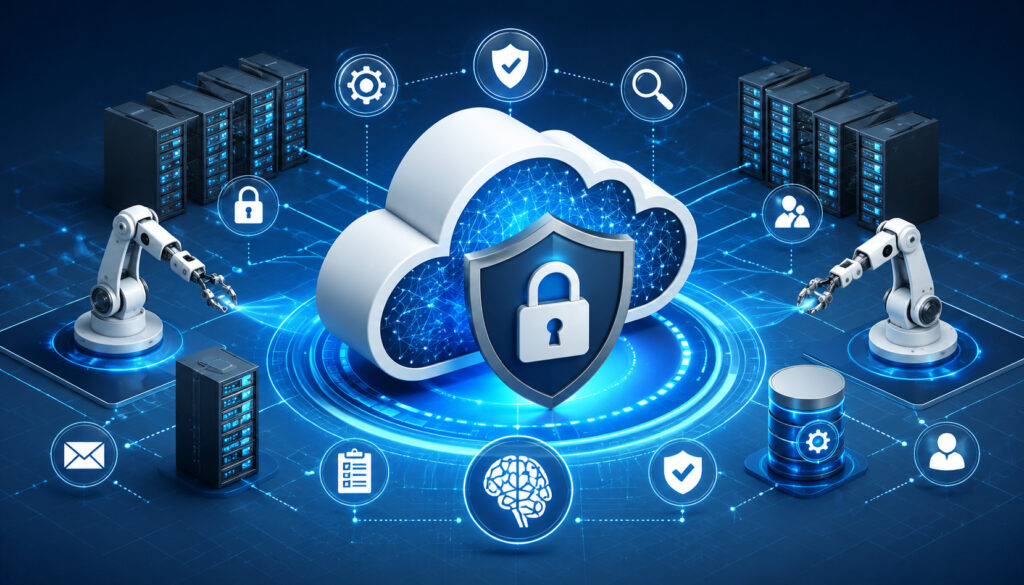
AI cloud security automation helps protect the infrastructure that supports AI applications. This may include cloud servers, GPU instances, databases, storage systems, container platforms, model endpoints, AI APIs, backup systems, monitoring logs, and network configurations.
AI infrastructure security matters because AI workloads often require more than application code. They may need high-performance compute, large datasets, scalable storage, fast networking, and secure deployment pipelines. Each infrastructure layer must be monitored and controlled.
For teams planning AI hosting infrastructure, security should be reviewed alongside performance, scalability, cost, and reliability. Fast infrastructure is not enough if access controls, encryption, logging, and configuration monitoring are weak.
AI cloud security automation can help by checking whether:
- Storage is private
- Encryption is enabled
- Firewalls are configured correctly
- Ports are restricted
- Backups are protected
- Logs are collected securely
- Access permissions follow least privilege
- Secrets are not exposed
- Containers are scanned
- APIs require proper authentication
- Model endpoints are monitored
- Network rules match policy
Cloud environments change often. Developers may create new services, test new models, add storage, adjust permissions, or deploy containers. Automation helps security teams keep pace with these changes.
Cloud Security Posture and Configuration Monitoring
Cloud security posture management focuses on detecting risky cloud configurations. In AI environments, this is especially important because cloud services may store sensitive data, model files, training artifacts, embeddings, logs, and user-uploaded content.
Automated posture tools can check whether storage is exposed, whether encryption is enabled, whether ports are open, whether firewall rules are too broad, and whether permissions exceed business needs. They can also compare cloud resources against internal security policies.
Common risks include:
- Public storage buckets
- Overly broad admin permissions
- Open database ports
- Missing encryption
- Unrestricted network access
- Weak logging settings
- Unprotected backups
- Unused but active credentials
- Shadow cloud resources
- Inconsistent tagging and ownership
AI workloads often involve temporary experiments. Teams may spin up test environments quickly and forget to remove them. Automated configuration monitoring can identify these resources and reduce long-term exposure.
Good posture management also improves accountability. It helps teams know who owns each resource, what it is used for, and whether it follows approved controls.
Container, API, and Model Endpoint Protection
Many AI systems run inside containers and expose model capabilities through APIs. This makes container security, API protection, and model endpoint monitoring essential parts of security automation for AI systems.
Containers should be scanned before deployment and monitored at runtime. Automated tools can detect vulnerable packages, insecure base images, risky privileges, unauthorized processes, and suspicious network activity.
APIs need strong authentication, rate limits, access logs, input validation, traffic monitoring, and abuse detection. AI APIs may be targeted for scraping, misuse, credential stuffing, excessive usage, or attempts to extract sensitive information.
Model endpoints also require monitoring. A model endpoint may receive prompts, files, queries, or structured inputs. Automated tools can help detect abnormal request patterns, high-volume abuse, repeated policy violations, and unusual output behavior.
For teams using GPU server hosting, endpoint protection is especially important because compute resources can be expensive and attractive for misuse. Monitoring helps detect abnormal workloads, unauthorized access, or unexpected compute consumption.
Key Features to Look for in AI Security Automation Tools
Choosing AI security automation tools requires more than comparing feature lists. The right tool depends on infrastructure, data sensitivity, AI workload type, compliance needs, team size, and integration requirements.
Important features include:
- Real-time threat detection
- Automated vulnerability scanning
- Cloud misconfiguration alerts
- API security monitoring
- Access and identity monitoring
- Log collection and analysis
- Incident response workflows
- Compliance reporting
- Data leakage detection
- Container and workload protection
- DevSecOps integration
- Dashboard and risk scoring
- Alert prioritization
- Audit trail support
- Model endpoint visibility
- Policy-based automation
- Encryption monitoring
- Role-based access controls
AI security monitoring should make risks easier to understand. A useful dashboard should show which systems are affected, why an alert matters, what evidence supports it, and which action is recommended.
The tool should also fit the team’s workflow. If alerts go to a dashboard nobody checks, automation will not help much. Integration with ticketing systems, monitoring platforms, identity providers, cloud accounts, and incident response workflows is often more valuable than a long list of isolated features.
Alert Prioritization and Risk Scoring
Alert overload is one of the biggest challenges in cybersecurity automation. A busy AI environment can generate many warnings from logs, scanners, identity systems, cloud tools, APIs, and application monitoring platforms.
If every alert is treated as urgent, teams become overwhelmed. Important signals may be missed because they are buried among lower-risk notifications.
Risk scoring helps solve this problem by ranking alerts based on severity, context, asset value, exploitability, and business impact. For example, a vulnerability on an internal test system may be less urgent than the same vulnerability on a public model endpoint that handles sensitive data.
Alert prioritization may consider:
- Whether the affected system is internet-facing
- Whether sensitive data is involved
- Whether exploitation is likely
- Whether privileged access is affected
- Whether abnormal behavior is active
- Whether the asset supports production workloads
- Whether compliance controls are involved
Good prioritization improves response speed and reduces wasted effort. It also helps teams communicate risk clearly to engineering, compliance, and leadership.
Integration With Existing Security Workflows
AI security automation tools should connect with existing security and engineering workflows. A tool that operates separately from daily processes may create more work instead of reducing it.
Useful integrations may include:
- Ticketing systems
- Cloud platforms
- Identity providers
- CI/CD pipelines
- Code repositories
- Container registries
- SIEM platforms
- SOAR workflows
- Monitoring dashboards
- Incident response systems
- Compliance reporting tools
- Notification channels
Integration matters because AI security is shared across teams. Developers may need vulnerability reports. DevOps teams may need cloud misconfiguration alerts. Security analysts may need SIEM events. Compliance teams may need audit evidence. Product managers may need risk visibility for high-impact features.
AI security automation is most effective when it meets each team where work already happens. It should create clear ownership, not confusion.
AI Security Automation Tools Comparison Table
The table below shows common categories of AI security automation tools and how they support safer AI operations.
| Tool Category | What It Monitors | Why It Matters |
| Threat detection | Logs, traffic, behavior, anomalies | Finds suspicious activity faster |
| Vulnerability scanning | Software, dependencies, containers | Reduces exploitable weaknesses |
| Cloud posture management | Storage, permissions, firewall settings | Prevents misconfiguration risks |
| API security tools | Endpoints, authentication, traffic patterns | Protects AI services and integrations |
| Identity monitoring | User access, roles, privileged activity | Reduces unauthorized access |
| SOAR tools | Alerts, workflows, response actions | Speeds up incident handling |
| Compliance automation | Controls, reports, audit evidence | Supports governance and reviews |
| Data leakage tools | Sensitive data in logs, prompts, outputs | Reduces privacy and exposure risk |
| Container security | Images, runtime behavior, dependencies | Protects containerized AI workloads |
| Model monitoring | Endpoint usage, outputs, abuse patterns | Improves visibility into AI behavior |
This table is not a shopping list. It is a planning guide. Most organizations need a layered security model because AI systems depend on several connected components.
For example, a team may need vulnerability scanning for containers, cloud posture monitoring for infrastructure, API security for model endpoints, identity monitoring for privileged users, and compliance automation for audit readiness.
How to Use the Table for Tool Selection
Use the table by mapping each tool category to your AI architecture. Start with the systems you actually operate. A small AI application may not need the same tooling as a large multi-tenant AI platform.
Consider these questions:
- Do you host AI models in the cloud?
- Do users interact with model endpoints?
- Do prompts or outputs contain sensitive information?
- Do you use containers?
- Do you process uploaded files?
- Do you store embeddings or training data?
- Do you need compliance evidence?
- Do multiple teams deploy AI services?
- Do you use third-party APIs?
- Do you need real-time alerting?
Businesses should choose tools based on architecture, risk level, data sensitivity, team size, compliance needs, and cloud environment rather than popularity alone.
A tool that is excellent for endpoint protection may not solve API abuse. A cloud posture tool may not detect prompt-related risk. A compliance tool may not replace runtime monitoring.
Why One Tool Usually Is Not Enough
One tool rarely covers every AI security need. AI security automation usually requires layered controls because AI environments include infrastructure, applications, identities, APIs, data, models, and operational workflows.
A single tool may not fully cover:
- Cloud posture
- Identity management
- API security
- Model monitoring
- Data leakage detection
- Vulnerability scanning
- Container security
- Incident response
- Compliance reporting
- Access reviews
Layered security reduces reliance on one control. If one system misses a signal, another may detect it. For example, an API tool may detect abnormal traffic, while an identity tool detects suspicious credential use and a SIEM correlates both events.
Security Risks AI Automation Tools Can Help Reduce
AI security automation tools can help reduce many risks, but they do not eliminate risk entirely. They work best when paired with secure architecture, access control, testing, documentation, and human review.
Common risks include:
- Prompt injection attempts
- Unauthorized access
- Exposed data
- Insecure APIs
- Cloud misconfigurations
- Vulnerable dependencies
- Data leakage
- Excessive permissions
- Malware
- Suspicious traffic
- Insider risk
- Credential exposure
- Container vulnerabilities
- Weak encryption settings
- Poor logging practices
- Unmonitored model endpoints
AI application security requires attention to both traditional cybersecurity risks and AI-specific behavior. An attacker may not need to break into a server if they can misuse an exposed model endpoint, abuse an API, or trick an application into revealing information it should not provide.
Automated security controls can help detect these risks early. For example, automated vulnerability scanning may find a weak dependency before deployment. Data leakage monitoring may detect sensitive information in logs. Identity monitoring may flag unusual privileged activity. API monitoring may detect excessive traffic or suspicious endpoint usage.
Prompt Injection, Abuse, and Model Endpoint Misuse
Prompt injection is a risk where a user or external content attempts to influence an AI system in unintended ways. The goal may be to bypass instructions, reveal restricted information, manipulate outputs, or cause the system to take unsafe actions.
AI security automation can help detect signs of abuse without turning the article into a technical misuse guide. Monitoring systems may look for repeated policy violations, abnormal prompt patterns, excessive endpoint calls, unusual tool-use requests, or attempts to access restricted data.
Model endpoint misuse can also involve high-volume requests, automated scraping, credential abuse, or attempts to overload APIs. Rate limiting, authentication, anomaly detection, and traffic analysis can reduce these risks.
Security teams should also review how AI systems connect to tools, files, databases, or external services. If an AI system can trigger actions, retrieve documents, or call APIs, access boundaries become critical.
Automated tools can help enforce policies, but human review is needed for high-risk workflows. This is especially true when AI systems support financial, legal, operational, healthcare, hiring, or security decisions.
Data Leakage and Sensitive Information Exposure
Data leakage can happen in many places across an AI environment. Sensitive information may appear in prompts, model outputs, uploaded files, application logs, analytics records, temporary files, debugging traces, backups, or monitoring tools.
AI data security tools can help detect and reduce exposure by scanning for sensitive patterns, flagging risky storage locations, monitoring access, and alerting teams when confidential information appears where it should not.
Common leakage points include:
- User prompts
- Chat transcripts
- Model outputs
- File uploads
- API request logs
- Error messages
- Debug logs
- Training data
- Vector databases
- Backups
- Temporary processing folders
- Support tickets
Logs deserve special attention. AI logs may contain prompts and outputs that include sensitive business, personal, or technical information. Protecting logs with access controls, retention limits, encryption, and monitoring is essential.
Automated data leakage detection is helpful, but prevention is also important. Teams should minimize unnecessary data collection, mask sensitive values, restrict access, and avoid storing prompts or outputs longer than needed.
AI Security Automation and Compliance Readiness
AI security compliance tools can support compliance readiness by improving documentation, visibility, control monitoring, audit trails, access reviews, incident records, and evidence collection.
Compliance readiness is not just about passing an audit. It is about being able to show that security controls are defined, implemented, monitored, reviewed, and improved over time.
AI security automation can help teams track:
- Access control status
- Vulnerability remediation
- Security exceptions
- Incident response actions
- Configuration changes
- Encryption settings
- Logging coverage
- Data handling controls
- User access reviews
- Risk assessment updates
- Policy violations
- Control evidence
Automated compliance reporting can reduce manual work, but teams still need to verify that reports reflect actual security posture. A dashboard is not the same as governance. Policies, ownership, review cycles, and accountability still matter.
The NIST AI framework highlights the importance of managing risks connected to AI systems, including risks involving security, privacy, reliability, and governance. Security automation can support that work by making risk signals more visible and easier to document.
Audit Logs and Security Documentation
Audit logs and security documentation are essential for compliance readiness and internal governance. They help answer what happened, when it happened, who was involved, which system was affected, and what action was taken.
Important records may include:
- Authentication logs
- Access review records
- Vulnerability reports
- Patch status records
- Configuration histories
- Security alerts
- Incident timelines
- Response actions
- Policy exceptions
- Encryption status
- Data access logs
- Deployment approvals
- Change management records
In AI environments, documentation should also cover model endpoints, prompt logging rules, output monitoring, data retention, training data handling, and third-party integrations.
Audit logs should be protected because they may contain sensitive information. Access should be limited, logs should be tamper-resistant where appropriate, and retention settings should match business and compliance needs.
Good documentation helps teams improve security over time. It also supports internal reviews, customer questionnaires, vendor assessments, and external audits.
Automated Compliance Reporting
Automated compliance reporting helps teams collect and organize evidence without relying entirely on manual spreadsheets or one-time reviews. Reports can show control status, security gaps, patch progress, access changes, encryption settings, incident response activity, and policy exceptions.
Useful compliance reports may include:
- Open vulnerabilities by severity
- Cloud misconfiguration trends
- Access review completion
- Privileged account activity
- Encryption coverage
- Logging coverage
- Incident response timelines
- Control exceptions
- Patch remediation progress
- API security events
- Data leakage alerts
- Container scan results
Compliance automation helps when reports are accurate, explainable, and reviewed regularly. Teams should avoid treating automated reports as final proof without validation.
Reports should also be understandable for different audiences. Security teams may need technical detail. Compliance managers may need control status. Business leaders may need risk summaries and remediation progress.
Best Practices for Using AI Security Automation Tools
AI security automation works best when it is part of a broader security program. Tools should support risk management, not replace it.
Helpful best practices include:
- Start with a risk assessment.
- Map AI data flows and model endpoints.
- Monitor cloud configurations continuously.
- Scan dependencies and containers regularly.
- Use role-based access control and least privilege.
- Encrypt sensitive data at rest and in transit.
- Protect logs that contain prompts or outputs.
- Prioritize alerts by risk and business impact.
- Create incident response playbooks.
- Test automated workflows before relying on them.
- Review vendor security documentation.
- Monitor false positives and false negatives.
- Keep humans involved in high-risk decisions.
- Document security controls and changes.
- Review automation rules regularly.
Security automation should begin with visibility. Teams need to know which AI systems exist, where data flows, who has access, which APIs are exposed, and which cloud resources support production workloads.
After visibility comes control. Teams should apply access policies, encryption, scanning, monitoring, and response workflows. Then they should review results and improve rules over time.
Building Automation Into DevSecOps
DevSecOps means security is built into development, testing, deployment, and operations. For AI systems, this approach is especially important because models, APIs, infrastructure, and data pipelines can change frequently.
Security automation can be added to DevSecOps through:
- Code scanning
- Dependency checks
- Container image scanning
- Infrastructure-as-code review
- Secrets detection
- Policy checks
- Automated security gates
- API testing
- Access policy validation
- Cloud configuration checks
- Deployment approvals
- Runtime monitoring
For example, a deployment pipeline may automatically block a container image if it contains a critical vulnerability. Infrastructure-as-code checks may flag public storage before deployment. Secrets scanning may detect exposed API keys in code repositories.
DevSecOps also helps developers fix issues earlier. Security findings are easier to address during development than after production release.
AI teams should also test model endpoint behavior, prompt handling, data retention, logging rules, and access boundaries as part of deployment readiness.
Keeping Human Oversight in the Loop
Automation improves speed and consistency, but human oversight remains essential. Security teams need judgment for complex incidents, sensitive decisions, false positives, business impact, and policy exceptions.
Human review is especially important when automated actions may affect users or operations. Blocking traffic, suspending accounts, isolating systems, disabling APIs, or deleting data can have serious consequences if triggered incorrectly.
Security teams should decide which actions can be fully automated and which require approval. Low-risk tasks may be automated immediately, such as creating tickets, collecting logs, or sending alerts. Higher-risk tasks may require human confirmation.
Human oversight also helps improve automation rules. Analysts can review false positives, tune thresholds, update playbooks, and identify gaps that tools missed.
The strongest AI security programs combine automation, expertise, documentation, and accountability.
Common Mistakes to Avoid With Automated AI Security
AI security automation can improve protection, but poor implementation can create new problems. Tools must be configured, monitored, tested, and reviewed.
Common mistakes include:
- Relying only on tools
- Ignoring alerts
- Misconfiguring automation rules
- Failing to protect logs
- Skipping access reviews
- Not testing incident playbooks
- Overlooking third-party integrations
- Allowing alert overload
- Scanning only after deployment
- Failing to monitor model endpoints
- Keeping excessive data
- Not documenting exceptions
- Treating compliance reports as complete proof
- Forgetting development and test environments
Another mistake is deploying tools without clear ownership. Every alert should have an owner, a severity level, and a response expectation. Otherwise, automation may create noise without action.
AI environments also change quickly. Rules that worked during early deployment may become outdated as usage grows, new APIs are added, or data flows change.
Treating Automation as a Replacement for Security Strategy
Automation supports security strategy, but it does not replace it. Tools cannot define business risk, write policies, train teams, design secure architecture, or make accountability decisions on their own.
A complete security strategy should include:
- Risk assessments
- Secure architecture
- Access control policies
- Data handling rules
- Incident response plans
- Vendor review
- Compliance requirements
- Security training
- Monitoring procedures
- Documentation standards
- Executive accountability
AI security automation tools provide visibility and action. Strategy decides what matters, why it matters, who owns it, and how risks should be handled.
Without strategy, automation may focus on the wrong problems. Teams may collect alerts but fail to reduce the most important risks.
Security automation should be guided by business context. A public model endpoint, internal research tool, and regulated data pipeline do not all carry the same risk.
Over-Automating Response Actions Without Testing
Automated response actions can be powerful, but they must be tested carefully. Blocking traffic, suspending accounts, isolating workloads, or changing firewall rules can reduce damage during an incident. Poorly configured automation can also disrupt legitimate users or business operations.
Before enabling high-impact response actions, teams should test playbooks in controlled environments. They should confirm that triggers are accurate, rollback steps are available, and responsible teams are notified.
Safe response automation often begins with lower-risk steps:
- Create an incident ticket
- Notify the responsible team
- Collect relevant logs
- Increase monitoring
- Mark the event for review
- Attach evidence
- Recommend next actions
Higher-impact steps should usually require approval unless the signal is very strong and the risk of delay is greater than the risk of disruption.
Testing is not a one-time task. Playbooks should be reviewed after incidents, infrastructure changes, and major application updates.
How to Choose the Right AI Security Automation Tools
Choosing the right AI security automation tools starts with understanding your environment. The best tool for one organization may be unnecessary or incomplete for another.
Evaluate tools based on:
- Infrastructure type
- AI workload type
- Data sensitivity
- Model endpoint exposure
- API usage
- Team size
- Compliance needs
- Integration requirements
- Budget
- Support expectations
- Reporting needs
- Deployment model
- Identity and access structure
- Cloud environment
- Runtime monitoring needs
A small team running a limited internal AI tool may prioritize cloud posture monitoring, access controls, and vulnerability scanning. A larger team operating public AI APIs may need stronger API protection, model endpoint monitoring, data leakage tools, SIEM integration, and incident response automation.
Businesses using dedicated AI servers or GPU-heavy workloads should also consider workload protection, privileged access monitoring, patch management, and compute abuse detection.
Avoid choosing tools based only on broad promises. Ask how the tool handles your specific risks, integrations, data flows, and reporting needs.
Questions to Ask Before Selecting a Tool
Before selecting an AI security automation tool, ask practical questions:
- Which cloud platforms does it support?
- Can it monitor AI APIs and model endpoints?
- Does it detect abnormal usage patterns?
- Can it scan containers and dependencies?
- Does it support automated vulnerability detection?
- How does it handle sensitive logs?
- Can it detect data leakage in prompts or outputs?
- Does it integrate with identity providers?
- Can it support role-based access control?
- Does it provide risk scoring?
- How does it reduce alert noise?
- Can it connect to ticketing and incident response workflows?
- What compliance reports are available?
- How is customer data handled?
- Are audit logs available?
- Can automation rules be customized?
- What response actions can be automated?
- How are false positives reviewed?
- What support and documentation are available?
The goal is to understand whether the tool fits your environment, not whether it has the longest feature list.
Ask for clarity on data handling. Security tools may process logs, prompts, metadata, access records, or sensitive alerts. Teams should know where that data is stored, how it is protected, who can access it, and how long it is retained.
Documentation to Maintain After Deployment
After deployment, teams should maintain documentation for security policies, tool configurations, alert workflows, incident response playbooks, access reviews, audit logs, vendor reviews, risk assessments, and change records.
Important documentation includes:
- Security architecture diagrams
- AI data flow maps
- Model endpoint inventory
- API inventory
- Access control policies
- Automation rules
- Alert severity definitions
- Incident response playbooks
- Vulnerability management procedures
- Compliance reports
- Vendor security reviews
- Change management records
- Audit log retention policies
- Exception approvals
- Review schedules
Documentation helps teams operate consistently. It also helps new employees understand security workflows, supports audits, and reduces confusion during incidents.
AI systems evolve. Documentation should be updated when models change, data sources change, APIs are added, cloud resources are modified, or automation rules are adjusted.
FAQs
What are AI security automation tools?
AI security automation tools are systems that help monitor, detect, prevent, and respond to security risks in AI environments. They can watch AI applications, cloud infrastructure, model endpoints, APIs, containers, databases, logs, access activity, and data flows.
These tools may include threat detection, vulnerability scanning, cloud posture management, API security monitoring, identity monitoring, SIEM, SOAR, data leakage detection, and compliance reporting. Their purpose is to help teams find risks faster and respond more consistently.
Why is AI security automation important?
AI security automation is important because AI systems often run continuously, process large amounts of data, and interact with many users, APIs, and cloud services. Manual review alone is usually too slow for modern AI workloads.
Automation helps reduce blind spots by monitoring logs, access patterns, cloud configurations, vulnerabilities, APIs, and model endpoint activity. It also helps teams prioritize alerts, document incidents, and support compliance readiness.
What risks can AI cybersecurity tools help reduce?
AI cybersecurity tools can help reduce risks such as unauthorized access, exposed data, insecure APIs, vulnerable dependencies, cloud misconfigurations, prompt abuse, data leakage, malware, suspicious traffic, excessive permissions, and insider risk.
They can also help detect abnormal model usage, unusual API behavior, exposed credentials, weak configurations, and sensitive information in logs or outputs. These tools reduce risk best when combined with secure design, access control, encryption, and human oversight.
Are automated AI security tools enough by themselves?
No. Automated tools are helpful, but they are not enough by themselves. They support a security program, but they do not replace policies, trained teams, secure architecture, risk assessments, vendor reviews, and executive accountability.
Automation improves speed and consistency. Human judgment is still needed for complex incidents, business context, false positives, high-risk decisions, and policy exceptions.
How do AI security tools help with compliance?
AI security compliance tools help by collecting evidence, monitoring controls, tracking access reviews, recording incident response actions, documenting vulnerabilities, and generating reports.
They can show whether encryption is enabled, whether patches are applied, whether access permissions are appropriate, whether cloud configurations follow policy, and whether security incidents were handled properly. Teams still need to review reports and confirm that controls are working as intended.
What features should businesses look for in AI security automation tools?
Businesses should look for real-time threat detection, automated vulnerability scanning, cloud misconfiguration alerts, API security monitoring, identity monitoring, log analysis, incident response workflows, compliance reporting, data leakage detection, workload protection, audit trails, and integration with existing security tools.
The most useful features depend on the AI architecture. A public AI API, internal chatbot, GPU workload, and data pipeline may each require different controls.
How do automated tools protect AI APIs and model endpoints?
Automated tools protect AI APIs and model endpoints by monitoring authentication, traffic patterns, rate limits, access logs, unusual requests, endpoint usage, and abuse signals. They can alert teams when traffic spikes, credentials behave suspiciously, or requests appear abnormal.
They may also support blocking rules, investigation workflows, logging, and response playbooks. For high-impact actions, teams should test automation carefully before relying on it.
How often should AI security automation rules be reviewed?
AI security automation rules should be reviewed regularly and whenever major changes occur. Reviews are especially important after model updates, new integrations, infrastructure changes, security incidents, compliance reviews, or changes in data sensitivity.
Regular review helps reduce false positives, catch missed risks, and keep workflows aligned with current systems. Outdated automation can create noise or miss important threats.
Conclusion
AI security automation tools are becoming essential for safer, more reliable, and better-governed AI systems. As organizations deploy AI applications, chatbots, APIs, GPU workloads, data pipelines, and cloud-based model infrastructure, security teams need continuous visibility and faster response.
The strongest use of AI security automation includes threat detection, vulnerability scanning, cloud monitoring, access control, API protection, container security, data leakage detection, incident response workflows, compliance reporting, and ongoing security reviews.
Automation should not replace human oversight. It should support trained teams, clear policies, secure architecture, risk assessments, documentation, and responsible decision-making.
A well-designed AI security automation strategy helps organizations reduce blind spots, respond faster, protect sensitive data, improve compliance readiness, and operate AI systems with greater confidence.
The goal is not to automate everything. The goal is to automate the right controls, review them regularly, and keep security aligned with how AI systems are actually built, deployed, and used.