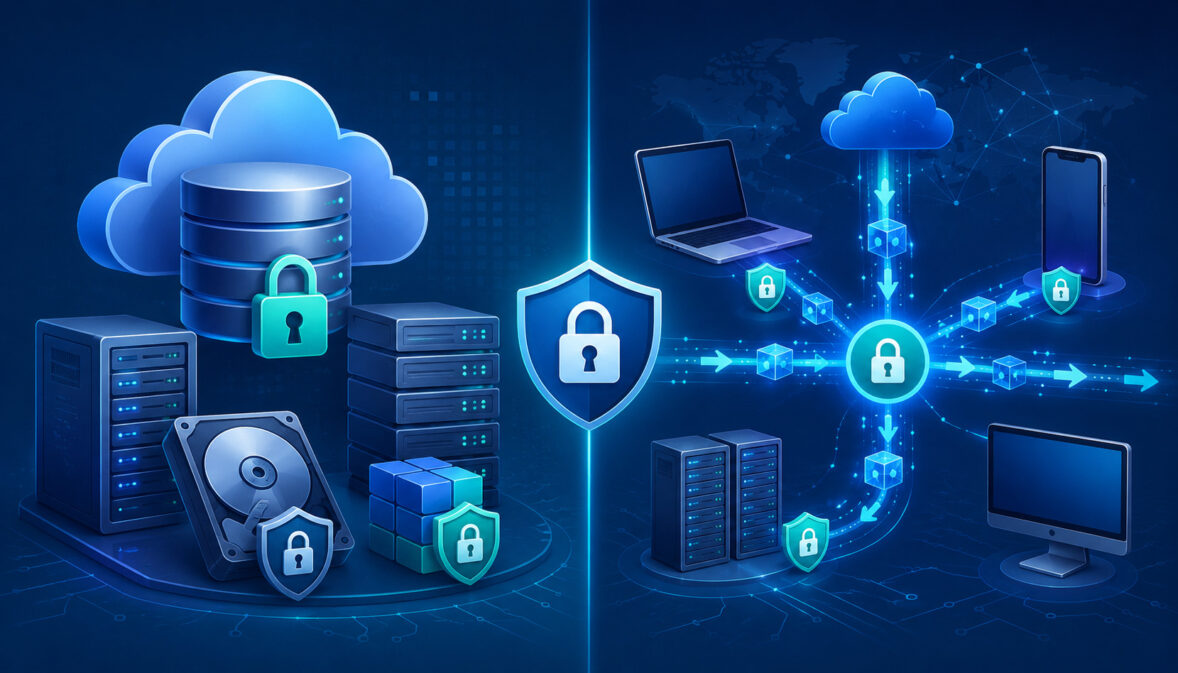
Encryption is one of the most important controls in modern cybersecurity because it helps protect sensitive information even when systems, networks, storage locations, or devices are exposed to risk.
Every organization that collects, stores, processes, or sends digital information needs to understand how encryption works and where it should be applied.
The difference between encryption at rest vs encryption in transit comes down to the state of the data. Data at rest is stored somewhere, such as in a database, file system, backup, cloud storage bucket, server disk, or archive.
Data in transit is actively moving between systems, such as from a browser to a website, from an app to an API, from one server to another, or from a cloud service to a database.
Both forms of data protection encryption are necessary because sensitive information rarely stays in one place. A customer may submit information through a secure form, an application may process it, an API may send it to another service, and a database may store it for later use. During that journey, the data changes state multiple times.
This matters across cloud hosting, databases, software platforms, AI workloads, payment systems, internal business tools, customer portals, analytics pipelines, file-sharing systems, and secure infrastructure. A strong data security encryption strategy protects information when it is stored and when it is moving.
For organizations using AI cloud hosting or cloud-based application infrastructure, encryption is not just a technical checkbox. It is part of a broader approach that includes access control, authentication, audit logs, secure configuration, monitoring, encryption key management, and regular security reviews.
What Does Encryption Mean in Data Security?
Encryption is the process of converting readable information into unreadable coded data using a cryptographic algorithm and an encryption key. The original readable information is often called plaintext. Once it is encrypted, it becomes ciphertext, which should be unreadable without the correct key or authorized decryption process.
In practical terms, encryption helps protect confidential files, customer records, login credentials, business documents, API traffic, database records, backups, and internal communications. If an unauthorized person gains access to encrypted data but does not have the correct key, the information should remain extremely difficult to interpret.
Encryption does not make a system invincible. It does not replace strong passwords, identity management, secure coding, monitoring, or patching. However, it reduces the damage that can happen if data is copied, intercepted, leaked, stolen, or exposed through a misconfiguration.
There are different data encryption methods used in different situations. Some protect files. Some protect databases. Some protect full disks. Some protect website traffic. Some protect application-to-application communication. Understanding these data encryption types helps teams make better decisions about where encryption belongs.
For beginners, the key idea is simple: encryption protects the meaning of data. It does not always stop someone from accessing a file, seeing network traffic, or finding a database record, but it can stop them from reading the sensitive contents.
Why Encryption Is Not Just for Large Organizations
Encryption is not only for banks, hospitals, government agencies, or large technology companies. Small businesses, SaaS startups, AI developers, consultants, online stores, service providers, and local teams may all store or transmit sensitive information every day.
Examples include customer names, email addresses, login credentials, invoices, tax documents, contracts, employee records, payment-related information, support tickets, AI prompts, uploaded files, internal reports, and user messages.
Even if a business does not consider itself highly technical, it may still rely on cloud storage, web forms, email systems, payment tools, file-sharing platforms, and databases.
A small SaaS product may collect user account details and usage data. A professional services firm may store contracts and client documents. An AI application may process user prompts, model outputs, embeddings, logs, or training data. A retail operation may transmit order information between an e-commerce platform, inventory system, and fulfillment tool.
Without encryption at rest, stored files and databases may become more dangerous if storage is compromised. Without encryption in transit, sensitive data may be exposed while moving between users, apps, servers, and APIs.
The size of the organization is less important than the sensitivity of the data and the risk of exposure. If the information would create harm, financial loss, privacy issues, legal concerns, or reputational damage if exposed, encryption should be part of the protection plan.
How Encryption Supports Privacy and Compliance
Encryption supports privacy by reducing the likelihood that exposed data can be read or misused. This is important for customer trust, internal governance, vendor reviews, and security audits. Many compliance programs also expect organizations to protect sensitive information using appropriate technical controls.
Encryption alone does not guarantee compliance. A database can be encrypted and still be mishandled if too many users have access, logs expose sensitive fields, encryption keys are poorly stored, or systems are not monitored. Compliance requires policies, procedures, access management, documentation, employee training, vendor review, and audit readiness.
Still, encryption is often one of the most important technical controls in a compliance program. It can help show that an organization has taken reasonable steps to protect data across storage, transmission, backups, and infrastructure.
NIST provides detailed guidance on cryptographic key management, including protection of keying material, key lifecycle issues, and best practices for managing cryptographic systems. For security teams, that guidance reinforces an important point: encryption is only as reliable as the processes used to manage and protect the keys.
Organizations should document where sensitive data is stored, where it travels, how it is encrypted, who can access it, how keys are managed, and how controls are reviewed. This helps teams prepare for audits, vendor questionnaires, customer due diligence, and incident response.
What Is Encryption at Rest?
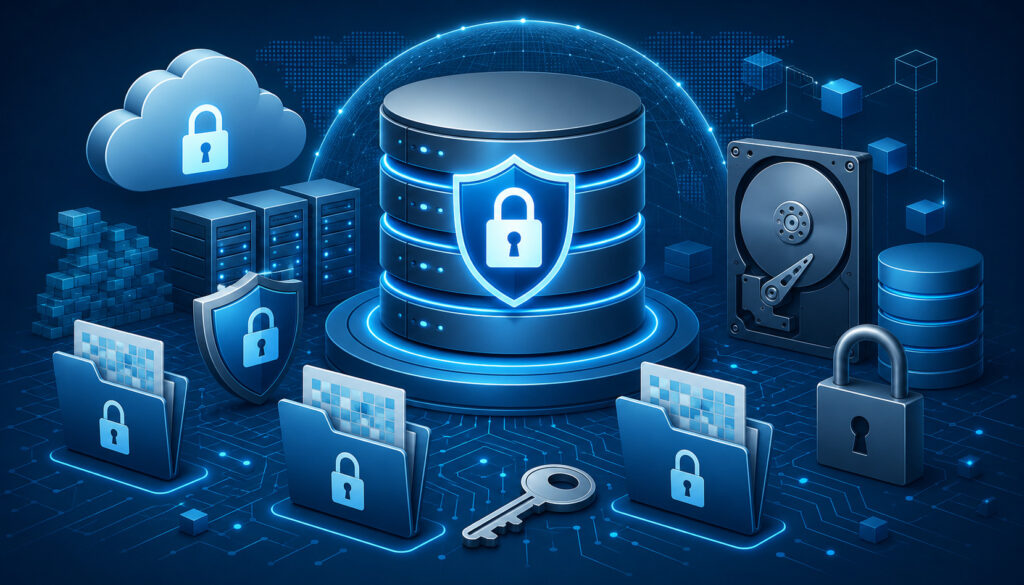
Encryption at rest protects data while it is stored. This includes information saved on servers, hard drives, cloud storage, databases, file systems, storage volumes, containers, snapshots, data warehouses, endpoint devices, and backups.
Data is considered “at rest” when it is not actively moving between systems. A database table, a stored PDF, a saved log file, an archived backup, a virtual machine disk, and an object stored in cloud storage are all examples of data at rest.
The purpose of encryption at rest is to make stored information unreadable without the correct key. If a server disk is stolen, a backup is copied, a database snapshot is exposed, or a cloud storage bucket is misconfigured, encrypted data should be harder to misuse.
Common forms include full-disk encryption, file encryption, database encryption, volume encryption, object storage encryption, and application-level encryption. In cloud environments, encryption at rest may be enabled by default for some services, but teams should never assume that every storage location is fully protected without checking the configuration.
Encrypted data storage is especially important because stored data often accumulates over time. Backups, logs, exports, old records, and archived files can create long-term exposure if they are forgotten. Attackers often look for stored data because it may contain large amounts of sensitive information in one place.
For businesses using secure cloud hosting, encryption at rest should be reviewed across compute storage, databases, object storage, snapshots, backup systems, and any attached storage volumes.
Common Examples of Encryption at Rest
Encryption at rest appears in many parts of modern infrastructure. One common example is database encryption, where stored records are encrypted on disk. This may protect customer profiles, application settings, account data, internal records, transaction metadata, or analytics information.
Another example is encrypted cloud storage. Object storage buckets, file repositories, and document storage systems may use encryption to protect uploaded files, images, reports, and user-generated content. Cloud encryption settings may use provider-managed keys or customer-managed keys depending on the risk level and compliance requirements.
Server encryption is also common. Full-disk encryption or encrypted storage volumes can protect virtual machines, physical servers, and attached disks. If storage media is removed, copied, or improperly disposed of, encryption can reduce the chance that the data can be read.
Backups should also use encryption at rest. This includes database backups, file backups, system snapshots, archival storage, disaster recovery copies, and long-term retention systems. Backup data is often highly sensitive because it may contain complete historical copies of production systems.
Other examples include encrypted file systems, encrypted endpoint devices, encrypted data warehouses, encrypted containers, encrypted removable media, and encrypted local developer machines. Each example protects stored information, but each also depends on secure key handling and access control.
Why Encryption at Rest Matters
Stored data is a major target because it can contain large amounts of valuable information. A single exposed database, backup archive, or storage volume may contain customer records, internal documents, credentials, logs, application data, proprietary files, or confidential business information.
Encryption at rest reduces risk in many scenarios. If a laptop is lost, endpoint encryption can protect local files. If a hard drive is removed from a server, disk encryption can reduce exposure. If a database snapshot is copied without authorization, database encryption can make the data less useful to an attacker.
Cloud misconfiguration is another important concern. A storage bucket, backup repository, or database replica may be exposed by mistake. Encryption does not excuse poor configuration, but it can reduce the impact if data is accessed by someone who should not have it.
Insider misuse is also relevant. Not every data exposure comes from an external attacker. Employees, contractors, vendors, or compromised accounts may attempt to access stored data. Encryption, access control, separation of duties, and audit logs work together to reduce this risk.
Encryption at rest also matters for archived records. Many organizations focus on active systems while forgetting older backups, exports, and legacy databases. Sensitive data can remain valuable long after it was created, so storage protection should cover the full data lifecycle.
What Is Encryption in Transit?

Encryption in transit protects data while it moves between systems, users, applications, servers, APIs, databases, cloud services, and third-party platforms. It is sometimes called network encryption because it protects information traveling across networks.
Data is in transit when a user logs in to a website, submits a form, sends a message, uploads a file, calls an API, connects to a database, syncs with a cloud service, or transfers data between internal systems. During this movement, information may pass through routers, networks, gateways, service layers, and infrastructure that the user never sees.
Encryption in transit helps prevent interception, tampering, eavesdropping, credential theft, and man-in-the-middle attacks. Without it, attackers on the same network or along a communication path may be able to view or alter data.
TLS encryption is the most common technology used to protect web traffic and many API connections. HTTPS uses TLS to secure communication between browsers and websites. Although many people still say SSL encryption or secure sockets layer, modern secure web communication generally relies on transport layer security rather than older SSL versions.
Secure data transfer is especially important for SaaS platforms, dashboards, admin panels, mobile apps, APIs, file uploads, cloud services, and AI applications. Any system that sends sensitive information between endpoints should require encrypted communication.
CISA guidance on encrypted network services and zero trust planning highlights how encrypted traffic can support broader cybersecurity goals when implemented carefully. Encryption in transit is not the only control needed, but it is a foundation for secure communication.
Common Examples of Encryption in Transit
The most familiar example of encryption in transit is an HTTPS website. When a browser connects to a website using HTTPS, TLS helps protect the information exchanged between the browser and the web server. This can include login credentials, session cookies, form submissions, personal information, and account activity.
APIs also commonly use TLS-protected connections. A mobile app may call an API, a SaaS platform may connect to an identity provider, or an AI application may send requests to a model endpoint. These API calls should use secure protocols to reduce the risk of interception.
VPN connections are another example. A VPN can create an encrypted tunnel between a user and a private network, helping protect traffic when employees access internal systems remotely or use untrusted networks.
Encrypted file transfers also fall under encryption in transit. Secure file transfer protocols, encrypted upload links, and protected document exchange systems help safeguard files while they move from one location to another.
Database connections should also be encrypted when applications connect to database servers, especially across networks or cloud environments. The same applies to internal service-to-service communication, message queues, webhook traffic, and communication between cloud services.
Why Encryption in Transit Matters
Data is vulnerable while moving because network communication can be intercepted, captured, redirected, or modified. Attackers may use packet sniffing, unsecured Wi-Fi, rogue access points, compromised routers, misconfigured proxies, or man-in-the-middle techniques to observe traffic.
Unencrypted login pages are especially dangerous because usernames, passwords, session tokens, and other credentials may be exposed. Once credentials are stolen, attackers may access systems even if stored data is encrypted.
Misconfigured APIs can create similar risk. If an API accepts sensitive information over an unsecured connection, data may be exposed before it reaches the application. This is a common problem when teams focus on database security but overlook network paths, test environments, webhooks, or internal tools.
Session hijacking is another concern. If session cookies or authentication tokens are transmitted without proper protection, attackers may impersonate users or gain access to accounts.
Encryption in transit helps protect confidentiality and integrity. Confidentiality means unauthorized parties cannot easily read the data. Integrity means the data is less likely to be modified without detection during transmission. Both are important for secure infrastructure, cloud encryption, payment-related workflows, SaaS platforms, and AI systems.
Encryption at Rest vs Encryption in Transit: Key Differences
The main difference between encryption at rest vs encryption in transit is the state of the data being protected. Encryption at rest protects stored data. Encryption in transit protects moving data.
Encryption at rest is used when data is saved in databases, files, disks, backups, storage buckets, snapshots, and archives. Its main goal is to reduce exposure if stored information is copied, stolen, leaked, or accessed without authorization.
Encryption in transit is used when data moves between browsers, apps, servers, APIs, cloud services, databases, and users. Its main goal is to prevent interception, tampering, credential exposure, and man-in-the-middle attacks.
One does not replace the other. Most business data moves through both states during normal operations. A user may submit information through an encrypted connection. The application may process it. The database may store it using encryption at rest. Later, another authorized system may retrieve and transmit that information through another encrypted connection.
A mature data protection encryption strategy accounts for both states. It also includes encryption key management, identity controls, secure configuration, certificate management, logging, and ongoing review.
| Feature | Encryption at Rest | Encryption in Transit |
| Data state | Stored data | Moving data |
| Common use cases | Databases, backups, disks, cloud storage, file systems | Websites, APIs, email, app traffic, service connections |
| Main risk reduced | Storage theft, unauthorized access, exposed backups, copied databases | Interception, tampering, packet sniffing, man-in-the-middle attacks |
| Common technologies | Disk encryption, database encryption, storage encryption, file encryption | TLS, HTTPS, VPN, secure protocols, encrypted database connections |
| Key concern | Key management and access control | Certificate management and secure configuration |
| Best practice | Encrypt stored sensitive data by default | Require secure connections for all data movement |
When Data Moves Between Rest and Transit
Data often shifts between stored and moving states many times. For example, a user fills out a web form. The form data travels from the browser to the web server over an encrypted HTTPS connection. At that moment, encryption in transit protects the data.
The server then processes the information and stores it in a database. Once stored, encryption at rest helps protect that database record. If the system later creates a backup, encryption at rest should also protect the backup copy.
Later, a support dashboard may retrieve the record from the database and show it to an authorized employee through a secure web application. The data is stored at rest before retrieval, then moves in transit between the server and browser, then may be cached or logged if the application is not carefully designed.
AI workloads follow a similar pattern. A user prompt may move through an encrypted API connection, be processed by an application, sent to a model endpoint, stored in logs or analytics systems, and saved in a database for future review. Each stage needs its own encryption and access control decisions.
This is why data flow mapping is so useful. Teams should know where sensitive data enters, where it moves, where it is stored, who can access it, and how it is protected at each step.
Why Businesses Need Both Encryption Types
Using only one encryption type creates security gaps. If a database uses encryption at rest but the application transmits data over an unsecured connection, sensitive information may be exposed before it reaches the database.
The reverse is also true. Data may travel securely through TLS encryption, but once it reaches a server, it may be stored in an unencrypted file, log, backup, or database table. In that case, attackers may not need to intercept the traffic because the stored copy is easier to target.
Both risks are realistic. Many breaches involve exposed databases, stolen credentials, misconfigured storage, unprotected backups, insecure APIs, or overlooked internal systems. Encryption at rest and encryption in transit help address different parts of the risk.
Businesses also need both because modern infrastructure is distributed. Applications may use cloud storage, managed databases, APIs, containers, virtual machines, data warehouses, identity providers, analytics tools, and AI model endpoints. Each system may store or transmit data differently.
A responsible encryption strategy protects data across the full environment. That includes production systems, development systems, internal tools, cloud hosting, backups, logs, endpoints, third-party integrations, and administrative access.
Data Encryption Methods and Technologies

Modern data security encryption uses multiple methods and technologies. The right approach depends on what is being protected, where the data lives, how it moves, who needs access, and what risk level applies.
Symmetric encryption is commonly used for encrypting stored data because it is efficient for large volumes of information. Asymmetric encryption is often used for secure communication, authentication, digital certificates, and key exchange. TLS combines cryptographic techniques to protect data in transit.
Full-disk encryption protects entire storage devices or volumes. File encryption protects individual files. Database encryption protects stored records or database files. Application-level encryption protects data before it reaches the storage layer, which may be useful for highly sensitive fields.
Hashing is related to cryptography but is not the same as encryption. Encryption is reversible with the correct key. Hashing is designed to be one-way, which is why it is often used for password verification and integrity checks rather than direct data recovery.
Cloud encryption may include provider-managed encryption, customer-managed keys, application-level encryption, encrypted storage volumes, encrypted backups, and TLS-protected service connections. For cloud hosting for AI applications, these controls may protect datasets, model files, prompts, logs, API traffic, and inference results.
Good security programs do not rely on one method for everything. They apply the right data encryption types to the right data states, supported by access control, monitoring, and documentation.
Symmetric and Asymmetric Encryption
Symmetric encryption uses one key to encrypt and decrypt data. The same key must be protected carefully because anyone with access to it may be able to decrypt the information. Symmetric encryption is widely used because it is efficient and works well for large volumes of data.
This makes it useful for encrypted data storage, database encryption, file encryption, backup encryption, and disk encryption. The main challenge is key protection. If the key is stored next to the encrypted data or shared too broadly, encryption becomes much weaker.
Asymmetric encryption uses a pair of keys: a public key and a private key. The public key can be shared, while the private key must remain protected. Data encrypted with one part of the pair can only be decrypted or verified with the corresponding key, depending on the use case.
Asymmetric encryption is important for public key infrastructure, digital certificates, secure communication, authentication, and key exchange. It is often used to establish secure sessions, while symmetric encryption may be used for the actual data transfer after the session is established.
In practice, modern systems often combine both approaches. Asymmetric encryption helps establish trust and exchange keys. Symmetric encryption then protects data efficiently during storage or communication.
TLS, HTTPS, and Secure Data Transfer
TLS helps protect data in transit by encrypting communication between systems. When a website uses HTTPS, TLS helps secure the connection between the browser and the server. This is essential for login pages, dashboards, checkout pages, forms, file uploads, and any page that handles sensitive information.
TLS also protects many API connections. When an application sends data to an API endpoint, a secure TLS configuration helps prevent attackers from reading or altering the traffic. This matters for SaaS platforms, mobile apps, AI systems, webhooks, payment-related systems, and internal service communication.
Digital certificates play a key role in TLS. They help prove that a server is associated with the domain or service the client is trying to reach. Certificate expiration, weak configuration, outdated protocols, and improper validation can weaken encryption in transit.
Many people still use the phrase SSL encryption because the older term remains familiar. However, secure sockets layer is outdated, and modern systems generally use transport layer security. The practical goal remains the same: protect data as it moves across networks.
Strong TLS configuration should disable outdated protocols and weak cipher suites, enforce HTTPS, protect cookies, support secure redirects, and be tested regularly. Secure data transfer is not a one-time setup task. It requires ongoing maintenance.
Encryption Key Management Explained
Encryption key management is the process of creating, storing, protecting, rotating, using, backing up, and retiring encryption keys. It is one of the most important parts of any data protection encryption strategy.
Encryption is only as strong as the protection of its keys. If an attacker steals the key, encrypted data may become readable. If a key is accidentally deleted and no secure backup exists, authorized users may lose access to important data. If too many people can access keys, insider risk increases.
Good encryption key management includes secure key storage, access restrictions, key rotation, separation of duties, audit trails, and monitoring. Some organizations use hardware security modules, managed key services, or centralized key management platforms to reduce risk.
Key management should also reflect the sensitivity of the data. Highly sensitive information may require customer-managed keys, stricter access controls, stronger logging, more frequent reviews, and separation between the encrypted data and the keys used to decrypt it.
NIST’s key management guidance discusses best practices for managing cryptographic keying material and related lifecycle issues. For business and technical teams, the practical takeaway is that encryption keys should be treated as sensitive assets, not simple configuration values.
Common Key Management Mistakes
One common mistake is hardcoding encryption keys in source code. This is risky because source code may be copied, shared, committed to repositories, exposed through logs, or accessed by more people than intended.
Another mistake is storing keys in plain text files on servers. If an attacker compromises the server, the keys may be easy to find. Configuration files, environment files, developer machines, and deployment scripts should be reviewed carefully.
Sharing keys through email, chat, spreadsheets, or tickets is also dangerous. These channels may not provide the access control, audit logging, or protection that encryption keys require.
Failing to rotate keys can create long-term exposure. If a key has been used for years and many people or systems have touched it, the chance of accidental exposure increases. Rotation policies should be based on risk, compliance requirements, and operational realities.
Giving too many users access is another common issue. Developers, administrators, vendors, and support staff may not all need access to encryption keys. Least privilege should apply to key access just as it applies to databases, servers, and applications.
Best Practices for Protecting Encryption Keys
Use managed key services or dedicated key management systems where possible. These tools can help centralize key storage, enforce access controls, support rotation, log usage, and reduce the risk of keys being scattered across systems.
Limit access to keys based on role and need. Not every administrator needs permission to decrypt data. Separate duties where possible so that no single person has unnecessary control over encrypted data and key material.
Rotate keys based on documented policy, risk level, and system requirements. Rotation should be planned carefully because poorly executed key changes can disrupt applications, backups, and integrations.
Monitor key usage through audit logs. Logs should show who accessed keys, when access occurred, which systems used them, and whether unusual activity happened. Monitoring helps detect misuse, misconfiguration, or compromised accounts.
Back up keys securely when recovery is necessary. Losing a key may make encrypted data permanently unreadable, so backup and recovery plans must be protected and tested. Keys should be separated from encrypted data where possible.
Document key ownership, purpose, access permissions, rotation schedule, storage location, and retirement process. Good documentation makes audits easier and helps teams avoid confusion during incidents.
Encryption in Cloud Hosting and AI Infrastructure
Cloud hosting and AI infrastructure often involve distributed systems, large datasets, APIs, storage layers, GPU servers, databases, logs, model files, and third-party integrations. Encryption helps protect information across these environments, but it must be configured intentionally.
Cloud encryption may protect storage volumes, object storage, database files, backups, snapshots, queues, logs, and service-to-service communication. Teams should verify which settings are enabled by default and which require manual configuration.
AI infrastructure introduces additional concerns. AI applications may process user prompts, uploaded files, proprietary datasets, embeddings, model weights, fine-tuning data, inference outputs, vector database records, and application logs. Some of this data may be sensitive even if it does not look like traditional customer records.
For organizations using GPU server hosting or dedicated compute environments, encryption should be reviewed across storage, network paths, model endpoints, administrative access, and backup systems. GPU capacity may power the workload, but encryption protects the data that moves through it.
APIs are especially important in AI infrastructure. User applications may send prompts to model endpoints, retrieve results, store outputs, and connect with external tools. Encryption in transit should protect these flows, while encryption at rest should protect stored prompts, datasets, logs, and outputs when retention is necessary.
Encryption for Cloud Storage, Databases, and Backups
Cloud storage should be reviewed for encryption at rest, access control, public exposure settings, lifecycle rules, and logging. Object storage buckets, file repositories, and attached volumes can store sensitive data in large quantities.
Databases should support encryption at rest and encrypted connections. Database encryption protects stored records, while encrypted connections protect application traffic to and from the database. Both are needed because database data is stored and transmitted during normal use.
Backups need special attention. A production database may be encrypted, but a backup export may be stored somewhere else with weaker controls. Snapshots, replicas, archives, and disaster recovery copies should also use encryption.
Customer-managed keys may be appropriate when organizations need more control over key access, rotation, and auditability. Provider-managed keys may be sufficient for lower-risk use cases, but teams should understand the trade-offs.
Default encryption is helpful, but it should not create false confidence. Teams still need to verify settings, review permissions, monitor access, and test recovery. Encrypted backups are useful only if authorized teams can restore them securely when needed.
Encryption for APIs, Applications, and AI Workloads
Modern applications often depend on APIs, service connections, event streams, webhooks, databases, storage services, and external platforms. Each connection may carry sensitive information.
Encryption in transit should be required for user-to-application traffic, application-to-API traffic, server-to-database traffic, internal service communication, and cloud-to-cloud integrations. This is especially important when data crosses public networks or shared infrastructure.
AI workloads may include user prompts, uploaded files, vector database queries, model responses, embeddings, authentication tokens, and system instructions. These data flows should use secure data transfer practices and strong authentication.
Application-level encryption may be useful for highly sensitive fields before data reaches a database or storage layer. This can reduce exposure if database administrators, storage systems, or backups are compromised, but it also adds complexity.
API security should also include authentication, authorization, rate limiting, input validation, audit logs, and monitoring. TLS encryption protects the connection, but it does not decide whether a user or system should have access to the data.
Best Practices for Data Security Encryption
A strong encryption program starts with knowing what data exists, where it is stored, where it moves, and who needs access. Without a data inventory and data flow map, teams may encrypt obvious systems while missing hidden copies, exports, logs, and integrations.
Organizations should encrypt sensitive data at rest and in transit. This includes databases, storage volumes, cloud storage, backups, APIs, dashboards, admin tools, file transfers, and service-to-service communication.
Use HTTPS and TLS for websites, dashboards, APIs, customer portals, admin panels, and internal tools. Disable outdated protocols and weak cipher suites. Monitor certificate expiration and renew certificates before they create outages or security warnings.
Enable database encryption and storage encryption by default where available. Encrypt backups, snapshots, archives, and exported files. Review whether development, testing, and staging environments contain sensitive data and apply appropriate protection.
Protect encryption keys separately from encrypted data where possible. Use strong authentication, role-based access control, least privilege, key rotation, monitoring, and audit logs. Document key ownership and usage.
Review vendor encryption policies before using external services. Ask how data is encrypted, who manages keys, whether TLS is enforced, how backups are protected, and whether audit logs are available.
Test controls regularly. Security assumptions can become outdated as systems change, teams add integrations, or cloud settings are modified.
How to Build an Encryption Checklist
Start by listing stored data. Include databases, file systems, object storage, logs, exports, backups, snapshots, archives, endpoints, developer machines, and analytics systems. Identify which locations contain sensitive information.
Next, list moving data. Include browser traffic, mobile app traffic, APIs, webhooks, database connections, internal service calls, file transfers, admin access, and third-party integrations. Confirm whether each path uses encryption in transit.
Review key management. Identify where keys are stored, who can access them, how they are rotated, how usage is logged, and what happens if a key is lost or compromised.
Check access controls. Encryption is weaker when too many users can decrypt data or modify settings. Apply least privilege to storage systems, databases, key management tools, servers, and cloud consoles.
Review vendors and cloud hosting configurations. Confirm encryption at rest, encryption in transit, backup encryption, TLS support, certificate handling, audit logs, and documentation.
Add incident response steps. Teams should know how to respond if a key is exposed, a certificate expires, a storage bucket is misconfigured, or sensitive data appears in logs.
Why Encryption Must Work With Other Security Controls
Encryption is essential, but it is not enough by itself. Encrypted data can still be exposed if attackers gain valid credentials, compromise an application, steal keys, abuse permissions, or access data after it has been decrypted for normal use.
Identity and access management are critical. Users and services should only access the data and keys they need. Multi-factor authentication, role-based access, and least privilege reduce the chance that one compromised account creates widespread exposure.
Monitoring and audit logs help detect suspicious activity. If someone repeatedly accesses keys, downloads large exports, changes TLS settings, or copies backups, security teams need visibility.
Patching and secure coding also matter. Encryption cannot fix an application vulnerability that allows unauthorized users to request sensitive records. Vulnerability scanning, code review, dependency management, and secure development practices remain necessary.
Network security, endpoint protection, employee awareness, incident response, and vendor review all support encryption. The goal is layered protection. Encryption protects data, while other controls protect the systems, identities, and processes around that data.
Common Encryption Mistakes to Avoid
Many encryption failures happen because organizations assume encryption is enabled everywhere or that one setting protects every system. In reality, encryption must be reviewed across storage, transmission, keys, backups, logs, applications, and vendors.
One common mistake is storing sensitive data unnecessarily. The safest data is data that does not need to be stored. Teams should review whether they truly need to retain certain fields, logs, exports, or old records.
Another mistake is assuming cloud platforms encrypt everything automatically. Many cloud services provide strong encryption options, but settings vary by service, configuration, region, storage type, and key choice. Teams should verify rather than assume.
Failing to enforce HTTPS is also risky. A site may support HTTPS but still allow unsecured HTTP connections, mixed content, insecure redirects, or unprotected subdomains. APIs and admin tools should also require secure connections.
Weak passwords, poor access control, and missing multi-factor authentication can undermine encryption. If attackers can log in as authorized users, they may access decrypted data through normal application features.
Certificate expiration is another avoidable problem. Expired certificates can break secure connections, cause browser warnings, disrupt APIs, and lead teams to make unsafe temporary changes.
Poor key storage is one of the most serious issues. Keys stored in code, emails, tickets, local files, or shared documents create unnecessary risk.
Assuming Encryption Solves Every Security Problem
Encryption protects data confidentiality, but it does not solve every security problem. If attackers gain access to an application as an authorized user, the application may decrypt data for them during normal operation.
If attackers steal encryption keys, they may be able to decrypt stored information. If administrators have excessive privileges, they may access data even when encryption exists. If logs contain sensitive data before encryption, those logs may create another exposure path.
Encryption also does not prevent phishing, malware, insecure code, broken authentication, excessive permissions, or poor vendor practices. It must be combined with identity controls, monitoring, secure development, and operational discipline.
For example, a database may be encrypted at rest, but a vulnerable API may allow unauthorized users to request records. In that case, the attacker does not need to break encryption. The application retrieves and returns the data.
This is why zero trust principles, least privilege, authentication, authorization, and audit logs matter. Encryption protects data, but security teams must also protect the paths through which data is accessed.
Forgetting About Logs, Backups, and Temporary Files
Sensitive data often appears outside the primary database. Logs may include user inputs, API requests, error messages, headers, tokens, prompts, file names, or system responses. If logs are not protected, they can become a hidden source of exposure.
Backups are another common blind spot. A team may encrypt the production database but store backup exports in a less protected location. Snapshots, replicas, archives, and recovery images should be reviewed carefully.
Temporary files can also create risk. Applications may create cache files, upload staging files, export folders, debug files, or intermediate processing files. These may contain sensitive data even if they are intended to exist only briefly.
Development and testing environments deserve attention. Teams sometimes copy production data into test systems without applying the same encryption, access control, or monitoring. This increases risk because non-production environments may have weaker controls.
Data teams should also review spreadsheets, reports, analytics exports, and shared folders. Sensitive information can spread quickly when copied for reporting or troubleshooting.
A practical encryption review should include all places where sensitive data may land, not just the systems that were designed to store it.
How to Choose the Right Encryption Approach
The right encryption approach depends on data sensitivity, infrastructure type, compliance requirements, risk level, budget, technical resources, and operational maturity. Not every system needs the same level of complexity, but every sensitive data flow should be reviewed.
Start by classifying data. Customer records, credentials, financial information, health-related details, confidential documents, proprietary datasets, AI prompts, and authentication tokens may require stronger controls than public content.
Next, identify where the data is stored and transmitted. A simple website, SaaS platform, AI application, internal analytics system, and distributed cloud environment may all require different encryption designs.
Consider the level of key control required. Some organizations can use managed encryption with provider-managed keys. Others may need customer-managed keys, strict access logs, separation of duties, or hardware-backed key protection.
Review compliance and contractual requirements. Some customers, industries, or partners may require documented encryption controls, audit logs, secure data transfer, backup encryption, or formal key management procedures.
Balance security with usability. Strong controls must be maintainable. If encryption is implemented in a way that breaks recovery, slows operations, or creates unclear ownership, teams may work around it. Good design protects data while supporting reliable operations.
Questions to Ask Your Hosting or Cloud Provider
Ask whether encryption at rest is enabled by default for storage volumes, databases, object storage, snapshots, backups, and archives. If not, ask how to enable it and whether existing data must be migrated.
Ask whether encryption in transit is required for dashboards, APIs, database connections, admin access, service-to-service communication, and file transfers. Confirm TLS support and whether outdated protocols are disabled.
Ask how certificates are managed. Find out whether automatic renewal is supported, how expiration is monitored, and whether secure configurations are tested.
Ask about database encryption. Does the database support encryption at rest? Are connections encrypted? Can sensitive fields be encrypted at the application level if needed?
Ask about encryption key management. Are keys provider-managed or customer-managed? Who can access them? Are key actions logged? Can keys be rotated? Is there support for separation of duties?
Ask about backup protection. Are backups encrypted? Where are they stored? Who can restore them? Are restore events logged? How long are backups retained?
Ask for documentation. Security teams should be able to review encryption settings, access logs, compliance documentation, and operational procedures before relying on a provider for sensitive workloads.
Documentation Businesses Should Maintain
Encryption documentation helps teams prove that controls exist and understand how they work. It also reduces confusion during audits, vendor reviews, onboarding, troubleshooting, and incident response.
Start with an encryption policy. This should describe what types of data must be encrypted, when encryption at rest is required, when encryption in transit is required, and who is responsible for maintaining controls.
Maintain data flow maps. These maps should show where sensitive data enters, where it moves, where it is stored, which systems process it, and which third parties receive it.
Document key management procedures. Include key owners, storage locations, access permissions, rotation practices, backup procedures, recovery steps, and retirement processes.
Keep records of vendor settings and cloud configurations. Screenshots, configuration exports, security reports, and audit logs may help show how encryption is applied.
Track access permissions. Teams should know who can access encrypted data, who can manage keys, who can change TLS settings, and who can restore backups.
Document incident response steps for encryption-related events. This includes exposed keys, expired certificates, unencrypted backups, misconfigured storage, and unauthorized access to sensitive systems.
FAQs
What is the difference between encryption at rest and encryption in transit?
Encryption at rest protects stored data. This includes data saved in databases, disks, cloud storage, backups, file systems, archives, and snapshots.
Encryption in transit protects data while it moves between systems. This includes browser traffic, API calls, database connections, file transfers, mobile app traffic, and communication between cloud services.
The simplest way to understand encryption at rest vs encryption in transit is to ask whether the data is stored or moving. Stored data needs encryption at rest. Moving data needs encryption in transit.
Most organizations need both because data usually moves between users, applications, servers, and storage systems.
Is encryption at rest enough to protect business data?
No. Encryption at rest is important, but it is not enough by itself. It protects stored information, but it does not protect data while it moves across networks.
For example, a database may be encrypted at rest, but if users submit sensitive information through an unsecured connection, that data may be exposed before it reaches the database. Similarly, an application may retrieve encrypted data and send it through an insecure API.
Encryption at rest should be combined with encryption in transit, access control, authentication, audit logs, key management, monitoring, secure coding, and backup protection.
Why is encryption in transit important for websites and APIs?
Encryption in transit is important because websites and APIs constantly move information between users, applications, servers, and services. This may include login credentials, session tokens, personal details, uploaded files, payment-related data, user messages, and business records.
Without TLS encryption, attackers may intercept or alter data while it travels across a network. This can lead to credential theft, session hijacking, data exposure, or tampering.
Websites should use HTTPS, and APIs should require secure connections. Admin tools, webhooks, internal services, and database connections should also be reviewed for secure data transfer.
What are the most common data encryption methods?
Common data encryption methods include symmetric encryption, asymmetric encryption, full-disk encryption, file encryption, database encryption, application-level encryption, and TLS-based encryption for data in transit.
Symmetric encryption is often used for stored data because it is efficient. Asymmetric encryption is commonly used for certificates, key exchange, and public key infrastructure.
TLS encryption is widely used for websites, APIs, and network communication. Database encryption, server encryption, cloud encryption, and endpoint encryption protect stored information in different environments.
How does TLS protect data in transit?
TLS protects data in transit by creating an encrypted connection between systems, such as a browser and a website or an application and an API. This helps prevent unauthorized parties from reading or tampering with the data while it moves.
TLS also uses certificates to help establish trust between communicating systems. When properly configured, it helps protect login forms, account dashboards, file uploads, API requests, cookies, and service connections.
Although many people still say SSL encryption, modern secure connections generally rely on TLS rather than outdated SSL technology.
What is encryption key management?
Encryption key management is the process of creating, storing, protecting, rotating, using, backing up, and retiring encryption keys. Keys are what allow authorized systems to encrypt and decrypt data.
If encryption keys are stolen, exposed, deleted, or mismanaged, encrypted data may become vulnerable or inaccessible. That is why keys should be protected with strict access control, secure storage, monitoring, and documented procedures.
Good encryption key management includes least privilege access, key rotation, audit logs, secure backups, separation from encrypted data where possible, and clear ownership.
Should backups also be encrypted?
Yes. Backups should be encrypted because they often contain complete copies of sensitive systems. A backup may include databases, files, logs, customer records, application settings, and historical data.
If backups are not encrypted, they can become an easier target than production systems. Attackers may look for backup files, snapshots, exports, or archives because these may be less monitored.
Backup encryption should be combined with secure storage, limited restore permissions, retention policies, audit logs, and tested recovery procedures.
How often should encryption settings be reviewed?
Encryption settings should be reviewed regularly and whenever systems change. Reviews are especially important after adding new databases, APIs, storage locations, vendors, cloud services, backups, or AI workloads.
Teams should check whether encryption at rest is enabled, whether encryption in transit is enforced, whether certificates are valid, whether keys are rotated, and whether access permissions are still appropriate.
Security reviews should also include logs, backups, exports, test environments, temporary files, and vendor configurations because sensitive data often appears outside the main application.
Conclusion
Understanding encryption at rest vs encryption in transit is essential for protecting modern business data. Stored data and moving data face different risks, so they require different but complementary protections.
Encryption at rest protects databases, files, disks, storage volumes, backups, snapshots, archives, and cloud storage. Encryption in transit protects websites, APIs, applications, database connections, file transfers, and service-to-service communication.
Neither control replaces the other. Data often moves from users to applications, from applications to APIs, from APIs to databases, and from databases to backups or analytics systems. Each stage needs the right protection.
A responsible encryption strategy includes more than enabling a setting. It requires encryption key management, access control, TLS configuration, certificate monitoring, backup protection, audit logs, documentation, secure hosting, and regular reviews.
Organizations that treat encryption as part of a broader security program are better prepared to reduce data exposure, support privacy, strengthen compliance readiness, and build trustworthy infrastructure.
Encryption is not the whole security answer, but it is one of the most important foundations for protecting sensitive information wherever it is stored and wherever it moves.